さくらのレンタルサーバーでWebサイトのスナップショットを作成してステージングサーバーを使う
はじめに
タイトル通りのことができるようになっていた。
さくらのレンタルサーバー上で WordPress を動かしているが、今まではプラグインを使って定期的なバックアップを作成していたが、今回の機能を使用することで手厚いバックアップ体制にすることができるかと。
試してみた結果私の環境ではステージングサーバーを動かすのにひと手間必要だったのでメモしておく。
機能の紹介
以下の公式情報をご覧ください。
スナップショット作成とステージングサーバー使用の流れ
- さくらのサーバーコントロールパネルにログイン
- Webサイト/データ → バックアップ を選択
- Snapup を選択 ※Snapup を利用するためには初回に有効にする必要があった気がする。。。
- 「サイトを追加する」を選択して自身の WordPress サイトを選択
- スナップショットを作成
- ステージングサーバーの作成
- ステージングサーバーに作成したスナップショットをセットする
↑ で記載した流れは、稼働中 WordPress 環境のバックアップを作成してステージング環境を作成するパターン。
今後はステージング環境でプラグインやスキンなどのテストを行って、その結果を本番サーバーへ適用することもできるらしい。
注意事項
- ステージングサーバーは3か月で削除されるとのこと
- ステージングサーバーの利用時にステージングサーバーを毎回作成することになりそう。
- スナップショットをステージングサーバーにセットするだけではステージングサーバーが動作しなかった
- 「.htaccess」の「Begin AIOWPSEC Firewall」から「End AIOWPSEC Firewall」で囲まれている行を削除する必要があった。
.htaccess の内容についてはみなみなさまの環境それぞれあると思うので、うまく動作しない場合は適宜ご確認いただくのがよいかと思います。
音楽CDから音楽ファイルを作成して iPhone で聞く方法(Apple Music を使用しない方法)
- CD から音楽ファイルの作成
- 音楽ファイルを iCloud にアップロード
- iPhone で iCloud にアップロードした音楽ファイルの確認
- iCloud から iPhone に音楽ファイルをダウンロード
- iPhone で音楽ファイルを再生
- iPhone で音楽再生する時のアプリ
- 最後に
音楽サブスクのサービスだとたまに CD には入っている楽曲がサブクスだと聞けない、古い楽曲はサブスクでは提供されていない ってことがあったりしました。
そういうときはたいていCDを買ってしまいます。
また古い CD も手元にたくさんあったり。。
今回は Windows + iPhone でこれらの CD の楽曲を聴く方法をメモします。
(Apple Music で実現する方法もあるみたいなんですが、こちらの方法はもっと泥臭いやり方です。。)
以下の流れで進めていきます。
- CD から音楽ファイルの作成
- 音楽ファイルを iCloud にアップロード
- iCloud から iPhone に音楽ファイルをダウンロード
- iPhone で音楽ファイルを再生
- iPhone で音楽再生する時のアプリ
CD から音楽ファイルの作成
Windows PC でメディアプレーヤーを起動します。
そして Windows PC に iPhone で聴きたい楽曲が入った CD をセットします。
メディアプレーヤーの CDの取り込み ボタンを押します。
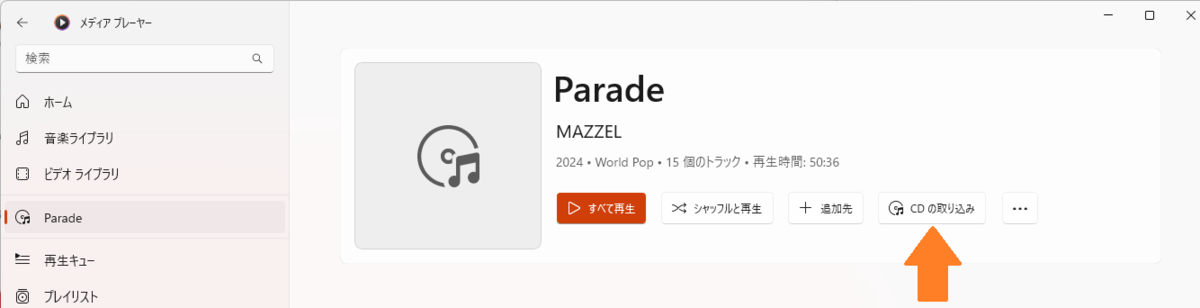
すると以下のような画面になって取り込みが始まります。
しばらくぼーっと待ちます。
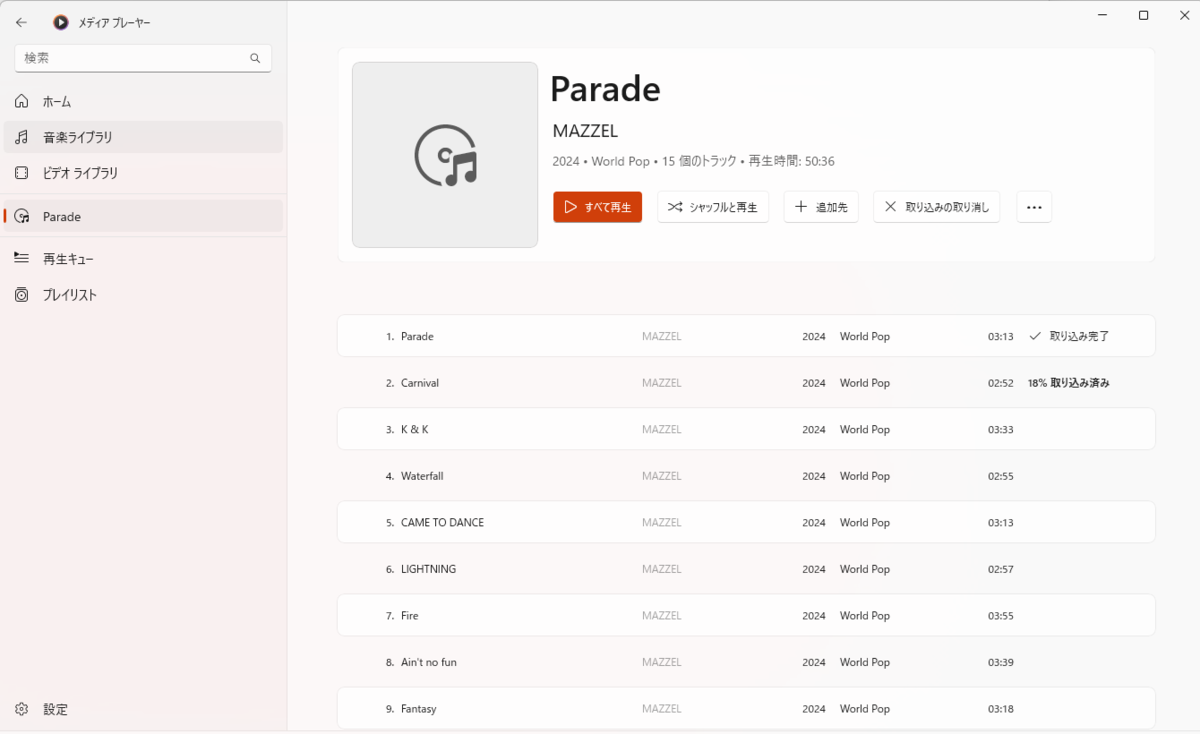
取り込みが完了すると以下のような画面になります。
ファイルの表示 を選択してください。
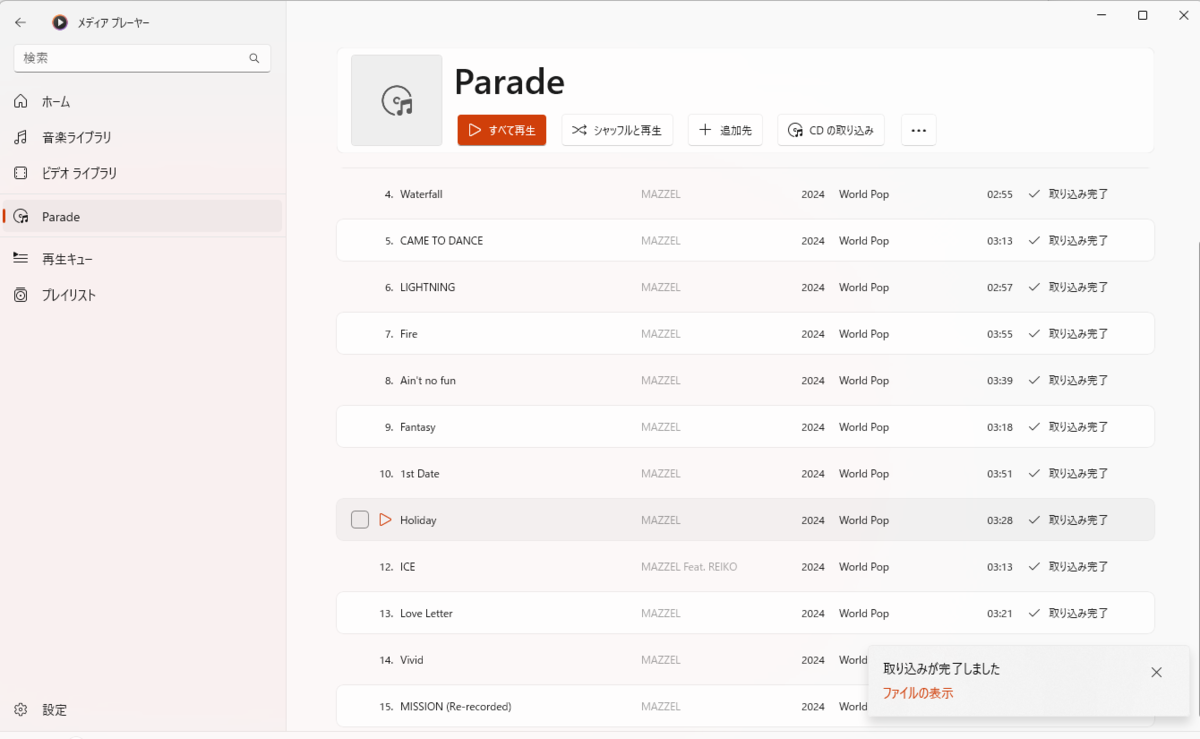
私の PC では ミュージック というフォルダに音楽ファイルが作成されていました。
この音楽ファイルの作成場所を覚えておいてください。
音楽ファイルを iCloud にアップロード
作成した音楽ファイルを iCloud にアップロードします。
まずブラウザで iCloud にログインします。
ログインしたら Drive を選択します。
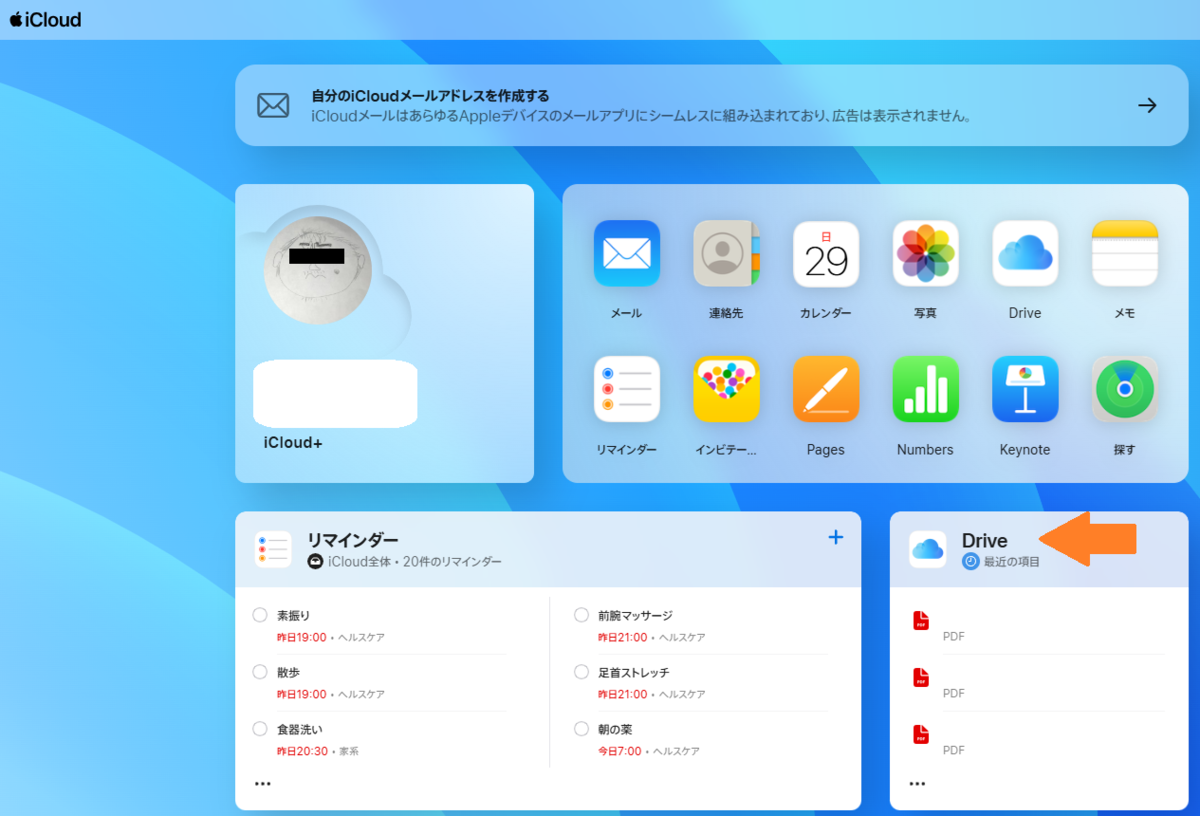
画面左側のリストから ブラウズ を選択して、音楽ファイルを保存する場所を右側のリストから選択します。
私は music をダブルクリックして選択しました。
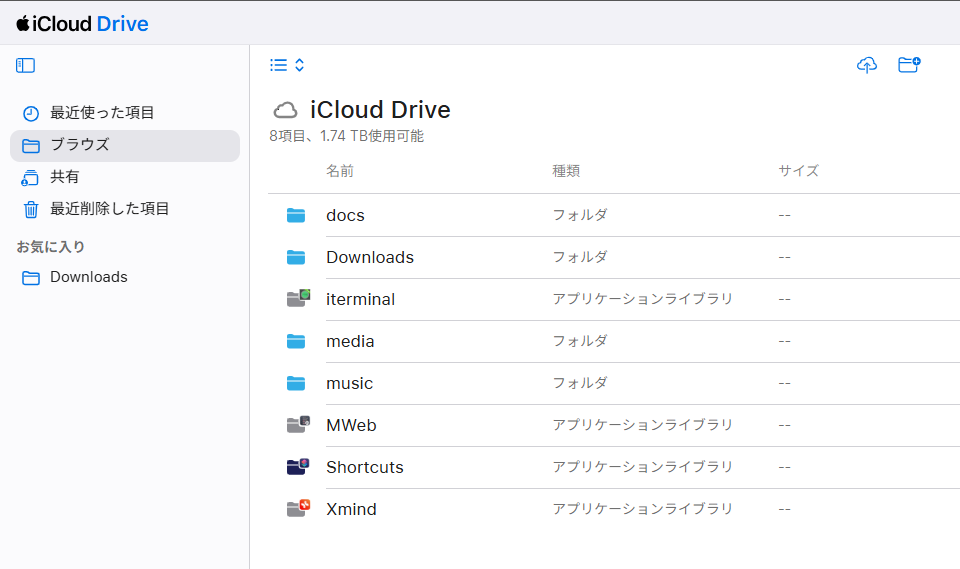
私は ↑ で選択した music の中に音楽ファイルを保存するフォルダを作成しました。
ここでは Parade というフォルダを作成してさらにダブルクリックして移動しています。
この Parade というフォルダの配下に先ほど作成した音楽ファイルをアップロードします。
アップロードしたい音楽ファイルをすべて選択して Parade フォルダにドラッグアンドドロップします。
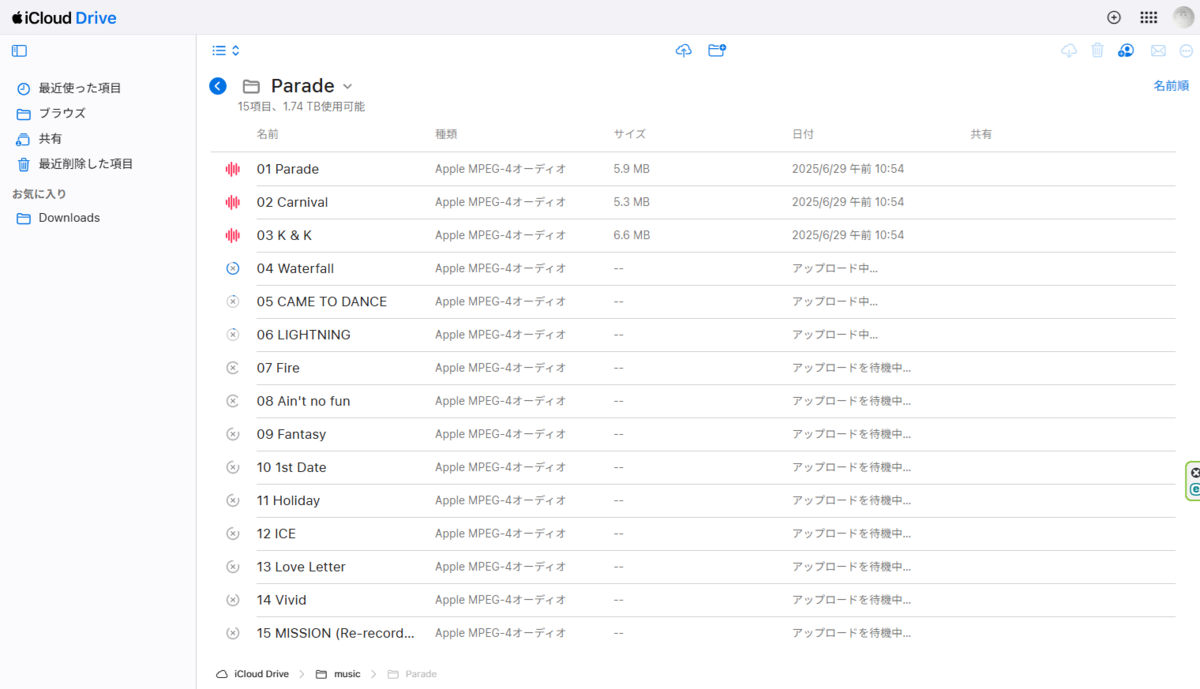
すると ↑ の画面になりアップロードが開始されます。
しばらく待ちます。
iPhone で iCloud にアップロードした音楽ファイルの確認
iPhone で ファイル アプリを実行します。

ファイルを開いたら ブラウズ の画面に移動します。
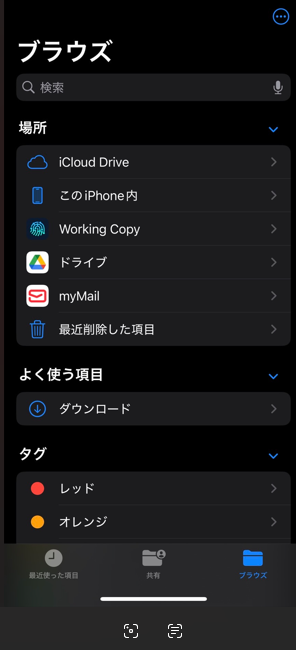
iCloud Drive を選択し続いて先ほど音楽ファイルをアップロードしたフォルダを選択します。
今回は music に音楽ファイルをアップロードしたので music を選択します。
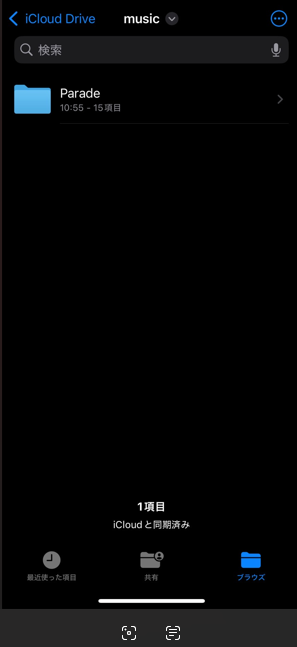
すると ↑ のような画面になりました。
先ほど私は Parade というフォルダを作成したので、ここでは Parade というフォルダが表示されています。
Parade を選択します。
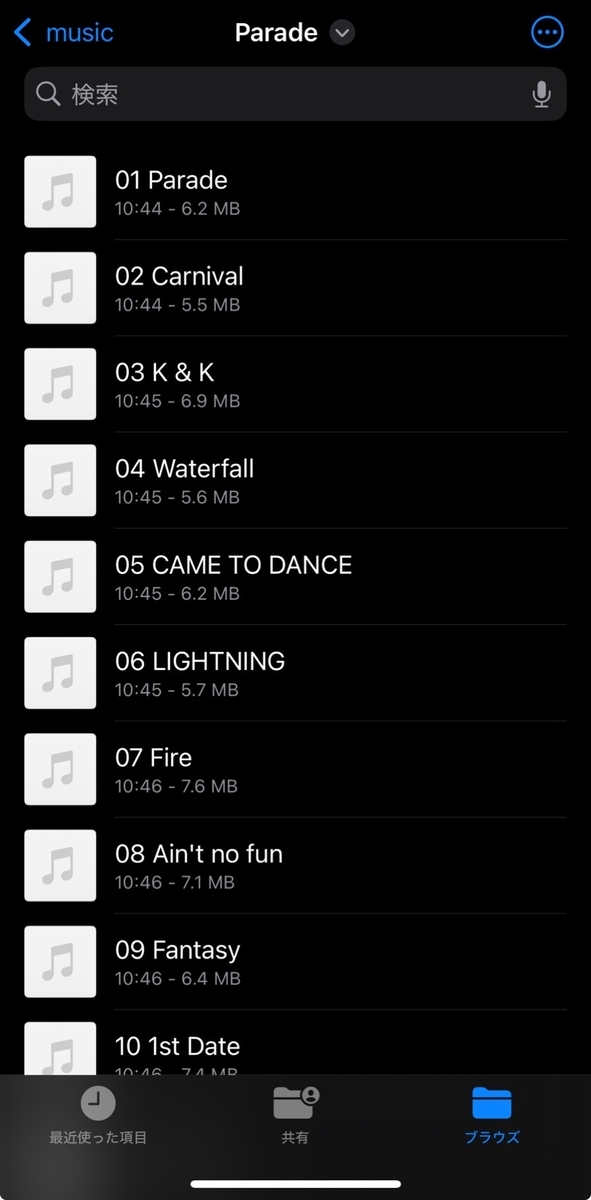
↑ のように先ほどアップロードした音楽ファイルが表示されます。
※ ここで音楽ファイルを選択すると音楽の再生ができます。
が、インターネット上のファイルを再生しているため再生のたびに通信が発生します。
繰り返し何回も聞くのであれば ↓ の手順で音楽ファイルを iPhone にコピーしてください。
iCloud から iPhone に音楽ファイルをダウンロード
iCloud にアップロードした音楽ファイルを iPhone にダウンロードします。
先ほどまでの操作で以下の画面になっていると思います。
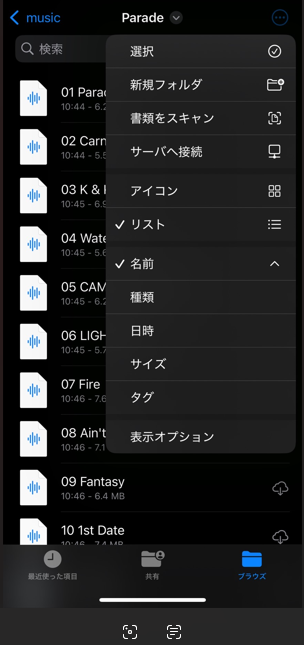
右上の … を選択して 選択 を選択します。
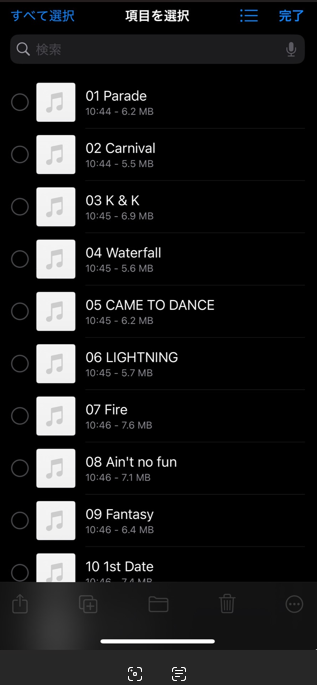
すると音楽ファイルの左側にチェック欄が表示されるので、コピーしたいファイルにチェックを入れてください。
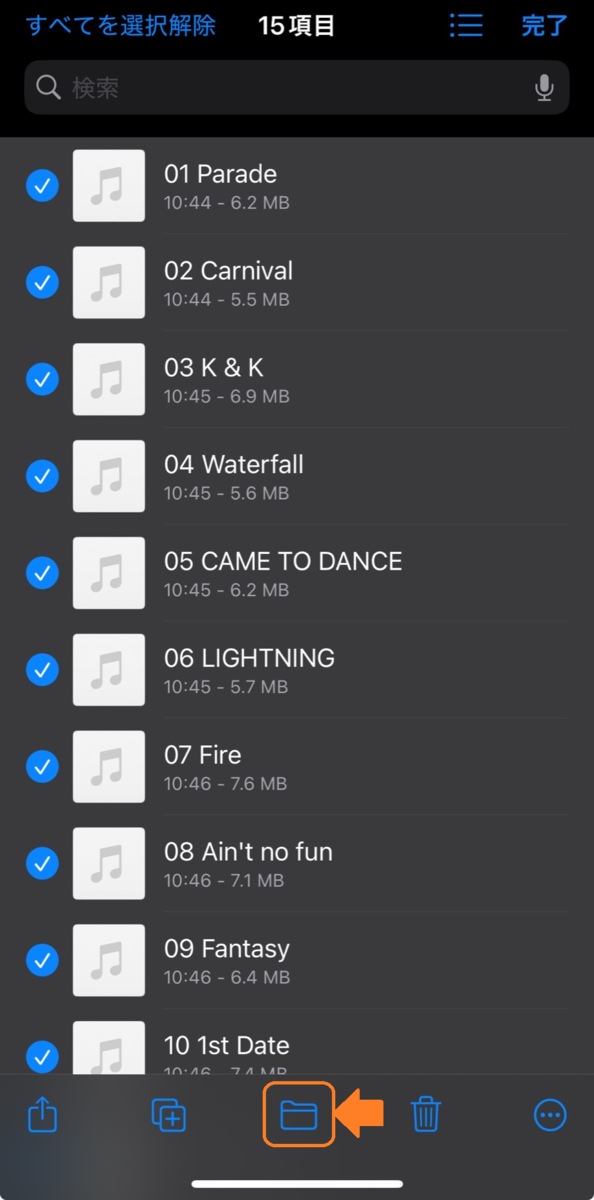
今回はすべての音楽ファイルをコピーしたいと思ったので、画面左上の すべて選択 を選びました。
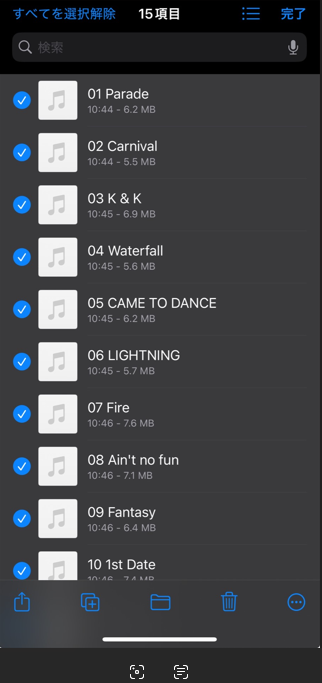
コピーしたファイルを選択したら画面下部中央のフォルダアイコンを選択してファイルのコピー先を選択します。
一度ブラウズまで戻り この iPhone 内 を選択します。
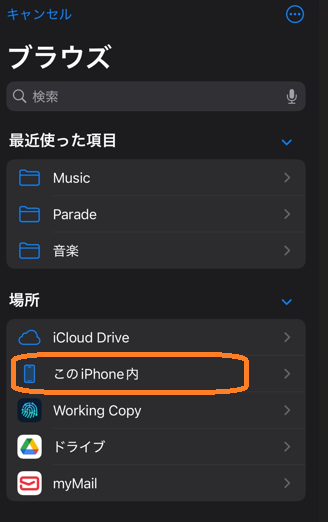
音楽ファイルを保存した場所がすでにあればそのフォルダを選択してください。
今回私は Music というフォルダを iPhone 内に作成してそこに音楽ファイルを保存しようと思います。
右上の … を選択して 新規フォルダ を選択します。
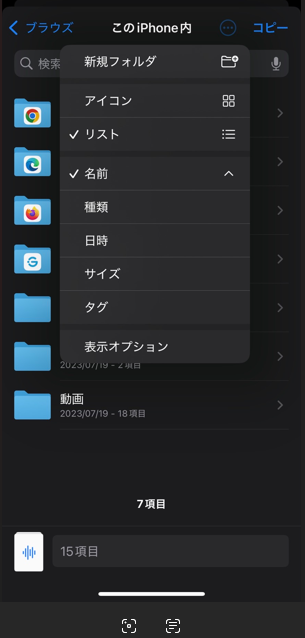
新しいフォルダが選択されている状態になっているので、名前を Music に設定しました。
作成した Music フォルダを選択すると以下のような表示になり フォルダが空です と表示されています。
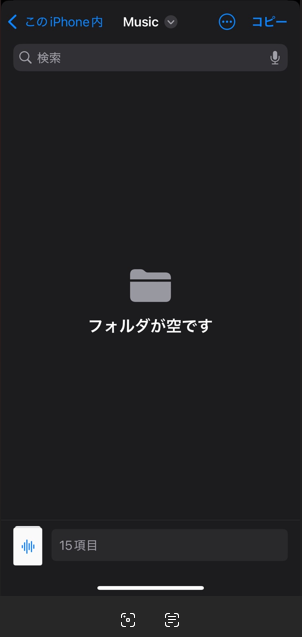
同じ手順でさらに Parade というフォルダを作成しました。
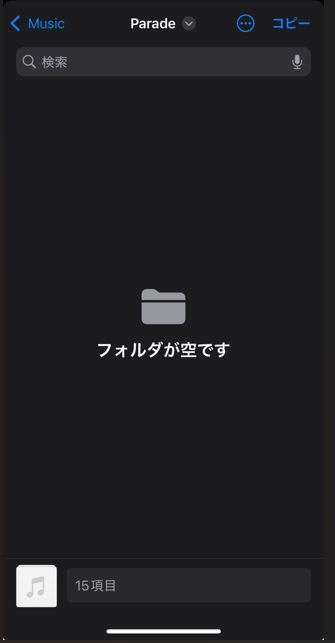
フォルダ Parade で画面右上の コピー を選択します。
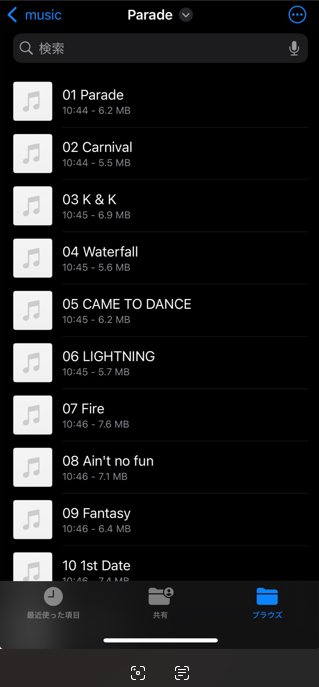
iPhone にファイルがコピーされました。
iPhone で音楽ファイルを再生
iPhone の ファイル アプリで先ほど音楽ファイルをコピーしたフォルダに移動します。
今回の私のケースでは以下の順に選択します。
この iPhone 内 → Music → Parade
するとコピーした音楽ファイルが表示されていると思います。
再生したい音楽ファイルを選択します。

すると再生ボタンのが表示されるので押してみます。
音楽が再生されると思います。
ただこの再生、1曲終わると再生止まっちゃいます。
同じフォルダに複数の音楽ファイルがあっても連続して再生されません。。
これだと音楽聴くには使いづらい。。
iPhone で音楽再生する時のアプリ
私は VLC media player を使用しています。
特徴は無料であることと iPhone 内に保存されている楽曲から再生する曲を選択して連続して再生できるところです。
iPhone に保存されている音楽ファイルの再生以外にもいろいろと機能があるみたいです。。があまり把握できていません。
よかったら使ってみて感想を教えていただければと思います。
最後に
iCloud の Drive にコピーした音楽ファイルは削除しておいた方がいいと思います。
置きっぱなしにしているとクラウドの使用量を圧迫していくと思いますので。
また iPhone 内の音楽ファイルを再生する良いアプリがあったら教えてください。
CDの音楽再生をする一助になれば幸いです。
Debian 11 と CentOS 7 のスタティックルート追加失敗時の挙動の違い
やったこと
OS が疎通できない IP アドレスをネクストホップとしたスタティックルートを追加してしまった場合に、元の状態に戻す方法が Debian 11 と CentOS 7 で異なっていたのでメモ。
簡単な結果まとめ
検証メモ
以下の操作をそれぞれの OS で行った。
- OS が疎通できる IP アドレスをネクストホップとしたスタティックルートのみを設定ファイルに記載
- ネットワーク再起動
- スタティックルートが正常に追加できたことを確認
- OS が疎通できない IP アドレスをネクストホップとしたスタティックルートのみを設定ファイルに記載
- ネットワーク再起動
- スタティックルートが正常に追加できないことを確認
ここから復旧方法確認
- 改めて OS が疎通できる IP アドレスをネクストホップとしたスタティックルートのみを設定ファイルに記載
- ネットワーク再起動
- スタティックルートの追加状況を確認
Debian 11
Debian で networking の再起動を実施するとインターフェースが Down したあと Up してこない。
なぜ?
root@test-09:~# ip a
1: lo: <LOOPBACK,UP,LOWER_UP> mtu 65536 qdisc noqueue state UNKNOWN group default qlen 1000
    link/loopback 00:00:00:00:00:00 brd 00:00:00:00:00:00
    inet 127.0.0.1/8 scope host lo
       valid_lft forever preferred_lft forever
    inet6 ::1/128 scope host
       valid_lft forever preferred_lft forever
2: eth0: <BROADCAST,MULTICAST,UP,LOWER_UP> mtu 1500 qdisc mq state UP group default qlen 1000
    link/ether 00:15:5d:de:01:3f brd ff:ff:ff:ff:ff:ff
    inet 192.168.3.249/24 brd 192.168.3.255 scope global eth0
       valid_lft forever preferred_lft forever
    inet6 fe80::215:5dff:fede:13f/64 scope link
       valid_lft forever preferred_lft forever
3: eth1: <BROADCAST,MULTICAST,UP,LOWER_UP> mtu 1500 qdisc mq state UP group default qlen 1000
    link/ether 00:15:5d:de:01:40 brd ff:ff:ff:ff:ff:ff
    inet 192.168.100.249/24 brd 192.168.100.255 scope global eth1
       valid_lft forever preferred_lft forever
    inet6 fe80::215:5dff:fede:140/64 scope link
       valid_lft forever preferred_lft forever
root@test-09:~#
root@test-09:~# ip r
default via 192.168.3.254 dev eth0 onlink
192.168.3.0/24 dev eth0 proto kernel scope link src 192.168.3.249
192.168.100.0/24 dev eth1 proto kernel scope link src 192.168.100.249
root@test-09:~#
root@test-09:~# cat /etc/network/interfaces
# This file describes the network interfaces available on your system
# and how to activate them. For more information, see interfaces(5).

source /etc/network/interfaces.d/*

# The loopback network interface
auto lo
iface lo inet loopback

## Management Network
allow-hotplug eth0
iface eth0 inet static
        address         192.168.3.249
        netmask         255.255.255.0
        gateway         192.168.3.254

## Internet Network
allow-hotplug eth1
iface eth1 inet static
        address         192.168.100.249
        netmask         255.255.255.0


root@test-09:~#
root@test-09:~# vi /etc/network/interfaces
root@test-09:~#
root@test-09:~# cat /etc/network/interfaces
# This file describes the network interfaces available on your system
# and how to activate them. For more information, see interfaces(5).

source /etc/network/interfaces.d/*

# The loopback network interface
auto lo
iface lo inet loopback

## Management Network
allow-hotplug eth0
iface eth0 inet static
        address         192.168.3.249
        netmask         255.255.255.0
        gateway         192.168.3.254

## Internet Network
allow-hotplug eth1
iface eth1 inet static
        address         192.168.100.249
        netmask         255.255.255.0
        post-up ip route add 10.0.0.0/24 via 192.168.100.254 dev eth1


root@test-09:~#
root@test-09:~# ip r
default via 192.168.3.254 dev eth0 onlink
192.168.3.0/24 dev eth0 proto kernel scope link src 192.168.3.249
192.168.100.0/24 dev eth1 proto kernel scope link src 192.168.100.249
root@test-09:~#
root@test-09:~# systemctl restart networking
↑↑↑ ここでネットワークダウン
別途ターミナルで ifup を実施してインターフェースを Up させた。
root@test-09:~# ip r
default via 192.168.3.254 dev eth0 onlink
10.0.0.0/24 via 192.168.100.254 dev eth1
192.168.3.0/24 dev eth0 proto kernel scope link src 192.168.3.249
192.168.100.0/24 dev eth1 proto kernel scope link src 192.168.100.249
root@test-09:~#
root@test-09:~# cat /etc/network/interfaces
# This file describes the network interfaces available on your system
# and how to activate them. For more information, see interfaces(5).

source /etc/network/interfaces.d/*

# The loopback network interface
auto lo
iface lo inet loopback

## Management Network
allow-hotplug eth0
iface eth0 inet static
        address         192.168.3.249
        netmask         255.255.255.0
        gateway         192.168.3.254

## Internet Network
allow-hotplug eth1
iface eth1 inet static
        address         192.168.100.249
        netmask         255.255.255.0
        post-up ip route add 10.0.0.0/24 via 192.168.100.254 dev eth1


root@test-09:~#
root@test-09:~# vi /etc/network/interfaces
root@test-09:~#
root@test-09:~# cat /etc/network/interfaces
# This file describes the network interfaces available on your system
# and how to activate them. For more information, see interfaces(5).

source /etc/network/interfaces.d/*

# The loopback network interface
auto lo
iface lo inet loopback

## Management Network
allow-hotplug eth0
iface eth0 inet static
        address         192.168.3.249
        netmask         255.255.255.0
        gateway         192.168.3.254

## Internet Network
allow-hotplug eth1
iface eth1 inet static
        address         192.168.100.249
        netmask         255.255.255.0
        post-up ip route add 20.0.0.0/24 via 192.168.254.254 dev eth1

root@test-09:~#
root@test-09:~#
root@test-09:~# systemctl restart networking
↑↑↑ ここでネットワークダウン
別途ターミナルで ifup を実施してインターフェースを Up させた。
しかし、eth1 は ifup 時にエラーが表示された。
root@test-09:~# ip r
default via 192.168.3.254 dev eth0 onlink
192.168.3.0/24 dev eth0 proto kernel scope link src 192.168.3.249
192.168.100.0/24 dev eth1 proto kernel scope link src 192.168.100.249
root@test-09:~#
root@test-09:~# ifup eth1
RTNETLINK answers: File exists
ifup: failed to bring up eth1
root@test-09:~#
root@test-09:~# ip a
1: lo: <LOOPBACK,UP,LOWER_UP> mtu 65536 qdisc noqueue state UNKNOWN group default qlen 1000
    link/loopback 00:00:00:00:00:00 brd 00:00:00:00:00:00
    inet 127.0.0.1/8 scope host lo
       valid_lft forever preferred_lft forever
    inet6 ::1/128 scope host
       valid_lft forever preferred_lft forever
2: eth0: <BROADCAST,MULTICAST,UP,LOWER_UP> mtu 1500 qdisc mq state UP group default qlen 1000
    link/ether 00:15:5d:de:01:3f brd ff:ff:ff:ff:ff:ff
    inet 192.168.3.249/24 brd 192.168.3.255 scope global eth0
       valid_lft forever preferred_lft forever
    inet6 fe80::215:5dff:fede:13f/64 scope link
       valid_lft forever preferred_lft forever
3: eth1: <BROADCAST,MULTICAST,UP,LOWER_UP> mtu 1500 qdisc mq state UP group default qlen 1000
    link/ether 00:15:5d:de:01:40 brd ff:ff:ff:ff:ff:ff
    inet 192.168.100.249/24 brd 192.168.100.255 scope global eth1
       valid_lft forever preferred_lft forever
    inet6 fe80::215:5dff:fede:140/64 scope link
       valid_lft forever preferred_lft forever
root@test-09:~#
root@test-09:~# ifup eth0
ifup: interface eth0 already configured
root@test-09:~#
root@test-09:~# cat /etc/network/interfaces
# This file describes the network interfaces available on your system
# and how to activate them. For more information, see interfaces(5).

source /etc/network/interfaces.d/*

# The loopback network interface
auto lo
iface lo inet loopback

## Management Network
allow-hotplug eth0
iface eth0 inet static
        address         192.168.3.249
        netmask         255.255.255.0
        gateway         192.168.3.254

## Internet Network
allow-hotplug eth1
iface eth1 inet static
        address         192.168.100.249
        netmask         255.255.255.0
        post-up ip route add 20.0.0.0/24 via 192.168.254.254 dev eth1

root@test-09:~#
root@test-09:~# vi /etc/network/interfaces
root@test-09:~#
root@test-09:~# cat /etc/network/interfaces
# This file describes the network interfaces available on your system
# and how to activate them. For more information, see interfaces(5).

source /etc/network/interfaces.d/*

# The loopback network interface
auto lo
iface lo inet loopback

## Management Network
allow-hotplug eth0
iface eth0 inet static
        address         192.168.3.249
        netmask         255.255.255.0
        gateway         192.168.3.254

## Internet Network
allow-hotplug eth1
iface eth1 inet static
        address         192.168.100.249
        netmask         255.255.255.0
        post-up ip route add 10.0.0.0/24 via 192.168.100.254 dev eth1

root@test-09:~#
root@test-09:~#
root@test-09:~# systemctl restart networking
↑↑↑ このタイミングでもインターフェースがダウンした。
別途ターミナルで ifup を実施してインターフェースを Up させた。
しかし、eth1 はアップ時にエラーがでた。
root@test-09:~# ip r
default via 192.168.3.254 dev eth0 onlink
192.168.3.0/24 dev eth0 proto kernel scope link src 192.168.3.249
192.168.100.0/24 dev eth1 proto kernel scope link src 192.168.100.249
root@test-09:~#
root@test-09:~# ifup eth0
ifup: interface eth0 already configured
root@test-09:~#
root@test-09:~# ifup eth1
RTNETLINK answers: File exists
ifup: failed to bring up eth1
root@test-09:~#
root@test-09:~# cat /etc/network/interfaces
# This file describes the network interfaces available on your system
# and how to activate them. For more information, see interfaces(5).

source /etc/network/interfaces.d/*

# The loopback network interface
auto lo
iface lo inet loopback

## Management Network
allow-hotplug eth0
iface eth0 inet static
        address         192.168.3.249
        netmask         255.255.255.0
        gateway         192.168.3.254

## Internet Network
allow-hotplug eth1
iface eth1 inet static
        address         192.168.100.249
        netmask         255.255.255.0
        post-up ip route add 10.0.0.0/24 via 192.168.100.254 dev eth1

root@test-09:~#
root@test-09:~# reboot
↑↑↑ サービス networking の再起動だけではインターフェースの状態がもとに戻らなかったので OS を再起動させた。
root@test-09:~# ip r
default via 192.168.3.254 dev eth0 onlink
10.0.0.0/24 via 192.168.100.254 dev eth1
192.168.3.0/24 dev eth0 proto kernel scope link src 192.168.3.249
192.168.100.0/24 dev eth1 proto kernel scope link src 192.168.100.249
root@test-09:~#
root@test-09:~# ip a
1: lo: <LOOPBACK,UP,LOWER_UP> mtu 65536 qdisc noqueue state UNKNOWN group default qlen 1000
    link/loopback 00:00:00:00:00:00 brd 00:00:00:00:00:00
    inet 127.0.0.1/8 scope host lo
       valid_lft forever preferred_lft forever
    inet6 ::1/128 scope host
       valid_lft forever preferred_lft forever
2: eth0: <BROADCAST,MULTICAST,UP,LOWER_UP> mtu 1500 qdisc mq state UP group default qlen 1000
    link/ether 00:15:5d:de:01:3f brd ff:ff:ff:ff:ff:ff
    inet 192.168.3.249/24 brd 192.168.3.255 scope global eth0
       valid_lft forever preferred_lft forever
    inet6 fe80::215:5dff:fede:13f/64 scope link
       valid_lft forever preferred_lft forever
3: eth1: <BROADCAST,MULTICAST,UP,LOWER_UP> mtu 1500 qdisc mq state UP group default qlen 1000
    link/ether 00:15:5d:de:01:40 brd ff:ff:ff:ff:ff:ff
    inet 192.168.100.249/24 brd 192.168.100.255 scope global eth1
       valid_lft forever preferred_lft forever
    inet6 fe80::215:5dff:fede:140/64 scope link
       valid_lft forever preferred_lft forever
root@test-09:~#
root@test-09:~# ifup eth0
ifup: interface eth0 already configured
root@test-09:~# ifup eth1
ifup: interface eth1 already configured
root@test-09:~#
root@test-09:~# cat /etc/network/interfaces
# This file describes the network interfaces available on your system
# and how to activate them. For more information, see interfaces(5).

source /etc/network/interfaces.d/*

# The loopback network interface
auto lo
iface lo inet loopback

## Management Network
allow-hotplug eth0
iface eth0 inet static
        address         192.168.3.249
        netmask         255.255.255.0
        gateway         192.168.3.254

## Internet Network
allow-hotplug eth1
iface eth1 inet static
        address         192.168.100.249
        netmask         255.255.255.0
        post-up ip route add 10.0.0.0/24 via 192.168.100.254 dev eth1

root@test-09:~#
↑↑↑ /etc/network/interfaces に設定されている通りにスタティックルート 10.0.0.0/24 via 192.168.100.254 が追加された。
Cent OS
[root@test-01 ~]# cat /etc/sysconfig/network-scripts/route-eth1
cat: /etc/sysconfig/network-scripts/route-eth1: そのようなファイルやディレクトリはあ りません
[root@test-01 ~]#
[root@test-01 ~]# vi /etc/sysconfig/network-scripts/route-eth1
[root@test-01 ~]#
[root@test-01 ~]# cat /etc/sysconfig/network-scripts/route-eth1
10.0.0.0/24 via 192.168.100.254 dev eth1
[root@test-01 ~]#
[root@test-01 ~]# ip r
default via 192.168.3.1 dev eth0 proto static metric 100
192.168.3.0/24 dev eth0 proto kernel scope link src 192.168.3.241 metric 100
192.168.100.0/24 dev eth1 proto kernel scope link src 192.168.100.241 metric 101
[root@test-01 ~]#
[root@test-01 ~]# systemctl restart network
[root@test-01 ~]#
[root@test-01 ~]# ip r
default via 192.168.3.1 dev eth0 proto static metric 100
10.0.0.0/24 via 192.168.100.254 dev eth1 proto static metric 101
192.168.3.0/24 dev eth0 proto kernel scope link src 192.168.3.241 metric 100
192.168.100.0/24 dev eth1 proto kernel scope link src 192.168.100.241 metric 101
[root@test-01 ~]#
↑↑↑ eth1 に 10.0.0.0/24 via 192.168.100.254 のスタティックルートを追加。
正常にスタティックルートが追加された。
[root@test-01 ~]# vi /etc/sysconfig/network-scripts/route-eth1
[root@test-01 ~]#
[root@test-01 ~]# cat /etc/sysconfig/network-scripts/route-eth1
20.0.0.0/24 via 192.168.254.254 dev eth1
[root@test-01 ~]#
[root@test-01 ~]#
[root@test-01 ~]# ip r
default via 192.168.3.1 dev eth0 proto static metric 100
10.0.0.0/24 via 192.168.100.254 dev eth1 proto static metric 101
192.168.3.0/24 dev eth0 proto kernel scope link src 192.168.3.241 metric 100
192.168.100.0/24 dev eth1 proto kernel scope link src 192.168.100.241 metric 101
[root@test-01 ~]#
[root@test-01 ~]# systemctl restart network
Job for network.service failed because the control process exited with error code. See "systemctl status network.service" and "journalctl -xe" for details.
[root@test-01 ~]#
[root@test-01 ~]# ip r
default via 192.168.3.1 dev eth0 proto static metric 100
192.168.3.0/24 dev eth0 proto kernel scope link src 192.168.3.241 metric 100
[root@test-01 ~]#
↑↑↑ eth1 から 10.0.0.0/24 via 192.168.100.254 のスタティックルートを削除し 20.0.0.0/24 via 192.168.254.254 のスタティックルートを追加しようとした。
サービス再起動時にエラーが表示され、先ほど追加したスタティックルートが削除されていることが確認できた。
新たに追加したい誤ったスタティックルートも追加されていない。
[root@test-01 ~]# vi /etc/sysconfig/network-scripts/route-eth1
[root@test-01 ~]#
[root@test-01 ~]# cat /etc/sysconfig/network-scripts/route-eth1
10.0.0.0/24 via 192.168.100.254 dev eth1
[root@test-01 ~]#
[root@test-01 ~]# ip r
default via 192.168.3.1 dev eth0 proto static metric 100
192.168.3.0/24 dev eth0 proto kernel scope link src 192.168.3.241 metric 100
[root@test-01 ~]#
[root@test-01 ~]# systemctl restart network
[root@test-01 ~]#
[root@test-01 ~]# ip r
default via 192.168.3.1 dev eth0 proto static metric 100
10.0.0.0/24 via 192.168.100.254 dev eth1 proto static metric 101
192.168.3.0/24 dev eth0 proto kernel scope link src 192.168.3.241 metric 100
192.168.100.0/24 dev eth1 proto kernel scope link src 192.168.100.241 metric 101
[root@test-01 ~]#
[root@test-01 ~]#
↑↑↑ eth1 から 20.0.0.0/24 via 192.168.254.254 のスタティックルートを削除し 10.0.0.0/24 via 192.168.100.254 のスタティックルートを追加した。
改めて正しいスタティックルートが追加された。(期待通りの動作)
RHEL 9 系にネットワークインターフェースを追加した際にIPアドレスを付与した手順メモ
はじめに
RHEL7 系までは /etc/sysconfig/network-script 配下の設定ファイルで IP 設定を変更したりしてましたが、9 系からはそれがなくなっていたのでちょっと調べました。
今回は RHEL の仮想マシンに内部ネットワーク用のインターフェースを追加しました。
以下の手順メモは、インターフェースを追加したあとの手順です。
なんとなく公式なやり方ではない気がしますが、設定できた手順をメモします。
IP 設定手順
今回は新たに追加したインターフェース eth1 に IP アドレス 192.168.100.248/24 を追加ました。(既存のインターフェース eth0 にデオゲを設定しているので、ここではゲートウェイ設定はしなかった)
- 仮想マシンに SSH でログイン
- 追加したインターフェース名を確認
nmcli dev s
- 設定ファイルを作成
vi /etc/NetworkManager/system-connections/eth1.nmconnection
[connection]
id=eth1
type=ethernet
autoconnect-priority=-999
interface-name=eth1

[ethernet]

[ipv4]
address1=192.168.100.248/24
dns=8.8.8.8;
method=manual

[ipv6]
addr-gen-mode=eui64
method=auto

[proxy]
- パーミッションの設定
chmod 600 /etc/NetworkManager/system-connections/eth1.nmconnection
- OS再起動
-
reboot- nmcli や Networkmanager でネッワーク機能だけ再起動しようと思ったがうまくいかず、OSごと再起動した。
ログ
nmcli dev s の実行結果は OS の起動直後は 接続中 (IP 設定を取得中) 有線接続 1 だったが 5分後くらいに再度実行すると 切断済み になっていた。
接続試行してタイムアウトになったのかな?
[root@test-08 ~]#
[root@test-08 ~]#
[root@test-08 ~]# nmcli dev s
DEVICE  TYPE      STATE                     CONNECTION
eth0    ethernet  接続済み                  eth0
lo      loopback  接続済み (外部)           lo
eth1    ethernet  接続中 (IP 設定を取得中)  有線接続 1
[root@test-08 ~]#
[root@test-08 ~]# nmcli dev s
DEVICE  TYPE      STATE            CONNECTION
eth0    ethernet  接続済み         eth0
lo      loopback  接続済み (外部)  lo
eth1    ethernet  切断済み         --
[root@test-08 ~]#
[root@test-08 ~]# vi /etc/NetworkManager/system-connections/eth1.nmconnection
[root@test-08 ~]#
[root@test-08 ~]# cat /etc/NetworkManager/system-connections/eth1.nmconnection
[connection]
id=eth1
type=ethernet
autoconnect-priority=-999
interface-name=eth1

[ethernet]

[ipv4]
address1=192.168.100.248/24
dns=8.8.8.8;
method=manual

[ipv6]
addr-gen-mode=eui64
method=auto

[proxy]

[root@test-08 ~]#
[root@test-08 ~]# ls -la /etc/NetworkManager/system-connections/
合計 16
drwxr-xr-x. 2 root root 4096  4月  7 04:15 .
drwxr-xr-x. 7 root root 4096  4月  2 20:13 ..
-rw-------. 1 root root  259  4月  2 20:18 eth0.nmconnection
-rw-r--r--  1 root root  206  4月  7 04:15 eth1.nmconnection
[root@test-08 ~]#
[root@test-08 ~]# chmod 600 /etc/NetworkManager/system-connections/eth1.nmconnection
[root@test-08 ~]#
[root@test-08 ~]# ls -la /etc/NetworkManager/system-connections/
合計 16
drwxr-xr-x. 2 root root 4096  4月  7 04:15 .
drwxr-xr-x. 7 root root 4096  4月  2 20:13 ..
-rw-------. 1 root root  259  4月  2 20:18 eth0.nmconnection
-rw-------  1 root root  206  4月  7 04:15 eth1.nmconnection
[root@test-08 ~]#
[root@test-08 ~]# reboot
再起動後のログ
[root@test-08 ~]#
[root@test-08 ~]# ip a
1: lo: <LOOPBACK,UP,LOWER_UP> mtu 65536 qdisc noqueue state UNKNOWN group default qlen 1000
    link/loopback 00:00:00:00:00:00 brd 00:00:00:00:00:00
    inet 127.0.0.1/8 scope host lo
       valid_lft forever preferred_lft forever
    inet6 ::1/128 scope host
       valid_lft forever preferred_lft forever
2: eth0: <BROADCAST,MULTICAST,UP,LOWER_UP> mtu 1500 qdisc mq state UP group default qlen 1000
    link/ether 00:15:5d:de:01:3e brd ff:ff:ff:ff:ff:ff
    inet 192.168.3.248/24 brd 192.168.3.255 scope global noprefixroute eth0
       valid_lft forever preferred_lft forever
    inet6 fe80::215:5dff:fede:13e/64 scope link noprefixroute
       valid_lft forever preferred_lft forever
3: eth1: <BROADCAST,MULTICAST,UP,LOWER_UP> mtu 1500 qdisc mq state UP group default qlen 1000
    link/ether 00:15:5d:de:01:45 brd ff:ff:ff:ff:ff:ff
    inet 192.168.100.248/24 brd 192.168.100.255 scope global noprefixroute eth1
       valid_lft forever preferred_lft forever
    inet6 fe80::215:5dff:fede:145/64 scope link noprefixroute
       valid_lft forever preferred_lft forever
[root@test-08 ~]#
[root@test-08 ~]#
Vagrant で Zabbix 検証環境作成(Zabbix プロキシ編)
今回の目的
前回 VirtulBox + Vagrant に作成した Zabbix サーバーと通信する Zabbix プロキシを同じ仮想環境内に作成してみる。
構築する Zabbix プロキシのパラメータ
ホストオンリーアダプタを2つ使用したインターフェースの構成を作成する。
- Zabbix Proxy - 監視対象ホスト 間で使用
- 192.168.0.111/24:Zabbix サーバーとの通信用
- VirtualBox Host-Only Ethernet Adapter #2
- 192.168.10.111/24:監視対象ホストとの通信用
- VirtualBox Host-Only Ethernet Adapter #3
- 192.168.0.111/24:Zabbix サーバーとの通信用
使用した Vagrant Box
Zabbix サーバーは almalinux で構築したんですが、せっかくなのでOSを変えてみる。
Debian にしてみることに。
- Zabbix Proxy
- bento/debian-11.10 (https://app.vagrantup.com/bento/boxes/debian-11.10)
Zabbix プロキシの構築
またところどころ実行ログも残していきます。
Vagrant で仮想マシンの構築
C:\Vagrant\Zabbix_Proxy>dir
 ドライブ C のボリューム ラベルがありません。
 ボリューム シリアル番号は 2C60-6CB4 です

 C:\Vagrant\Zabbix_Proxy のディレクトリ

2024/09/15  14:42    <DIR>          .
2024/09/15  14:42    <DIR>          ..
               0 個のファイル                   0 バイト
               2 個のディレクトリ  180,370,784,256 バイトの空き領域

C:\Vagrant\Zabbix_Proxy>
- vagrant init コマンドを実行
vagrant init bento/debian-11.10
C:\Vagrant\Zabbix_Proxy>vagrant init bento/debian-11.10
A `Vagrantfile` has been placed in this directory. You are now
ready to `vagrant up` your first virtual environment! Please read
the comments in the Vagrantfile as well as documentation on
`vagrantup.com` for more information on using Vagrant.

C:\Vagrant\Zabbix_Proxy>
- Vagrantfile が作成されたことを確認
C:\Vagrant\Zabbix_Proxy>dir
 ドライブ C のボリューム ラベルがありません。
 ボリューム シリアル番号は 2C60-6CB4 です

 C:\Vagrant\Zabbix_Proxy のディレクトリ

2024/09/15  14:45    <DIR>          .
2024/09/15  14:42    <DIR>          ..
2024/09/15  14:45             3,469 Vagrantfile
               1 個のファイル               3,469 バイト
               2 個のディレクトリ  180,366,270,464 バイトの空き領域

C:\Vagrant\Zabbix_Proxy>
- Vagrantfile を編集する
- 今回はホストオンリーアダプターを2つ使用したいので、
config.vm.network "private_network"に2つの設定を入れてみる。
- 今回はホストオンリーアダプターを2つ使用したいので、
# -*- mode: ruby -*-
# vi: set ft=ruby :

# All Vagrant configuration is done below. The "2" in Vagrant.configure
# configures the configuration version (we support older styles for
# backwards compatibility). Please don't change it unless you know what
# you're doing.
Vagrant.configure("2") do |config|
  # The most common configuration options are documented and commented below.
  # For a complete reference, please see the online documentation at
  # https://docs.vagrantup.com.

  # Every Vagrant development environment requires a box. You can search for
  # boxes at https://vagrantcloud.com/search.
  config.vm.box = "bento/debian-11"

  # Disable automatic box update checking. If you disable this, then
  # boxes will only be checked for updates when the user runs
  # `vagrant box outdated`. This is not recommended.
  # config.vm.box_check_update = false
  config.vm.box_check_update = false

  # Create a forwarded port mapping which allows access to a specific port
  # within the machine from a port on the host machine. In the example below,
  # accessing "localhost:8080" will access port 80 on the guest machine.
  # NOTE: This will enable public access to the opened port
  # config.vm.network "forwarded_port", guest: 80, host: 8080

  # Create a forwarded port mapping which allows access to a specific port
  # within the machine from a port on the host machine and only allow access
  # via 127.0.0.1 to disable public access
  # config.vm.network "forwarded_port", guest: 80, host: 8080, host_ip: "127.0.0.1"

  # Create a private network, which allows host-only access to the machine
  # using a specific IP.
  # config.vm.network "private_network", ip: "192.168.33.10"
  config.vm.network "private_network", ip: "192.168.0.111"
  config.vm.network "private_network", ip: "192.168.10.111"

  # Create a public network, which generally matched to bridged network.
  # Bridged networks make the machine appear as another physical device on
  # your network.
  # config.vm.network "public_network"

  # Share an additional folder to the guest VM. The first argument is
  # the path on the host to the actual folder. The second argument is
  # the path on the guest to mount the folder. And the optional third
  # argument is a set of non-required options.
  # config.vm.synced_folder "../data", "/vagrant_data"

  # Disable the default share of the current code directory. Doing this
  # provides improved isolation between the vagrant box and your host
  # by making sure your Vagrantfile isn't accessible to the vagrant box.
  # If you use this you may want to enable additional shared subfolders as
  # shown above.
  # config.vm.synced_folder ".", "/vagrant", disabled: true

  # Provider-specific configuration so you can fine-tune various
  # backing providers for Vagrant. These expose provider-specific options.
  # Example for VirtualBox:
  #
  # config.vm.provider "virtualbox" do |vb|
  #   # Display the VirtualBox GUI when booting the machine
  #   vb.gui = true
  #
  #   # Customize the amount of memory on the VM:
  #   vb.memory = "1024"
  # end
  #
  # View the documentation for the provider you are using for more
  # information on available options.

  # Enable provisioning with a shell script. Additional provisioners such as
  # Ansible, Chef, Docker, Puppet and Salt are also available. Please see the
  # documentation for more information about their specific syntax and use.
  # config.vm.provision "shell", inline: <<-SHELL
  #   apt-get update
  #   apt-get install -y apache2
  # SHELL
end
- Vagrant を起動
C:\Vagrant\Zabbix_Proxy>vagrant up
Bringing machine 'default' up with 'virtualbox' provider...
==> default: Importing base box 'bento/debian-11'...
==> default: Matching MAC address for NAT networking...
==> default: Setting the name of the VM: Zabbix_Proxy_default_1726381282245_41719
==> default: Clearing any previously set network interfaces...
==> default: Preparing network interfaces based on configuration...
    default: Adapter 1: nat
    default: Adapter 2: hostonly
    default: Adapter 3: hostonly
==> default: Forwarding ports...
    default: 22 (guest) => 2222 (host) (adapter 1)
==> default: Booting VM...
==> default: Waiting for machine to boot. This may take a few minutes...
    default: SSH address: 127.0.0.1:2222
    default: SSH username: vagrant
    default: SSH auth method: private key
    default:
    default: Vagrant insecure key detected. Vagrant will automatically replace
    default: this with a newly generated keypair for better security.
    default:
    default: Inserting generated public key within guest...
    default: Removing insecure key from the guest if it's present...
    default: Key inserted! Disconnecting and reconnecting using new SSH key...
==> default: Machine booted and ready!
==> default: Checking for guest additions in VM...
==> default: Configuring and enabling network interfaces...
==> default: Mounting shared folders...
    default: /vagrant => C:/Vagrant/Zabbix_Proxy

C:\Vagrant\Zabbix_Proxy>
vagrant sshでログイン
C:\Vagrant\Zabbix_Proxy>vagrant ssh
Linux debian-11 5.10.0-25-amd64 #1 SMP Debian 5.10.191-1 (2023-08-16) x86_64

This system is built by the Bento project by Chef Software
More information can be found at https://github.com/chef/bento

The programs included with the Debian GNU/Linux system are free software;
the exact distribution terms for each program are described in the
individual files in /usr/share/doc/*/copyright.

Debian GNU/Linux comes with ABSOLUTELY NO WARRANTY, to the extent
permitted by applicable law.
vagrant@debian-11:~$
- ネットワーク設定を確認
vagrant@debian-11:~$ ip a
1: lo: <LOOPBACK,UP,LOWER_UP> mtu 65536 qdisc noqueue state UNKNOWN group default qlen 1000
    link/loopback 00:00:00:00:00:00 brd 00:00:00:00:00:00
    inet 127.0.0.1/8 scope host lo
       valid_lft forever preferred_lft forever
    inet6 ::1/128 scope host
       valid_lft forever preferred_lft forever
2: eth0: <BROADCAST,MULTICAST,UP,LOWER_UP> mtu 1500 qdisc pfifo_fast state UP group default qlen 1000
    link/ether 08:00:27:fe:71:ea brd ff:ff:ff:ff:ff:ff
    altname enp0s3
    inet 10.0.2.15/24 brd 10.0.2.255 scope global dynamic eth0
       valid_lft 86193sec preferred_lft 86193sec
    inet6 fe80::a00:27ff:fefe:71ea/64 scope link
       valid_lft forever preferred_lft forever
3: eth1: <BROADCAST,MULTICAST,UP,LOWER_UP> mtu 1500 qdisc pfifo_fast state UP group default qlen 1000
    link/ether 08:00:27:0d:6c:c8 brd ff:ff:ff:ff:ff:ff
    altname enp0s8
    inet 192.168.0.111/24 brd 192.168.0.255 scope global eth1
       valid_lft forever preferred_lft forever
    inet6 fe80::a00:27ff:fe0d:6cc8/64 scope link
       valid_lft forever preferred_lft forever
4: eth2: <BROADCAST,MULTICAST,UP,LOWER_UP> mtu 1500 qdisc pfifo_fast state UP group default qlen 1000
    link/ether 08:00:27:d2:1d:8a brd ff:ff:ff:ff:ff:ff
    altname enp0s9
    inet 192.168.10.111/24 brd 192.168.10.255 scope global eth2
       valid_lft forever preferred_lft forever
    inet6 fe80::a00:27ff:fed2:1d8a/64 scope link
       valid_lft forever preferred_lft forever
vagrant@debian-11:~$
vagrant@debian-11:~$ ip r
default via 10.0.2.2 dev eth0
10.0.2.0/24 dev eth0 proto kernel scope link src 10.0.2.15
169.254.0.0/16 dev eth0 scope link metric 1000
192.168.0.0/24 dev eth1 proto kernel scope link src 192.168.0.111
192.168.10.0/24 dev eth2 proto kernel scope link src 192.168.10.111
vagrant@debian-11:~$
eth1:NAT eth2:192.168.10.111 eth3:192.168.10.111
よさげ。
Vagrantfile で IP アドレスを複数設定する場合、インターフェースの名前とかを明示的に設定しなければならないのかと思ったが、設定する IP アドレスのレンジを見て判断してくれるみたい。
これは賢いですね。
- ホストコンピュータ (192.168.0.1) への Ping 疎通確認:OK
vagrant@debian-11:~$ ping 192.168.0.1
PING 192.168.0.1 (192.168.0.1) 56(84) bytes of data.
64 bytes from 192.168.0.1: icmp_seq=1 ttl=128 time=0.827 ms
64 bytes from 192.168.0.1: icmp_seq=2 ttl=128 time=1.39 ms
^C
--- 192.168.0.1 ping statistics ---
2 packets transmitted, 2 received, 0% packet loss, time 1106ms
rtt min/avg/max/mdev = 0.827/1.107/1.388/0.280 ms
vagrant@debian-11:~$
応答あり。
- ログアウトして Vagrant をシャットダウン
vagrant@debian-11:~$ exit
logout
Connection to 127.0.0.1 closed.

C:\Vagrant\Zabbix_Proxy>
C:\Vagrant\Zabbix_Proxy>vagrant halt
==> default: Attempting graceful shutdown of VM...

C:\Vagrant\Zabbix_Proxy>
大丈夫そう。
OS の update & upgrade
vgrant upで仮想マシン起動
C:\Vagrant\Zabbix_Proxy>vagrant up
Bringing machine 'default' up with 'virtualbox' provider...
==> default: Clearing any previously set forwarded ports...
==> default: Clearing any previously set network interfaces...
==> default: Preparing network interfaces based on configuration...
    default: Adapter 1: nat
    default: Adapter 2: hostonly
    default: Adapter 3: hostonly
==> default: Forwarding ports...
    default: 22 (guest) => 2222 (host) (adapter 1)
==> default: Booting VM...
==> default: Waiting for machine to boot. This may take a few minutes...
    default: SSH address: 127.0.0.1:2222
    default: SSH username: vagrant
    default: SSH auth method: private key
==> default: Machine booted and ready!
==> default: Checking for guest additions in VM...
==> default: Configuring and enabling network interfaces...
==> default: Mounting shared folders...
    default: /vagrant => C:/Vagrant/Zabbix_Proxy
==> default: Machine already provisioned. Run `vagrant provision` or use the `--provision`
==> default: flag to force provisioning. Provisioners marked to run always will still run.

C:\Vagrant\Zabbix_Proxy>
vagrant sshで仮想マシンにログイン
C:\Vagrant\Zabbix_Proxy>vagrant ssh
Linux debian-11 5.10.0-25-amd64 #1 SMP Debian 5.10.191-1 (2023-08-16) x86_64

This system is built by the Bento project by Chef Software
More information can be found at https://github.com/chef/bento

The programs included with the Debian GNU/Linux system are free software;
the exact distribution terms for each program are described in the
individual files in /usr/share/doc/*/copyright.

Debian GNU/Linux comes with ABSOLUTELY NO WARRANTY, to the extent
permitted by applicable law.
Last login: Sun Sep 15 06:27:17 2024 from 10.0.2.2
vagrant@debian-11:~$
sudo apt updateで OS のリポジトリのパッケージリストを更新
vagrant@debian-11:~$ sudo apt update
Get:1 http://security.debian.org/debian-security bullseye-security InRelease [27.2 kB]
Get:2 http://security.debian.org/debian-security bullseye-security/main Sources [184 kB]
Get:3 http://security.debian.org/debian-security bullseye-security/main amd64 Packages [290 kB]
Get:4 http://security.debian.org/debian-security bullseye-security/main Translation-en [186 kB]
Get:5 http://httpredir.debian.org/debian bullseye InRelease [116 kB]
Get:6 http://httpredir.debian.org/debian bullseye-updates InRelease [44.1 kB]
Get:7 http://httpredir.debian.org/debian bullseye/main Sources [8,500 kB]
Get:8 http://httpredir.debian.org/debian bullseye/main amd64 Packages [8,066 kB]
Get:9 http://httpredir.debian.org/debian bullseye/main Translation-en [6,235 kB]
Get:10 http://httpredir.debian.org/debian bullseye-updates/main Sources.diff/Index [26.3 kB]
Get:11 http://httpredir.debian.org/debian bullseye-updates/main amd64 Packages.diff/Index [26.3 kB]
Get:12 http://httpredir.debian.org/debian bullseye-updates/main Translation-en.diff/Index [11.7 kB]
Get:13 http://httpredir.debian.org/debian bullseye-updates/main Sources T-2023-12-29-1403.39-F-2023-09-14-2007.09.pdiff [2,518 B]
Get:13 http://httpredir.debian.org/debian bullseye-updates/main Sources T-2023-12-29-1403.39-F-2023-09-14-2007.09.pdiff [2,518 B]
Get:14 http://httpredir.debian.org/debian bullseye-updates/main amd64 Packages T-2023-12-29-1403.39-F-2023-09-14-2007.09.pdiff [3,125 B]
Get:14 http://httpredir.debian.org/debian bullseye-updates/main amd64 Packages T-2023-12-29-1403.39-F-2023-09-14-2007.09.pdiff [3,125 B]
Get:15 http://httpredir.debian.org/debian bullseye-updates/main Translation-en T-2023-12-29-1403.39-F-2023-11-13-2005.21.pdiff [946 B]
Get:15 http://httpredir.debian.org/debian bullseye-updates/main Translation-en T-2023-12-29-1403.39-F-2023-11-13-2005.21.pdiff [946 B]
Fetched 23.7 MB in 9s (2,661 kB/s)
Reading package lists... Done
Building dependency tree... Done
Reading state information... Done
88 packages can be upgraded. Run 'apt list --upgradable' to see them.
N: Repository 'http://httpredir.debian.org/debian bullseye InRelease' changed its 'Version' value from '11.7' to '11.11'
vagrant@debian-11:~$
sudo apt upgrade -yで OS 内のパッケージの最新版を取得
vagrant@debian-11:~$ sudo apt upgrade -y
Reading package lists... Done
Building dependency tree... Done
Reading state information... Done
Calculating upgrade... Done
The following NEW packages will be installed:
  linux-image-5.10.0-32-amd64
The following packages will be upgraded:
  adduser base-files bind9-dnsutils bind9-host bind9-libs bluetooth bluez bsdextrautils bsdutils cifs-utils cpio curl
  dbus distro-info-data dpkg eject fdisk grub-common grub-pc grub-pc-bin grub2-common krb5-locales less libblkid1
  libbsd0 libc-bin libc-l10n libc6 libcurl3-gnutls libcurl4 libdbus-1-3 libfdisk1 libglib2.0-0 libglib2.0-data
  libgnutls30 libgssapi-krb5-2 libk5crypto3 libkrb5-3 libkrb5support0 libmount1 libncurses6 libncursesw6 libnftables1
  libnghttp2-14 libnss-systemd libpam-systemd libperl5.32 libsmartcols1 libssh2-1 libssl1.1 libsystemd0 libtinfo6
  libudev1 libuuid1 libuv1 libwbclient0 libxml2 linux-image-amd64 locales logrotate mount nano ncurses-base
  ncurses-bin ncurses-term net-tools nfs-common nftables openssh-client openssh-server openssh-sftp-server openssl
  perl perl-base perl-modules-5.32 python3-idna python3-pkg-resources python3-reportbug reportbug systemd systemd-sysv
  systemd-timesyncd tar tzdata udev util-linux util-linux-locales wpasupplicant
88 upgraded, 1 newly installed, 0 to remove and 0 not upgraded.
Need to get 113 MB of archives.
After this operation, 318 MB of additional disk space will be used.
Get:1 http://security.debian.org/debian-security bullseye-security/main amd64 bluez amd64 5.55-3.1+deb11u2 [1,140 kB]
Get:2 http://httpredir.debian.org/debian bullseye/main amd64 base-files amd64 11.1+deb11u11 [70.2 kB]
Get:3 http://security.debian.org/debian-security bullseye-security/main amd64 libsystemd0 amd64 247.3-7+deb11u6 [377 kB]
Get:4 http://security.debian.org/debian-security bullseye-security/main amd64 systemd-timesyncd amd64 247.3-7+deb11u6 [131 kB]
Get:5 http://security.debian.org/debian-security bullseye-security/main amd64 libpam-systemd amd64 247.3-7+deb11u6 [283 kB]
Get:6 http://security.debian.org/debian-security bullseye-security/main amd64 libnss-systemd amd64 247.3-7+deb11u6 [199 kB]
Get:7 http://security.debian.org/debian-security bullseye-security/main amd64 systemd amd64 247.3-7+deb11u6 [4,501 kB]
Get:8 http://httpredir.debian.org/debian bullseye/main amd64 bsdutils amd64 1:2.36.1-8+deb11u2 [149 kB]
Get:9 http://security.debian.org/debian-security bullseye-security/main amd64 udev amd64 247.3-7+deb11u6 [1,465 kB]
Get:10 http://security.debian.org/debian-security bullseye-security/main amd64 libudev1 amd64 247.3-7+deb11u6 [169 kB]
Get:11 http://security.debian.org/debian-security bullseye-security/main amd64 systemd-sysv amd64 247.3-7+deb11u6 [114 kB]
Get:12 http://security.debian.org/debian-security bullseye-security/main amd64 libgnutls30 amd64 3.7.1-5+deb11u6 [1,340 kB]
Get:13 http://security.debian.org/debian-security bullseye-security/main amd64 libxml2 amd64 2.9.10+dfsg-6.7+deb11u5 [693 kB]
Get:14 http://security.debian.org/debian-security bullseye-security/main amd64 bluetooth all 5.55-3.1+deb11u2 [45.0 kB]
Get:15 http://security.debian.org/debian-security bullseye-security/main amd64 python3-pkg-resources all 52.0.0-4+deb11u1 [190 kB]
Get:16 http://httpredir.debian.org/debian bullseye/main amd64 tar amd64 1.34+dfsg-1+deb11u1 [847 kB]
Get:17 http://httpredir.debian.org/debian bullseye/main amd64 dpkg amd64 1.20.13 [2,538 kB]
Get:18 http://httpredir.debian.org/debian bullseye/main amd64 ncurses-bin amd64 6.2+20201114-2+deb11u2 [429 kB]
Get:19 http://httpredir.debian.org/debian bullseye/main amd64 libperl5.32 amd64 5.32.1-4+deb11u3 [4,121 kB]
Get:20 http://httpredir.debian.org/debian bullseye/main amd64 perl amd64 5.32.1-4+deb11u3 [293 kB]
Get:21 http://httpredir.debian.org/debian bullseye/main amd64 perl-base amd64 5.32.1-4+deb11u3 [1,628 kB]
Get:22 http://httpredir.debian.org/debian bullseye/main amd64 perl-modules-5.32 all 5.32.1-4+deb11u3 [2,823 kB]
Get:23 http://httpredir.debian.org/debian bullseye/main amd64 libc6 amd64 2.31-13+deb11u11 [2,823 kB]
Get:24 http://httpredir.debian.org/debian bullseye/main amd64 libblkid1 amd64 2.36.1-8+deb11u2 [194 kB]
Get:25 http://httpredir.debian.org/debian bullseye/main amd64 libuuid1 amd64 2.36.1-8+deb11u2 [83.9 kB]
Get:26 http://httpredir.debian.org/debian bullseye/main amd64 libfdisk1 amd64 2.36.1-8+deb11u2 [238 kB]
Get:27 http://httpredir.debian.org/debian bullseye/main amd64 libmount1 amd64 2.36.1-8+deb11u2 [212 kB]
Get:28 http://httpredir.debian.org/debian bullseye/main amd64 libncurses6 amd64 6.2+20201114-2+deb11u2 [102 kB]
Get:29 http://httpredir.debian.org/debian bullseye/main amd64 libncursesw6 amd64 6.2+20201114-2+deb11u2 [132 kB]
Get:30 http://httpredir.debian.org/debian bullseye/main amd64 libtinfo6 amd64 6.2+20201114-2+deb11u2 [342 kB]
Get:31 http://httpredir.debian.org/debian bullseye/main amd64 libsmartcols1 amd64 2.36.1-8+deb11u2 [158 kB]
Get:32 http://httpredir.debian.org/debian bullseye/main amd64 fdisk amd64 2.36.1-8+deb11u2 [192 kB]
Get:33 http://httpredir.debian.org/debian bullseye/main amd64 util-linux amd64 2.36.1-8+deb11u2 [1,142 kB]
Get:34 http://httpredir.debian.org/debian bullseye/main amd64 libc-bin amd64 2.31-13+deb11u11 [829 kB]
Get:35 http://httpredir.debian.org/debian bullseye/main amd64 ncurses-base all 6.2+20201114-2+deb11u2 [272 kB]
Get:36 http://httpredir.debian.org/debian bullseye/main amd64 adduser all 3.118+deb11u1 [241 kB]
Get:37 http://httpredir.debian.org/debian bullseye/main amd64 libdbus-1-3 amd64 1.12.28-0+deb11u1 [223 kB]
Get:38 http://httpredir.debian.org/debian bullseye/main amd64 dbus amd64 1.12.28-0+deb11u1 [244 kB]
Get:39 http://httpredir.debian.org/debian bullseye/main amd64 libglib2.0-0 amd64 2.66.8-1+deb11u4 [1,377 kB]
Get:40 http://httpredir.debian.org/debian bullseye/main amd64 mount amd64 2.36.1-8+deb11u2 [186 kB]
Get:41 http://httpredir.debian.org/debian bullseye/main amd64 nftables amd64 0.9.8-3.1+deb11u2 [69.0 kB]
Get:42 http://httpredir.debian.org/debian bullseye/main amd64 libnftables1 amd64 0.9.8-3.1+deb11u2 [262 kB]
Get:43 http://httpredir.debian.org/debian bullseye/main amd64 bsdextrautils amd64 2.36.1-8+deb11u2 [146 kB]
Get:44 http://httpredir.debian.org/debian bullseye/main amd64 libbsd0 amd64 0.11.3-1+deb11u1 [108 kB]
Get:45 http://httpredir.debian.org/debian bullseye/main amd64 libwbclient0 amd64 2:4.13.13+dfsg-1~deb11u6 [314 kB]
Get:46 http://httpredir.debian.org/debian bullseye/main amd64 libk5crypto3 amd64 1.18.3-6+deb11u5 [114 kB]
Get:47 http://httpredir.debian.org/debian bullseye/main amd64 libkrb5support0 amd64 1.18.3-6+deb11u5 [65.7 kB]
Get:48 http://httpredir.debian.org/debian bullseye/main amd64 libkrb5-3 amd64 1.18.3-6+deb11u5 [363 kB]
Get:49 http://httpredir.debian.org/debian bullseye/main amd64 libgssapi-krb5-2 amd64 1.18.3-6+deb11u5 [166 kB]
Get:50 http://httpredir.debian.org/debian bullseye/main amd64 libssl1.1 amd64 1.1.1w-0+deb11u1 [1,566 kB]
Get:51 http://httpredir.debian.org/debian bullseye/main amd64 tzdata all 2024a-0+deb11u1 [304 kB]
Get:52 http://httpredir.debian.org/debian bullseye/main amd64 cpio amd64 2.13+dfsg-7.1~deb11u1 [245 kB]
Get:53 http://httpredir.debian.org/debian bullseye/main amd64 less amd64 551-2+deb11u2 [136 kB]
Get:54 http://httpredir.debian.org/debian bullseye/main amd64 logrotate amd64 3.18.0-2+deb11u2 [72.6 kB]
Get:55 http://httpredir.debian.org/debian bullseye/main amd64 nano amd64 5.4-2+deb11u3 [657 kB]
Get:56 http://httpredir.debian.org/debian bullseye/main amd64 libuv1 amd64 1.40.0-2+deb11u1 [132 kB]
Get:57 http://httpredir.debian.org/debian bullseye/main amd64 bind9-dnsutils amd64 1:9.16.50-1~deb11u2 [408 kB]
Get:58 http://httpredir.debian.org/debian bullseye/main amd64 bind9-libs amd64 1:9.16.50-1~deb11u2 [1,433 kB]
Get:59 http://httpredir.debian.org/debian bullseye/main amd64 bind9-host amd64 1:9.16.50-1~deb11u2 [312 kB]
Get:60 http://httpredir.debian.org/debian bullseye/main amd64 krb5-locales all 1.18.3-6+deb11u5 [95.7 kB]
Get:61 http://httpredir.debian.org/debian bullseye/main amd64 libc-l10n all 2.31-13+deb11u11 [864 kB]
Get:62 http://httpredir.debian.org/debian bullseye/main amd64 locales all 2.31-13+deb11u11 [4,087 kB]
Get:63 http://httpredir.debian.org/debian bullseye/main amd64 ncurses-term all 6.2+20201114-2+deb11u2 [505 kB]
Get:64 http://httpredir.debian.org/debian bullseye/main amd64 openssh-sftp-server amd64 1:8.4p1-5+deb11u3 [52.8 kB]
Get:65 http://httpredir.debian.org/debian bullseye/main amd64 openssh-server amd64 1:8.4p1-5+deb11u3 [386 kB]
Get:66 http://httpredir.debian.org/debian bullseye/main amd64 openssh-client amd64 1:8.4p1-5+deb11u3 [932 kB]
Get:67 http://httpredir.debian.org/debian bullseye/main amd64 reportbug all 7.10.3+deb11u2 [135 kB]
Get:68 http://httpredir.debian.org/debian bullseye/main amd64 python3-reportbug all 7.10.3+deb11u2 [143 kB]
Get:69 http://httpredir.debian.org/debian bullseye/main amd64 cifs-utils amd64 2:6.11-3.1+deb11u2 [90.6 kB]
Get:70 http://httpredir.debian.org/debian bullseye/main amd64 libnghttp2-14 amd64 1.43.0-1+deb11u1 [77.2 kB]
Get:71 http://httpredir.debian.org/debian bullseye/main amd64 libssh2-1 amd64 1.9.0-2+deb11u1 [156 kB]
Get:72 http://httpredir.debian.org/debian bullseye/main amd64 curl amd64 7.74.0-1.3+deb11u13 [271 kB]
Get:73 http://httpredir.debian.org/debian bullseye/main amd64 libcurl4 amd64 7.74.0-1.3+deb11u13 [347 kB]
Get:74 http://httpredir.debian.org/debian bullseye/main amd64 distro-info-data all 0.51+deb11u6 [8,360 B]
Get:75 http://httpredir.debian.org/debian bullseye/main amd64 eject amd64 2.36.1-8+deb11u2 [103 kB]
Get:76 http://httpredir.debian.org/debian bullseye/main amd64 grub-pc amd64 2.06-3~deb11u6 [131 kB]
Get:77 http://httpredir.debian.org/debian bullseye/main amd64 grub2-common amd64 2.06-3~deb11u6 [611 kB]
Get:78 http://httpredir.debian.org/debian bullseye/main amd64 grub-pc-bin amd64 2.06-3~deb11u6 [993 kB]
Get:79 http://httpredir.debian.org/debian bullseye/main amd64 grub-common amd64 2.06-3~deb11u6 [2,767 kB]
Get:80 http://httpredir.debian.org/debian bullseye/main amd64 libcurl3-gnutls amd64 7.74.0-1.3+deb11u13 [344 kB]
Get:81 http://httpredir.debian.org/debian bullseye/main amd64 libglib2.0-data all 2.66.8-1+deb11u4 [1,178 kB]
Get:82 http://httpredir.debian.org/debian bullseye/main amd64 linux-image-5.10.0-32-amd64 amd64 5.10.223-1 [55.7 MB]
Get:83 http://httpredir.debian.org/debian bullseye/main amd64 linux-image-amd64 amd64 5.10.223-1 [1,484 B]
Get:84 http://httpredir.debian.org/debian bullseye/main amd64 net-tools amd64 1.60+git20181103.0eebece-1+deb11u1 [250 kB]
Get:85 http://httpredir.debian.org/debian bullseye/main amd64 nfs-common amd64 1:1.3.4-6+deb11u1 [232 kB]
Get:86 http://httpredir.debian.org/debian bullseye/main amd64 openssl amd64 1.1.1w-0+deb11u1 [859 kB]
Get:87 http://httpredir.debian.org/debian bullseye/main amd64 python3-idna all 2.10-1+deb11u1 [39.0 kB]
Get:88 http://httpredir.debian.org/debian bullseye/main amd64 util-linux-locales all 2.36.1-8+deb11u2 [1,192 kB]
Get:89 http://httpredir.debian.org/debian bullseye/main amd64 wpasupplicant amd64 2:2.9.0-21+deb11u2 [1,285 kB]
Fetched 113 MB in 1min 30s (1,258 kB/s)
apt-listchanges: Reading changelogs...
Extracting templates from packages: 100%
Preconfiguring packages ...
(Reading database ... 29749 files and directories currently installed.)
Preparing to unpack .../base-files_11.1+deb11u11_amd64.deb ...
Unpacking base-files (11.1+deb11u11) over (11.1+deb11u7) ...
Setting up base-files (11.1+deb11u11) ...
Installing new version of config file /etc/debian_version ...
(Reading database ... 29749 files and directories currently installed.)
Preparing to unpack .../bsdutils_1%3a2.36.1-8+deb11u2_amd64.deb ...
Unpacking bsdutils (1:2.36.1-8+deb11u2) over (1:2.36.1-8+deb11u1) ...
Setting up bsdutils (1:2.36.1-8+deb11u2) ...
(Reading database ... 29749 files and directories currently installed.)
Preparing to unpack .../tar_1.34+dfsg-1+deb11u1_amd64.deb ...
Unpacking tar (1.34+dfsg-1+deb11u1) over (1.34+dfsg-1) ...
Setting up tar (1.34+dfsg-1+deb11u1) ...
(Reading database ... 29749 files and directories currently installed.)
Preparing to unpack .../dpkg_1.20.13_amd64.deb ...
Unpacking dpkg (1.20.13) over (1.20.12) ...
Setting up dpkg (1.20.13) ...
(Reading database ... 29749 files and directories currently installed.)
Preparing to unpack .../ncurses-bin_6.2+20201114-2+deb11u2_amd64.deb ...
Unpacking ncurses-bin (6.2+20201114-2+deb11u2) over (6.2+20201114-2+deb11u1) ...
Setting up ncurses-bin (6.2+20201114-2+deb11u2) ...
(Reading database ... 29749 files and directories currently installed.)
Preparing to unpack .../libperl5.32_5.32.1-4+deb11u3_amd64.deb ...
Unpacking libperl5.32:amd64 (5.32.1-4+deb11u3) over (5.32.1-4+deb11u2) ...
Preparing to unpack .../perl_5.32.1-4+deb11u3_amd64.deb ...
Unpacking perl (5.32.1-4+deb11u3) over (5.32.1-4+deb11u2) ...
Preparing to unpack .../perl-base_5.32.1-4+deb11u3_amd64.deb ...
Unpacking perl-base (5.32.1-4+deb11u3) over (5.32.1-4+deb11u2) ...
Setting up perl-base (5.32.1-4+deb11u3) ...
(Reading database ... 29749 files and directories currently installed.)
Preparing to unpack .../perl-modules-5.32_5.32.1-4+deb11u3_all.deb ...
Unpacking perl-modules-5.32 (5.32.1-4+deb11u3) over (5.32.1-4+deb11u2) ...
Preparing to unpack .../libc6_2.31-13+deb11u11_amd64.deb ...
Unpacking libc6:amd64 (2.31-13+deb11u11) over (2.31-13+deb11u6) ...
Setting up libc6:amd64 (2.31-13+deb11u11) ...
(Reading database ... 29749 files and directories currently installed.)
Preparing to unpack .../libblkid1_2.36.1-8+deb11u2_amd64.deb ...
Unpacking libblkid1:amd64 (2.36.1-8+deb11u2) over (2.36.1-8+deb11u1) ...
Setting up libblkid1:amd64 (2.36.1-8+deb11u2) ...
(Reading database ... 29749 files and directories currently installed.)
Preparing to unpack .../libuuid1_2.36.1-8+deb11u2_amd64.deb ...
Unpacking libuuid1:amd64 (2.36.1-8+deb11u2) over (2.36.1-8+deb11u1) ...
Setting up libuuid1:amd64 (2.36.1-8+deb11u2) ...
(Reading database ... 29749 files and directories currently installed.)
Preparing to unpack .../libfdisk1_2.36.1-8+deb11u2_amd64.deb ...
Unpacking libfdisk1:amd64 (2.36.1-8+deb11u2) over (2.36.1-8+deb11u1) ...
Preparing to unpack .../libmount1_2.36.1-8+deb11u2_amd64.deb ...
Unpacking libmount1:amd64 (2.36.1-8+deb11u2) over (2.36.1-8+deb11u1) ...
Setting up libmount1:amd64 (2.36.1-8+deb11u2) ...
(Reading database ... 29749 files and directories currently installed.)
Preparing to unpack .../libncurses6_6.2+20201114-2+deb11u2_amd64.deb ...
Unpacking libncurses6:amd64 (6.2+20201114-2+deb11u2) over (6.2+20201114-2+deb11u1) ...
Preparing to unpack .../libncursesw6_6.2+20201114-2+deb11u2_amd64.deb ...
Unpacking libncursesw6:amd64 (6.2+20201114-2+deb11u2) over (6.2+20201114-2+deb11u1) ...
Preparing to unpack .../libtinfo6_6.2+20201114-2+deb11u2_amd64.deb ...
Unpacking libtinfo6:amd64 (6.2+20201114-2+deb11u2) over (6.2+20201114-2+deb11u1) ...
Setting up libtinfo6:amd64 (6.2+20201114-2+deb11u2) ...
(Reading database ... 29749 files and directories currently installed.)
Preparing to unpack .../libsmartcols1_2.36.1-8+deb11u2_amd64.deb ...
Unpacking libsmartcols1:amd64 (2.36.1-8+deb11u2) over (2.36.1-8+deb11u1) ...
Setting up libsmartcols1:amd64 (2.36.1-8+deb11u2) ...
(Reading database ... 29749 files and directories currently installed.)
Preparing to unpack .../fdisk_2.36.1-8+deb11u2_amd64.deb ...
Unpacking fdisk (2.36.1-8+deb11u2) over (2.36.1-8+deb11u1) ...
Preparing to unpack .../util-linux_2.36.1-8+deb11u2_amd64.deb ...
Unpacking util-linux (2.36.1-8+deb11u2) over (2.36.1-8+deb11u1) ...
Setting up util-linux (2.36.1-8+deb11u2) ...
fstrim.service is a disabled or a static unit not running, not starting it.
(Reading database ... 29749 files and directories currently installed.)
Preparing to unpack .../libc-bin_2.31-13+deb11u11_amd64.deb ...
Unpacking libc-bin (2.31-13+deb11u11) over (2.31-13+deb11u6) ...
Setting up libc-bin (2.31-13+deb11u11) ...
(Reading database ... 29749 files and directories currently installed.)
Preparing to unpack .../ncurses-base_6.2+20201114-2+deb11u2_all.deb ...
Unpacking ncurses-base (6.2+20201114-2+deb11u2) over (6.2+20201114-2+deb11u1) ...
Setting up ncurses-base (6.2+20201114-2+deb11u2) ...
(Reading database ... 29749 files and directories currently installed.)
Preparing to unpack .../bluez_5.55-3.1+deb11u2_amd64.deb ...
Unpacking bluez (5.55-3.1+deb11u2) over (5.55-3.1) ...
Preparing to unpack .../libsystemd0_247.3-7+deb11u6_amd64.deb ...
Unpacking libsystemd0:amd64 (247.3-7+deb11u6) over (247.3-7+deb11u4) ...
Setting up libsystemd0:amd64 (247.3-7+deb11u6) ...
(Reading database ... 29749 files and directories currently installed.)
Preparing to unpack .../0-systemd-timesyncd_247.3-7+deb11u6_amd64.deb ...
Unpacking systemd-timesyncd (247.3-7+deb11u6) over (247.3-7+deb11u4) ...
Preparing to unpack .../1-libpam-systemd_247.3-7+deb11u6_amd64.deb ...
Unpacking libpam-systemd:amd64 (247.3-7+deb11u6) over (247.3-7+deb11u4) ...
Preparing to unpack .../2-libnss-systemd_247.3-7+deb11u6_amd64.deb ...
Unpacking libnss-systemd:amd64 (247.3-7+deb11u6) over (247.3-7+deb11u4) ...
Preparing to unpack .../3-systemd_247.3-7+deb11u6_amd64.deb ...
Unpacking systemd (247.3-7+deb11u6) over (247.3-7+deb11u4) ...
Preparing to unpack .../4-udev_247.3-7+deb11u6_amd64.deb ...
Unpacking udev (247.3-7+deb11u6) over (247.3-7+deb11u4) ...
Preparing to unpack .../5-libudev1_247.3-7+deb11u6_amd64.deb ...
Unpacking libudev1:amd64 (247.3-7+deb11u6) over (247.3-7+deb11u4) ...
Setting up libudev1:amd64 (247.3-7+deb11u6) ...
(Reading database ... 29749 files and directories currently installed.)
Preparing to unpack .../adduser_3.118+deb11u1_all.deb ...
Unpacking adduser (3.118+deb11u1) over (3.118) ...
Setting up adduser (3.118+deb11u1) ...
(Reading database ... 29749 files and directories currently installed.)
Preparing to unpack .../libdbus-1-3_1.12.28-0+deb11u1_amd64.deb ...
Unpacking libdbus-1-3:amd64 (1.12.28-0+deb11u1) over (1.12.24-0+deb11u1) ...
Preparing to unpack .../dbus_1.12.28-0+deb11u1_amd64.deb ...
Unpacking dbus (1.12.28-0+deb11u1) over (1.12.24-0+deb11u1) ...
Preparing to unpack .../libglib2.0-0_2.66.8-1+deb11u4_amd64.deb ...
Unpacking libglib2.0-0:amd64 (2.66.8-1+deb11u4) over (2.66.8-1) ...
Setting up systemd (247.3-7+deb11u6) ...
(Reading database ... 29749 files and directories currently installed.)
Preparing to unpack .../systemd-sysv_247.3-7+deb11u6_amd64.deb ...
Unpacking systemd-sysv (247.3-7+deb11u6) over (247.3-7+deb11u4) ...
Preparing to unpack .../libgnutls30_3.7.1-5+deb11u6_amd64.deb ...
Unpacking libgnutls30:amd64 (3.7.1-5+deb11u6) over (3.7.1-5+deb11u3) ...
Setting up libgnutls30:amd64 (3.7.1-5+deb11u6) ...
(Reading database ... 29749 files and directories currently installed.)
Preparing to unpack .../0-mount_2.36.1-8+deb11u2_amd64.deb ...
Unpacking mount (2.36.1-8+deb11u2) over (2.36.1-8+deb11u1) ...
Preparing to unpack .../1-nftables_0.9.8-3.1+deb11u2_amd64.deb ...
Unpacking nftables (0.9.8-3.1+deb11u2) over (0.9.8-3.1+deb11u1) ...
Preparing to unpack .../2-libnftables1_0.9.8-3.1+deb11u2_amd64.deb ...
Unpacking libnftables1:amd64 (0.9.8-3.1+deb11u2) over (0.9.8-3.1+deb11u1) ...
Preparing to unpack .../3-bsdextrautils_2.36.1-8+deb11u2_amd64.deb ...
Unpacking bsdextrautils (2.36.1-8+deb11u2) over (2.36.1-8+deb11u1) ...
Preparing to unpack .../4-libbsd0_0.11.3-1+deb11u1_amd64.deb ...
Unpacking libbsd0:amd64 (0.11.3-1+deb11u1) over (0.11.3-1) ...
Preparing to unpack .../5-libwbclient0_2%3a4.13.13+dfsg-1~deb11u6_amd64.deb ...
Unpacking libwbclient0:amd64 (2:4.13.13+dfsg-1~deb11u6) over (2:4.13.13+dfsg-1~deb11u5) ...
Preparing to unpack .../6-libk5crypto3_1.18.3-6+deb11u5_amd64.deb ...
Unpacking libk5crypto3:amd64 (1.18.3-6+deb11u5) over (1.18.3-6+deb11u3) ...
Setting up libk5crypto3:amd64 (1.18.3-6+deb11u5) ...
(Reading database ... 29749 files and directories currently installed.)
Preparing to unpack .../libkrb5support0_1.18.3-6+deb11u5_amd64.deb ...
Unpacking libkrb5support0:amd64 (1.18.3-6+deb11u5) over (1.18.3-6+deb11u3) ...
Setting up libkrb5support0:amd64 (1.18.3-6+deb11u5) ...
(Reading database ... 29749 files and directories currently installed.)
Preparing to unpack .../libkrb5-3_1.18.3-6+deb11u5_amd64.deb ...
Unpacking libkrb5-3:amd64 (1.18.3-6+deb11u5) over (1.18.3-6+deb11u3) ...
Setting up libkrb5-3:amd64 (1.18.3-6+deb11u5) ...
(Reading database ... 29749 files and directories currently installed.)
Preparing to unpack .../libgssapi-krb5-2_1.18.3-6+deb11u5_amd64.deb ...
Unpacking libgssapi-krb5-2:amd64 (1.18.3-6+deb11u5) over (1.18.3-6+deb11u3) ...
Setting up libgssapi-krb5-2:amd64 (1.18.3-6+deb11u5) ...
(Reading database ... 29749 files and directories currently installed.)
Preparing to unpack .../libssl1.1_1.1.1w-0+deb11u1_amd64.deb ...
Unpacking libssl1.1:amd64 (1.1.1w-0+deb11u1) over (1.1.1n-0+deb11u5) ...
Setting up libssl1.1:amd64 (1.1.1w-0+deb11u1) ...
(Reading database ... 29749 files and directories currently installed.)
Preparing to unpack .../00-tzdata_2024a-0+deb11u1_all.deb ...
Unpacking tzdata (2024a-0+deb11u1) over (2021a-1+deb11u10) ...
Preparing to unpack .../01-cpio_2.13+dfsg-7.1~deb11u1_amd64.deb ...
Unpacking cpio (2.13+dfsg-7.1~deb11u1) over (2.13+dfsg-4) ...
Preparing to unpack .../02-less_551-2+deb11u2_amd64.deb ...
Unpacking less (551-2+deb11u2) over (551-2) ...
Preparing to unpack .../03-logrotate_3.18.0-2+deb11u2_amd64.deb ...
Unpacking logrotate (3.18.0-2+deb11u2) over (3.18.0-2+deb11u1) ...
Preparing to unpack .../04-nano_5.4-2+deb11u3_amd64.deb ...
Unpacking nano (5.4-2+deb11u3) over (5.4-2+deb11u2) ...
Preparing to unpack .../05-libuv1_1.40.0-2+deb11u1_amd64.deb ...
Unpacking libuv1:amd64 (1.40.0-2+deb11u1) over (1.40.0-2) ...
Preparing to unpack .../06-libxml2_2.9.10+dfsg-6.7+deb11u5_amd64.deb ...
Unpacking libxml2:amd64 (2.9.10+dfsg-6.7+deb11u5) over (2.9.10+dfsg-6.7+deb11u4) ...
Preparing to unpack .../07-bind9-dnsutils_1%3a9.16.50-1~deb11u2_amd64.deb ...
Unpacking bind9-dnsutils (1:9.16.50-1~deb11u2) over (1:9.16.42-1~deb11u1) ...
Preparing to unpack .../08-bind9-libs_1%3a9.16.50-1~deb11u2_amd64.deb ...
Unpacking bind9-libs:amd64 (1:9.16.50-1~deb11u2) over (1:9.16.42-1~deb11u1) ...
Preparing to unpack .../09-bind9-host_1%3a9.16.50-1~deb11u2_amd64.deb ...
Unpacking bind9-host (1:9.16.50-1~deb11u2) over (1:9.16.42-1~deb11u1) ...
Preparing to unpack .../10-krb5-locales_1.18.3-6+deb11u5_all.deb ...
Unpacking krb5-locales (1.18.3-6+deb11u5) over (1.18.3-6+deb11u3) ...
Preparing to unpack .../11-libc-l10n_2.31-13+deb11u11_all.deb ...
Unpacking libc-l10n (2.31-13+deb11u11) over (2.31-13+deb11u6) ...
Preparing to unpack .../12-locales_2.31-13+deb11u11_all.deb ...
Unpacking locales (2.31-13+deb11u11) over (2.31-13+deb11u6) ...
Preparing to unpack .../13-ncurses-term_6.2+20201114-2+deb11u2_all.deb ...
Unpacking ncurses-term (6.2+20201114-2+deb11u2) over (6.2+20201114-2+deb11u1) ...
Preparing to unpack .../14-openssh-sftp-server_1%3a8.4p1-5+deb11u3_amd64.deb ...
Unpacking openssh-sftp-server (1:8.4p1-5+deb11u3) over (1:8.4p1-5+deb11u1) ...
Preparing to unpack .../15-openssh-server_1%3a8.4p1-5+deb11u3_amd64.deb ...
Unpacking openssh-server (1:8.4p1-5+deb11u3) over (1:8.4p1-5+deb11u1) ...
Preparing to unpack .../16-openssh-client_1%3a8.4p1-5+deb11u3_amd64.deb ...
Unpacking openssh-client (1:8.4p1-5+deb11u3) over (1:8.4p1-5+deb11u1) ...
Preparing to unpack .../17-reportbug_7.10.3+deb11u2_all.deb ...
Unpacking reportbug (7.10.3+deb11u2) over (7.10.3+deb11u1) ...
Preparing to unpack .../18-python3-reportbug_7.10.3+deb11u2_all.deb ...
Unpacking python3-reportbug (7.10.3+deb11u2) over (7.10.3+deb11u1) ...
Preparing to unpack .../19-bluetooth_5.55-3.1+deb11u2_all.deb ...
Unpacking bluetooth (5.55-3.1+deb11u2) over (5.55-3.1) ...
Preparing to unpack .../20-cifs-utils_2%3a6.11-3.1+deb11u2_amd64.deb ...
Unpacking cifs-utils (2:6.11-3.1+deb11u2) over (2:6.11-3.1+deb11u1) ...
Preparing to unpack .../21-libnghttp2-14_1.43.0-1+deb11u1_amd64.deb ...
Unpacking libnghttp2-14:amd64 (1.43.0-1+deb11u1) over (1.43.0-1) ...
Preparing to unpack .../22-libssh2-1_1.9.0-2+deb11u1_amd64.deb ...
Unpacking libssh2-1:amd64 (1.9.0-2+deb11u1) over (1.9.0-2) ...
Preparing to unpack .../23-curl_7.74.0-1.3+deb11u13_amd64.deb ...
Unpacking curl (7.74.0-1.3+deb11u13) over (7.74.0-1.3+deb11u7) ...
Preparing to unpack .../24-libcurl4_7.74.0-1.3+deb11u13_amd64.deb ...
Unpacking libcurl4:amd64 (7.74.0-1.3+deb11u13) over (7.74.0-1.3+deb11u7) ...
Preparing to unpack .../25-distro-info-data_0.51+deb11u6_all.deb ...
Unpacking distro-info-data (0.51+deb11u6) over (0.51+deb11u3) ...
Preparing to unpack .../26-eject_2.36.1-8+deb11u2_amd64.deb ...
Unpacking eject (2.36.1-8+deb11u2) over (2.36.1-8+deb11u1) ...
Preparing to unpack .../27-grub-pc_2.06-3~deb11u6_amd64.deb ...
Unpacking grub-pc (2.06-3~deb11u6) over (2.06-3~deb11u5) ...
Preparing to unpack .../28-grub2-common_2.06-3~deb11u6_amd64.deb ...
Unpacking grub2-common (2.06-3~deb11u6) over (2.06-3~deb11u5) ...
Preparing to unpack .../29-grub-pc-bin_2.06-3~deb11u6_amd64.deb ...
Unpacking grub-pc-bin (2.06-3~deb11u6) over (2.06-3~deb11u5) ...
Preparing to unpack .../30-grub-common_2.06-3~deb11u6_amd64.deb ...
Unpacking grub-common (2.06-3~deb11u6) over (2.06-3~deb11u5) ...
Preparing to unpack .../31-libcurl3-gnutls_7.74.0-1.3+deb11u13_amd64.deb ...
Unpacking libcurl3-gnutls:amd64 (7.74.0-1.3+deb11u13) over (7.74.0-1.3+deb11u7) ...
Preparing to unpack .../32-libglib2.0-data_2.66.8-1+deb11u4_all.deb ...
Unpacking libglib2.0-data (2.66.8-1+deb11u4) over (2.66.8-1) ...
Selecting previously unselected package linux-image-5.10.0-32-amd64.
Preparing to unpack .../33-linux-image-5.10.0-32-amd64_5.10.223-1_amd64.deb ...
Unpacking linux-image-5.10.0-32-amd64 (5.10.223-1) ...
Preparing to unpack .../34-linux-image-amd64_5.10.223-1_amd64.deb ...
Unpacking linux-image-amd64 (5.10.223-1) over (5.10.191-1) ...
Preparing to unpack .../35-net-tools_1.60+git20181103.0eebece-1+deb11u1_amd64.deb ...
Unpacking net-tools (1.60+git20181103.0eebece-1+deb11u1) over (1.60+git20181103.0eebece-1) ...
Preparing to unpack .../36-nfs-common_1%3a1.3.4-6+deb11u1_amd64.deb ...
Unpacking nfs-common (1:1.3.4-6+deb11u1) over (1:1.3.4-6) ...
Preparing to unpack .../37-openssl_1.1.1w-0+deb11u1_amd64.deb ...
Unpacking openssl (1.1.1w-0+deb11u1) over (1.1.1n-0+deb11u5) ...
Preparing to unpack .../38-python3-idna_2.10-1+deb11u1_all.deb ...
Unpacking python3-idna (2.10-1+deb11u1) over (2.10-1) ...
Preparing to unpack .../39-python3-pkg-resources_52.0.0-4+deb11u1_all.deb ...
Unpacking python3-pkg-resources (52.0.0-4+deb11u1) over (52.0.0-4) ...
Preparing to unpack .../40-util-linux-locales_2.36.1-8+deb11u2_all.deb ...
Unpacking util-linux-locales (2.36.1-8+deb11u2) over (2.36.1-8+deb11u1) ...
Preparing to unpack .../41-wpasupplicant_2%3a2.9.0-21+deb11u2_amd64.deb ...
Unpacking wpasupplicant (2:2.9.0-21+deb11u2) over (2:2.9.0-21) ...
Setting up python3-pkg-resources (52.0.0-4+deb11u1) ...
Setting up logrotate (3.18.0-2+deb11u2) ...
logrotate.service is a disabled or a static unit not running, not starting it.
Setting up cpio (2.13+dfsg-7.1~deb11u1) ...
Setting up systemd-sysv (247.3-7+deb11u6) ...
Setting up net-tools (1.60+git20181103.0eebece-1+deb11u1) ...
Setting up libc-l10n (2.31-13+deb11u11) ...
Setting up libnftables1:amd64 (0.9.8-3.1+deb11u2) ...
Setting up nftables (0.9.8-3.1+deb11u2) ...
Setting up bsdextrautils (2.36.1-8+deb11u2) ...
Setting up libglib2.0-0:amd64 (2.66.8-1+deb11u4) ...
No schema files found: doing nothing.
Setting up distro-info-data (0.51+deb11u6) ...
Setting up openssh-client (1:8.4p1-5+deb11u3) ...
Setting up perl-modules-5.32 (5.32.1-4+deb11u3) ...
Setting up libnghttp2-14:amd64 (1.43.0-1+deb11u1) ...
Setting up less (551-2+deb11u2) ...
Setting up libnss-systemd:amd64 (247.3-7+deb11u6) ...
Setting up krb5-locales (1.18.3-6+deb11u5) ...
Setting up locales (2.31-13+deb11u11) ...
Generating locales (this might take a while)...
  en_US.UTF-8... done
Generation complete.
Setting up nfs-common (1:1.3.4-6+deb11u1) ...
nfs-utils.service is a disabled or a static unit not running, not starting it.
Setting up tzdata (2024a-0+deb11u1) ...

Current default time zone: 'Etc/UTC'
Local time is now:      Sun Sep 15 06:43:11 UTC 2024.
Universal Time is now:  Sun Sep 15 06:43:11 UTC 2024.
Run 'dpkg-reconfigure tzdata' if you wish to change it.

Setting up eject (2.36.1-8+deb11u2) ...
Setting up grub-common (2.06-3~deb11u6) ...
Setting up libglib2.0-data (2.66.8-1+deb11u4) ...
Setting up libuv1:amd64 (1.40.0-2+deb11u1) ...
Setting up libncurses6:amd64 (6.2+20201114-2+deb11u2) ...
Setting up libdbus-1-3:amd64 (1.12.28-0+deb11u1) ...
Setting up dbus (1.12.28-0+deb11u1) ...
A reboot is required to replace the running dbus-daemon.
Please reboot the system when convenient.
dbus.service is a disabled or a static unit, not starting it.
dbus.socket is a disabled or a static unit, not starting it.
Setting up systemd-timesyncd (247.3-7+deb11u6) ...
Setting up udev (247.3-7+deb11u6) ...
Setting up python3-idna (2.10-1+deb11u1) ...
Setting up libncursesw6:amd64 (6.2+20201114-2+deb11u2) ...
Setting up linux-image-5.10.0-32-amd64 (5.10.223-1) ...
I: /vmlinuz is now a symlink to boot/vmlinuz-5.10.0-32-amd64
I: /initrd.img is now a symlink to boot/initrd.img-5.10.0-32-amd64
/etc/kernel/postinst.d/dkms:
dkms: WARNING: Linux headers are missing, which may explain the above failures.
      please install the linux-headers-5.10.0-32-amd64 package to fix this.
/etc/kernel/postinst.d/initramfs-tools:
update-initramfs: Generating /boot/initrd.img-5.10.0-32-amd64
/etc/kernel/postinst.d/zz-update-grub:
Generating grub configuration file ...
Found linux image: /boot/vmlinuz-5.10.0-32-amd64
Found initrd image: /boot/initrd.img-5.10.0-32-amd64
Found linux image: /boot/vmlinuz-5.10.0-25-amd64
Found initrd image: /boot/initrd.img-5.10.0-25-amd64
Warning: os-prober will be executed to detect other bootable partitions.
Its output will be used to detect bootable binaries on them and create new boot entries.
done
Setting up libperl5.32:amd64 (5.32.1-4+deb11u3) ...
Setting up libfdisk1:amd64 (2.36.1-8+deb11u2) ...
Setting up nano (5.4-2+deb11u3) ...
Setting up mount (2.36.1-8+deb11u2) ...
Setting up libpam-systemd:amd64 (247.3-7+deb11u6) ...
Setting up libssh2-1:amd64 (1.9.0-2+deb11u1) ...
Setting up util-linux-locales (2.36.1-8+deb11u2) ...
Setting up python3-reportbug (7.10.3+deb11u2) ...
Setting up openssl (1.1.1w-0+deb11u1) ...
Setting up libbsd0:amd64 (0.11.3-1+deb11u1) ...
Setting up libxml2:amd64 (2.9.10+dfsg-6.7+deb11u5) ...
Setting up ncurses-term (6.2+20201114-2+deb11u2) ...
Setting up openssh-sftp-server (1:8.4p1-5+deb11u3) ...
Setting up openssh-server (1:8.4p1-5+deb11u3) ...
rescue-ssh.target is a disabled or a static unit, not starting it.
Setting up bind9-libs:amd64 (1:9.16.50-1~deb11u2) ...
Setting up grub2-common (2.06-3~deb11u6) ...
Setting up libcurl3-gnutls:amd64 (7.74.0-1.3+deb11u13) ...
Setting up reportbug (7.10.3+deb11u2) ...
Setting up linux-image-amd64 (5.10.223-1) ...
Setting up grub-pc-bin (2.06-3~deb11u6) ...
Setting up libwbclient0:amd64 (2:4.13.13+dfsg-1~deb11u6) ...
Setting up fdisk (2.36.1-8+deb11u2) ...
Setting up grub-pc (2.06-3~deb11u6) ...
Installing for i386-pc platform.
Installation finished. No error reported.
Generating grub configuration file ...
Found linux image: /boot/vmlinuz-5.10.0-32-amd64
Found initrd image: /boot/initrd.img-5.10.0-32-amd64
Found linux image: /boot/vmlinuz-5.10.0-25-amd64
Found initrd image: /boot/initrd.img-5.10.0-25-amd64
Warning: os-prober will be executed to detect other bootable partitions.
Its output will be used to detect bootable binaries on them and create new boot entries.
done
Setting up wpasupplicant (2:2.9.0-21+deb11u2) ...
Setting up bluez (5.55-3.1+deb11u2) ...
Installing new version of config file /etc/bluetooth/input.conf ...
Setting up perl (5.32.1-4+deb11u3) ...
Setting up libcurl4:amd64 (7.74.0-1.3+deb11u13) ...
Setting up curl (7.74.0-1.3+deb11u13) ...
Setting up bind9-host (1:9.16.50-1~deb11u2) ...
Setting up bluetooth (5.55-3.1+deb11u2) ...
Setting up cifs-utils (2:6.11-3.1+deb11u2) ...
Setting up bind9-dnsutils (1:9.16.50-1~deb11u2) ...
Processing triggers for initramfs-tools (0.140) ...
update-initramfs: Generating /boot/initrd.img-5.10.0-32-amd64
Processing triggers for libc-bin (2.31-13+deb11u11) ...
Processing triggers for man-db (2.9.4-2) ...
Processing triggers for mailcap (3.69) ...
vagrant@debian-11:~$
完了前に grub の設定画面が表示された。
/dev/sda を選択して OK を選択。
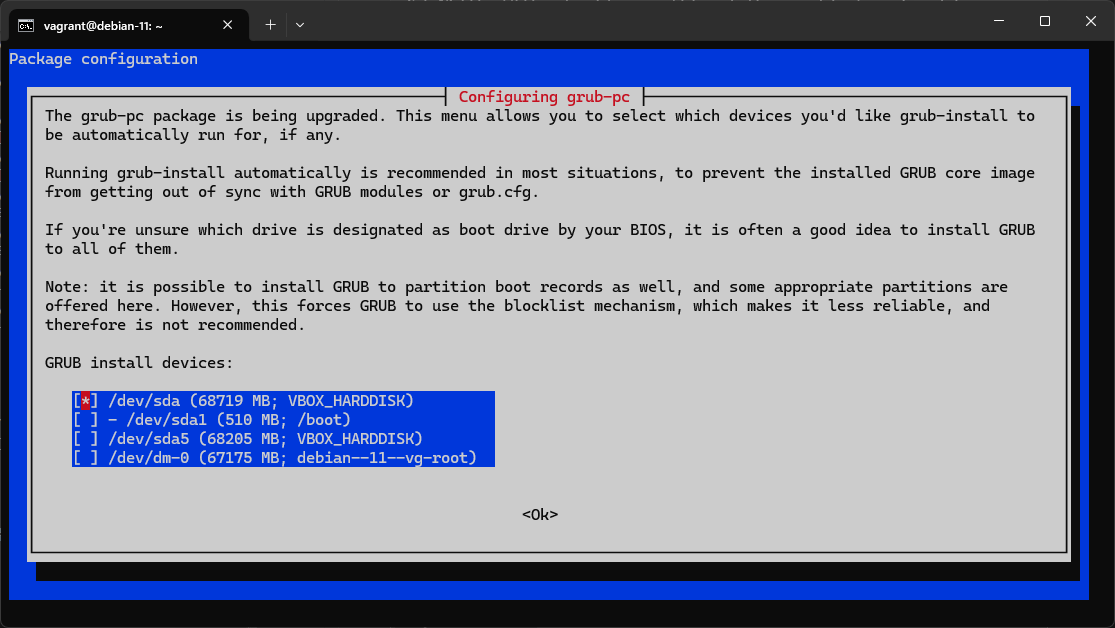
grub の設定実施後少しして upgrade が終了した。
DB のインストール
- MariaDB をインストール
sudo apt -y install mariadb-server
vagrant@debian-11:~$ sudo apt -y install mariadb-server
Reading package lists... Done
Building dependency tree... Done
Reading state information... Done
The following additional packages will be installed:
  galera-4 gawk libcgi-fast-perl libcgi-pm-perl libclone-perl libconfig-inifiles-perl
  libdbd-mariadb-perl libdbi-perl libencode-locale-perl libfcgi-bin libfcgi-perl libfcgi0ldbl
  libhtml-parser-perl libhtml-tagset-perl libhtml-template-perl libhttp-date-perl libhttp-message-perl
  libio-html-perl liblwp-mediatypes-perl libmariadb3 libmpfr6 libsigsegv2 libsnappy1v5
  libterm-readkey-perl libtimedate-perl liburi-perl mariadb-client-10.5 mariadb-client-core-10.5
  mariadb-common mariadb-server-10.5 mariadb-server-core-10.5 mysql-common psmisc socat
Suggested packages:
  gawk-doc libmldbm-perl libnet-daemon-perl libsql-statement-perl libdata-dump-perl
  libipc-sharedcache-perl libwww-perl mailx mariadb-test netcat-openbsd
The following NEW packages will be installed:
  galera-4 gawk libcgi-fast-perl libcgi-pm-perl libclone-perl libconfig-inifiles-perl
  libdbd-mariadb-perl libdbi-perl libencode-locale-perl libfcgi-bin libfcgi-perl libfcgi0ldbl
  libhtml-parser-perl libhtml-tagset-perl libhtml-template-perl libhttp-date-perl libhttp-message-perl
  libio-html-perl liblwp-mediatypes-perl libmariadb3 libmpfr6 libsigsegv2 libsnappy1v5
  libterm-readkey-perl libtimedate-perl liburi-perl mariadb-client-10.5 mariadb-client-core-10.5
  mariadb-common mariadb-server mariadb-server-10.5 mariadb-server-core-10.5 mysql-common psmisc socat
0 upgraded, 35 newly installed, 0 to remove and 0 not upgraded.
Need to get 17.5 MB/19.5 MB of archives.
After this operation, 163 MB of additional disk space will be used.
Get:1 http://httpredir.debian.org/debian bullseye/main amd64 libsigsegv2 amd64 2.13-1 [34.8 kB]
Get:2 http://httpredir.debian.org/debian bullseye/main amd64 gawk amd64 1:5.1.0-1 [605 kB]
Get:3 http://httpredir.debian.org/debian bullseye/main amd64 mysql-common all 5.8+1.0.7 [7,464 B]
Get:4 http://httpredir.debian.org/debian bullseye/main amd64 mariadb-common all 1:10.5.23-0+deb11u1 [37.2 kB]
Get:5 http://httpredir.debian.org/debian bullseye/main amd64 galera-4 amd64 26.4.18-0+deb11u1 [820 kB]
Get:6 http://httpredir.debian.org/debian bullseye/main amd64 libdbi-perl amd64 1.643-3+b1 [780 kB]
Get:7 http://httpredir.debian.org/debian bullseye/main amd64 libconfig-inifiles-perl all 3.000003-1 [52.1 kB]
Get:8 http://httpredir.debian.org/debian bullseye/main amd64 libmariadb3 amd64 1:10.5.23-0+deb11u1 [176 kB]
Get:9 http://httpredir.debian.org/debian bullseye/main amd64 mariadb-client-core-10.5 amd64 1:10.5.23-0+deb11u1 [785 kB]
Get:10 http://httpredir.debian.org/debian bullseye/main amd64 mariadb-client-10.5 amd64 1:10.5.23-0+deb11u1 [1,508 kB]
Get:11 http://httpredir.debian.org/debian bullseye/main amd64 libsnappy1v5 amd64 1.1.8-1 [17.9 kB]
Get:12 http://httpredir.debian.org/debian bullseye/main amd64 mariadb-server-core-10.5 amd64 1:10.5.23-0+deb11u1 [6,859 kB]
Get:13 http://httpredir.debian.org/debian bullseye/main amd64 psmisc amd64 23.4-2 [198 kB]
Get:14 http://httpredir.debian.org/debian bullseye/main amd64 socat amd64 1.7.4.1-3 [370 kB]
Get:15 http://httpredir.debian.org/debian bullseye/main amd64 mariadb-server-10.5 amd64 1:10.5.23-0+deb11u1 [4,295 kB]
Get:16 http://httpredir.debian.org/debian bullseye/main amd64 libhtml-tagset-perl all 3.20-4 [13.0 kB]
Get:17 http://httpredir.debian.org/debian bullseye/main amd64 liburi-perl all 5.08-1 [90.6 kB]
Get:18 http://httpredir.debian.org/debian bullseye/main amd64 libhtml-parser-perl amd64 3.75-1+b1 [105 kB]
Get:19 http://httpredir.debian.org/debian bullseye/main amd64 libcgi-pm-perl all 4.51-1 [224 kB]
Get:20 http://httpredir.debian.org/debian bullseye/main amd64 libfcgi0ldbl amd64 2.4.2-2 [26.1 kB]
Get:21 http://httpredir.debian.org/debian bullseye/main amd64 libfcgi-perl amd64 0.79+ds-2 [27.6 kB]
Get:22 http://httpredir.debian.org/debian bullseye/main amd64 libcgi-fast-perl all 1:2.15-1 [12.1 kB]
Get:23 http://httpredir.debian.org/debian bullseye/main amd64 libclone-perl amd64 0.45-1+b1 [15.4 kB]
Get:24 http://httpredir.debian.org/debian bullseye/main amd64 libdbd-mariadb-perl amd64 1.21-3 [110 kB]
Get:25 http://httpredir.debian.org/debian bullseye/main amd64 libencode-locale-perl all 1.05-1.1 [13.2 kB]
Get:26 http://httpredir.debian.org/debian bullseye/main amd64 libfcgi-bin amd64 2.4.2-2 [12.9 kB]
Get:27 http://httpredir.debian.org/debian bullseye/main amd64 libhtml-template-perl all 2.97-1.1 [66.2 kB]
Get:28 http://httpredir.debian.org/debian bullseye/main amd64 libtimedate-perl all 2.3300-2 [39.3 kB]
Get:29 http://httpredir.debian.org/debian bullseye/main amd64 libhttp-date-perl all 6.05-1 [10.4 kB]
Get:30 http://httpredir.debian.org/debian bullseye/main amd64 libio-html-perl all 1.004-2 [16.1 kB]
Get:31 http://httpredir.debian.org/debian bullseye/main amd64 liblwp-mediatypes-perl all 6.04-1 [19.9 kB]
Get:32 http://httpredir.debian.org/debian bullseye/main amd64 libhttp-message-perl all 6.28-1 [79.6 kB]
Get:33 http://httpredir.debian.org/debian bullseye/main amd64 libterm-readkey-perl amd64 2.38-1+b2 [27.8 kB]
Get:34 http://httpredir.debian.org/debian bullseye/main amd64 mariadb-server all 1:10.5.23-0+deb11u1 [35.8 kB]
Fetched 17.5 MB in 22s (780 kB/s)
Extracting templates from packages: 100%
Preconfiguring packages ...
Selecting previously unselected package libmpfr6:amd64.
(Reading database ... 34513 files and directories currently installed.)
Preparing to unpack .../libmpfr6_4.1.0-3_amd64.deb ...
Unpacking libmpfr6:amd64 (4.1.0-3) ...
Selecting previously unselected package libsigsegv2:amd64.
Preparing to unpack .../libsigsegv2_2.13-1_amd64.deb ...
Unpacking libsigsegv2:amd64 (2.13-1) ...
Setting up libmpfr6:amd64 (4.1.0-3) ...
Setting up libsigsegv2:amd64 (2.13-1) ...
Selecting previously unselected package gawk.
(Reading database ... 34533 files and directories currently installed.)
Preparing to unpack .../00-gawk_1%3a5.1.0-1_amd64.deb ...
Unpacking gawk (1:5.1.0-1) ...
Selecting previously unselected package mysql-common.
Preparing to unpack .../01-mysql-common_5.8+1.0.7_all.deb ...
Unpacking mysql-common (5.8+1.0.7) ...
Selecting previously unselected package mariadb-common.
Preparing to unpack .../02-mariadb-common_1%3a10.5.23-0+deb11u1_all.deb ...
Unpacking mariadb-common (1:10.5.23-0+deb11u1) ...
Selecting previously unselected package galera-4.
Preparing to unpack .../03-galera-4_26.4.18-0+deb11u1_amd64.deb ...
Unpacking galera-4 (26.4.18-0+deb11u1) ...
Selecting previously unselected package libdbi-perl:amd64.
Preparing to unpack .../04-libdbi-perl_1.643-3+b1_amd64.deb ...
Unpacking libdbi-perl:amd64 (1.643-3+b1) ...
Selecting previously unselected package libconfig-inifiles-perl.
Preparing to unpack .../05-libconfig-inifiles-perl_3.000003-1_all.deb ...
Unpacking libconfig-inifiles-perl (3.000003-1) ...
Selecting previously unselected package libmariadb3:amd64.
Preparing to unpack .../06-libmariadb3_1%3a10.5.23-0+deb11u1_amd64.deb ...
Unpacking libmariadb3:amd64 (1:10.5.23-0+deb11u1) ...
Selecting previously unselected package mariadb-client-core-10.5.
Preparing to unpack .../07-mariadb-client-core-10.5_1%3a10.5.23-0+deb11u1_amd64.deb ...
Unpacking mariadb-client-core-10.5 (1:10.5.23-0+deb11u1) ...
Selecting previously unselected package mariadb-client-10.5.
Preparing to unpack .../08-mariadb-client-10.5_1%3a10.5.23-0+deb11u1_amd64.deb ...
Unpacking mariadb-client-10.5 (1:10.5.23-0+deb11u1) ...
Selecting previously unselected package libsnappy1v5:amd64.
Preparing to unpack .../09-libsnappy1v5_1.1.8-1_amd64.deb ...
Unpacking libsnappy1v5:amd64 (1.1.8-1) ...
Selecting previously unselected package mariadb-server-core-10.5.
Preparing to unpack .../10-mariadb-server-core-10.5_1%3a10.5.23-0+deb11u1_amd64.deb ...
Unpacking mariadb-server-core-10.5 (1:10.5.23-0+deb11u1) ...
Selecting previously unselected package psmisc.
Preparing to unpack .../11-psmisc_23.4-2_amd64.deb ...
Unpacking psmisc (23.4-2) ...
Selecting previously unselected package socat.
Preparing to unpack .../12-socat_1.7.4.1-3_amd64.deb ...
Unpacking socat (1.7.4.1-3) ...
Setting up mysql-common (5.8+1.0.7) ...
update-alternatives: using /etc/mysql/my.cnf.fallback to provide /etc/mysql/my.cnf (my.cnf) in auto mode
Setting up mariadb-common (1:10.5.23-0+deb11u1) ...
update-alternatives: using /etc/mysql/mariadb.cnf to provide /etc/mysql/my.cnf (my.cnf) in auto mode
Selecting previously unselected package mariadb-server-10.5.
(Reading database ... 35232 files and directories currently installed.)
Preparing to unpack .../00-mariadb-server-10.5_1%3a10.5.23-0+deb11u1_amd64.deb ...
Unpacking mariadb-server-10.5 (1:10.5.23-0+deb11u1) ...
Selecting previously unselected package libhtml-tagset-perl.
Preparing to unpack .../01-libhtml-tagset-perl_3.20-4_all.deb ...
Unpacking libhtml-tagset-perl (3.20-4) ...
Selecting previously unselected package liburi-perl.
Preparing to unpack .../02-liburi-perl_5.08-1_all.deb ...
Unpacking liburi-perl (5.08-1) ...
Selecting previously unselected package libhtml-parser-perl.
Preparing to unpack .../03-libhtml-parser-perl_3.75-1+b1_amd64.deb ...
Unpacking libhtml-parser-perl (3.75-1+b1) ...
Selecting previously unselected package libcgi-pm-perl.
Preparing to unpack .../04-libcgi-pm-perl_4.51-1_all.deb ...
Unpacking libcgi-pm-perl (4.51-1) ...
Selecting previously unselected package libfcgi0ldbl:amd64.
Preparing to unpack .../05-libfcgi0ldbl_2.4.2-2_amd64.deb ...
Unpacking libfcgi0ldbl:amd64 (2.4.2-2) ...
Selecting previously unselected package libfcgi-perl:amd64.
Preparing to unpack .../06-libfcgi-perl_0.79+ds-2_amd64.deb ...
Unpacking libfcgi-perl:amd64 (0.79+ds-2) ...
Selecting previously unselected package libcgi-fast-perl.
Preparing to unpack .../07-libcgi-fast-perl_1%3a2.15-1_all.deb ...
Unpacking libcgi-fast-perl (1:2.15-1) ...
Selecting previously unselected package libclone-perl.
Preparing to unpack .../08-libclone-perl_0.45-1+b1_amd64.deb ...
Unpacking libclone-perl (0.45-1+b1) ...
Selecting previously unselected package libdbd-mariadb-perl.
Preparing to unpack .../09-libdbd-mariadb-perl_1.21-3_amd64.deb ...
Unpacking libdbd-mariadb-perl (1.21-3) ...
Selecting previously unselected package libencode-locale-perl.
Preparing to unpack .../10-libencode-locale-perl_1.05-1.1_all.deb ...
Unpacking libencode-locale-perl (1.05-1.1) ...
Selecting previously unselected package libfcgi-bin.
Preparing to unpack .../11-libfcgi-bin_2.4.2-2_amd64.deb ...
Unpacking libfcgi-bin (2.4.2-2) ...
Selecting previously unselected package libhtml-template-perl.
Preparing to unpack .../12-libhtml-template-perl_2.97-1.1_all.deb ...
Unpacking libhtml-template-perl (2.97-1.1) ...
Selecting previously unselected package libtimedate-perl.
Preparing to unpack .../13-libtimedate-perl_2.3300-2_all.deb ...
Unpacking libtimedate-perl (2.3300-2) ...
Selecting previously unselected package libhttp-date-perl.
Preparing to unpack .../14-libhttp-date-perl_6.05-1_all.deb ...
Unpacking libhttp-date-perl (6.05-1) ...
Selecting previously unselected package libio-html-perl.
Preparing to unpack .../15-libio-html-perl_1.004-2_all.deb ...
Unpacking libio-html-perl (1.004-2) ...
Selecting previously unselected package liblwp-mediatypes-perl.
Preparing to unpack .../16-liblwp-mediatypes-perl_6.04-1_all.deb ...
Unpacking liblwp-mediatypes-perl (6.04-1) ...
Selecting previously unselected package libhttp-message-perl.
Preparing to unpack .../17-libhttp-message-perl_6.28-1_all.deb ...
Unpacking libhttp-message-perl (6.28-1) ...
Selecting previously unselected package libterm-readkey-perl.
Preparing to unpack .../18-libterm-readkey-perl_2.38-1+b2_amd64.deb ...
Unpacking libterm-readkey-perl (2.38-1+b2) ...
Selecting previously unselected package mariadb-server.
Preparing to unpack .../19-mariadb-server_1%3a10.5.23-0+deb11u1_all.deb ...
Unpacking mariadb-server (1:10.5.23-0+deb11u1) ...
Setting up libconfig-inifiles-perl (3.000003-1) ...
Setting up galera-4 (26.4.18-0+deb11u1) ...
Setting up libfcgi0ldbl:amd64 (2.4.2-2) ...
Setting up gawk (1:5.1.0-1) ...
Setting up psmisc (23.4-2) ...
Setting up libclone-perl (0.45-1+b1) ...
Setting up libhtml-tagset-perl (3.20-4) ...
Setting up liblwp-mediatypes-perl (6.04-1) ...
Setting up libfcgi-bin (2.4.2-2) ...
Setting up libencode-locale-perl (1.05-1.1) ...
Setting up libsnappy1v5:amd64 (1.1.8-1) ...
Setting up socat (1.7.4.1-3) ...
Setting up libio-html-perl (1.004-2) ...
Setting up libmariadb3:amd64 (1:10.5.23-0+deb11u1) ...
Setting up libtimedate-perl (2.3300-2) ...
Setting up libfcgi-perl:amd64 (0.79+ds-2) ...
Setting up libterm-readkey-perl (2.38-1+b2) ...
Setting up liburi-perl (5.08-1) ...
Setting up libdbi-perl:amd64 (1.643-3+b1) ...
Setting up mariadb-server-core-10.5 (1:10.5.23-0+deb11u1) ...
Setting up libhttp-date-perl (6.05-1) ...
Setting up libdbd-mariadb-perl (1.21-3) ...
Setting up mariadb-client-core-10.5 (1:10.5.23-0+deb11u1) ...
Setting up mariadb-client-10.5 (1:10.5.23-0+deb11u1) ...
Setting up libhtml-parser-perl (3.75-1+b1) ...
Setting up libhttp-message-perl (6.28-1) ...
Setting up libcgi-pm-perl (4.51-1) ...
Setting up libhtml-template-perl (2.97-1.1) ...
Setting up mariadb-server-10.5 (1:10.5.23-0+deb11u1) ...
Created symlink /etc/systemd/system/multi-user.target.wants/mariadb.service → /lib/systemd/system/mariadb.service.
Setting up mariadb-server (1:10.5.23-0+deb11u1) ...
Setting up libcgi-fast-perl (1:2.15-1) ...
Processing triggers for man-db (2.9.4-2) ...
Processing triggers for libc-bin (2.31-13+deb11u11) ...
vagrant@debian-11:~$
- 設定ファイルの確認
sudo cat /etc/mysql/mariadb.conf.d/50-server.cnf |grep character-set-server
sudo cat /etc/mysql/mariadb.conf.d/50-server.cnf |grep collation-server
以下だったらOK
character-set-server  = utf8mb4
collation-server      = utf8mb4_general_ci
- MySQL の再起動
sudo systemctl restart mariadb
- MySQL のセキュアインストレーション
sudo mysql_secure_installation
- Enter を押す (何も文字は入力しない)
- n を入力して Enter を押す
- y を入力して Enter を押す
New password:と新しいパスワードを設定するように求められるので、ここではpasswordと入力して Enter キーを押すRe-enter new password:を再度パスワードを求められるのでpasswordと入力して Enter キーを押す- n を入力して Enter を押す
- n を入力して Enter を押す
- n を入力して Enter を押す
- n を入力して Enter を押す
All done!と表示されたら終了
vagrant@debian-11:~$ sudo mysql_secure_installation

NOTE: RUNNING ALL PARTS OF THIS SCRIPT IS RECOMMENDED FOR ALL MariaDB
      SERVERS IN PRODUCTION USE!  PLEASE READ EACH STEP CAREFULLY!

In order to log into MariaDB to secure it, we'll need the current
password for the root user. If you've just installed MariaDB, and
haven't set the root password yet, you should just press enter here.

Enter current password for root (enter for none):
OK, successfully used password, moving on...

Setting the root password or using the unix_socket ensures that nobody
can log into the MariaDB root user without the proper authorisation.

You already have your root account protected, so you can safely answer 'n'.

Switch to unix_socket authentication [Y/n] n
 ... skipping.

You already have your root account protected, so you can safely answer 'n'.

Change the root password? [Y/n] y
New password:
Re-enter new password:
Password updated successfully!
Reloading privilege tables..
 ... Success!


By default, a MariaDB installation has an anonymous user, allowing anyone
to log into MariaDB without having to have a user account created for
them.  This is intended only for testing, and to make the installation
go a bit smoother.  You should remove them before moving into a
production environment.

Remove anonymous users? [Y/n] n
 ... skipping.

Normally, root should only be allowed to connect from 'localhost'.  This
ensures that someone cannot guess at the root password from the network.

Disallow root login remotely? [Y/n] n
 ... skipping.

By default, MariaDB comes with a database named 'test' that anyone can
access.  This is also intended only for testing, and should be removed
before moving into a production environment.

Remove test database and access to it? [Y/n] n
 ... skipping.

Reloading the privilege tables will ensure that all changes made so far
will take effect immediately.

Reload privilege tables now? [Y/n] n
 ... skipping.

Cleaning up...

All done!  If you've completed all of the above steps, your MariaDB
installation should now be secure.

Thanks for using MariaDB!
vagrant@debian-11:~$
sudo systemctl restart mysqld
sudo systemctl enable mysqld
Zabbix プロキシのインストール
以下の公式の手順に従って Zabbix プロキシをインストール
- リポジトリの更新
wget https://repo.zabbix.com/zabbix/6.0/debian/pool/main/z/zabbix-release/zabbix-release_6.0-4+debian11_all.deb
sudo dpkg -i zabbix-release_6.0-4+debian11_all.deb
sudo apt update
vagrant@debian-11:~$ wget https://repo.zabbix.com/zabbix/6.0/debian/pool/main/z/zabbix-release/zabbix-release_6.0-4+debian11_all.deb
--2024-09-15 13:10:56--  https://repo.zabbix.com/zabbix/6.0/debian/pool/main/z/zabbix-release/zabbix-release_6.0-4+debian11_all.deb
Resolving repo.zabbix.com (repo.zabbix.com)... 178.128.6.101, 2604:a880:2:d0::2062:d001
Connecting to repo.zabbix.com (repo.zabbix.com)|178.128.6.101|:443... connected.
HTTP request sent, awaiting response... 200 OK
Length: 3668 (3.6K) [application/octet-stream]
Saving to: ‘zabbix-release_6.0-4+debian11_all.deb’

zabbix-release_6.0-4+debia 100%[======================================>]   3.58K  --.-KB/s    in 0s

2024-09-15 13:10:56 (55.8 MB/s) - ‘zabbix-release_6.0-4+debian11_all.deb’ saved [3668/3668]

vagrant@debian-11:~$
vagrant@debian-11:~$ sudo dpkg -i zabbix-release_6.0-4+debian11_all.deb
Selecting previously unselected package zabbix-release.
(Reading database ... 35710 files and directories currently installed.)
Preparing to unpack zabbix-release_6.0-4+debian11_all.deb ...
Unpacking zabbix-release (1:6.0-4+debian11) ...
Setting up zabbix-release (1:6.0-4+debian11) ...
vagrant@debian-11:~$
vagrant@debian-11:~$ sudo apt update
Hit:1 http://security.debian.org/debian-security bullseye-security InRelease
Hit:2 http://httpredir.debian.org/debian bullseye InRelease
Get:3 https://repo.zabbix.com/zabbix-agent2-plugins/1/debian bullseye InRelease [4,927 B]
Hit:4 http://httpredir.debian.org/debian bullseye-updates InRelease
Get:5 https://repo.zabbix.com/zabbix/6.0/debian bullseye InRelease [2,883 B]
Get:6 https://repo.zabbix.com/zabbix-agent2-plugins/1/debian bullseye/main Sources [1,001 B]
Get:7 https://repo.zabbix.com/zabbix-agent2-plugins/1/debian bullseye/main amd64 Packages [621 B]
Get:8 https://repo.zabbix.com/zabbix/6.0/debian bullseye/main Sources [27.3 kB]
Get:9 https://repo.zabbix.com/zabbix/6.0/debian bullseye/main all Packages [19.6 kB]
Get:10 https://repo.zabbix.com/zabbix/6.0/debian bullseye/main amd64 Packages [94.9 kB]
Fetched 151 kB in 1s (107 kB/s)
Reading package lists... Done
Building dependency tree... Done
Reading state information... Done
All packages are up to date.
vagrant@debian-11:~$
- Zabbix プロキシのインストール
sudo apt install zabbix-proxy-mysql zabbix-sql-scripts
vagrant@debian-11:~$ sudo apt install zabbix-proxy-mysql zabbix-sql-scripts
Reading package lists... Done
Building dependency tree... Done
Reading state information... Done
The following additional packages will be installed:
  fping libltdl7 libodbc1 libopenipmi0 libsensors-config libsensors5 libsnmp-base libsnmp40 libssh-4
Suggested packages:
  libmyodbc odbc-postgresql tdsodbc unixodbc-bin lm-sensors snmp-mibs-downloader
The following NEW packages will be installed:
  fping libltdl7 libodbc1 libopenipmi0 libsensors-config libsensors5 libsnmp-base libsnmp40 libssh-4
  zabbix-proxy-mysql zabbix-sql-scripts
0 upgraded, 11 newly installed, 0 to remove and 0 not upgraded.
Need to get 15.8 MB of archives.
After this operation, 25.2 MB of additional disk space will be used.
Do you want to continue? [Y/n]
Get:1 https://repo.zabbix.com/zabbix/6.0/debian bullseye/main amd64 zabbix-proxy-mysql amd64 1:6.0.33-2+debian11 [1,430 kB]
Get:2 http://httpredir.debian.org/debian bullseye/main amd64 fping amd64 5.0-1 [39.7 kB]
Get:3 https://repo.zabbix.com/zabbix/6.0/debian bullseye/main all zabbix-sql-scripts all 1:6.0.33-2+debian11 [8,615 kB]
Get:4 http://httpredir.debian.org/debian bullseye/main amd64 libltdl7 amd64 2.4.6-15 [391 kB]
Get:5 http://httpredir.debian.org/debian bullseye/main amd64 libodbc1 amd64 2.3.6-0.1+b1 [224 kB]
Get:6 http://httpredir.debian.org/debian bullseye/main amd64 libopenipmi0 amd64 2.0.29-0.1+b1 [550 kB]
Get:7 http://httpredir.debian.org/debian bullseye/main amd64 libsensors-config all 1:3.6.0-7 [32.3 kB]
Get:8 http://httpredir.debian.org/debian bullseye/main amd64 libsensors5 amd64 1:3.6.0-7 [52.3 kB]
Get:9 http://httpredir.debian.org/debian bullseye/main amd64 libsnmp-base all 5.9+dfsg-4+deb11u1 [1,736 kB]
Get:10 http://httpredir.debian.org/debian bullseye/main amd64 libsnmp40 amd64 5.9+dfsg-4+deb11u1 [2,551 kB]
Get:11 http://httpredir.debian.org/debian bullseye/main amd64 libssh-4 amd64 0.9.8-0+deb11u1 [189 kB]
Fetched 15.8 MB in 16s (1,018 kB/s)
Selecting previously unselected package fping.
(Reading database ... 35717 files and directories currently installed.)
Preparing to unpack .../00-fping_5.0-1_amd64.deb ...
Unpacking fping (5.0-1) ...
Selecting previously unselected package libltdl7:amd64.
Preparing to unpack .../01-libltdl7_2.4.6-15_amd64.deb ...
Unpacking libltdl7:amd64 (2.4.6-15) ...
Selecting previously unselected package libodbc1:amd64.
Preparing to unpack .../02-libodbc1_2.3.6-0.1+b1_amd64.deb ...
Unpacking libodbc1:amd64 (2.3.6-0.1+b1) ...
Selecting previously unselected package libopenipmi0.
Preparing to unpack .../03-libopenipmi0_2.0.29-0.1+b1_amd64.deb ...
Unpacking libopenipmi0 (2.0.29-0.1+b1) ...
Selecting previously unselected package libsensors-config.
Preparing to unpack .../04-libsensors-config_1%3a3.6.0-7_all.deb ...
Unpacking libsensors-config (1:3.6.0-7) ...
Selecting previously unselected package libsensors5:amd64.
Preparing to unpack .../05-libsensors5_1%3a3.6.0-7_amd64.deb ...
Unpacking libsensors5:amd64 (1:3.6.0-7) ...
Selecting previously unselected package libsnmp-base.
Preparing to unpack .../06-libsnmp-base_5.9+dfsg-4+deb11u1_all.deb ...
Unpacking libsnmp-base (5.9+dfsg-4+deb11u1) ...
Selecting previously unselected package libsnmp40:amd64.
Preparing to unpack .../07-libsnmp40_5.9+dfsg-4+deb11u1_amd64.deb ...
Unpacking libsnmp40:amd64 (5.9+dfsg-4+deb11u1) ...
Selecting previously unselected package libssh-4:amd64.
Preparing to unpack .../08-libssh-4_0.9.8-0+deb11u1_amd64.deb ...
Unpacking libssh-4:amd64 (0.9.8-0+deb11u1) ...
Selecting previously unselected package zabbix-proxy-mysql.
Preparing to unpack .../09-zabbix-proxy-mysql_1%3a6.0.33-2+debian11_amd64.deb ...
Unpacking zabbix-proxy-mysql (1:6.0.33-2+debian11) ...
Selecting previously unselected package zabbix-sql-scripts.
Preparing to unpack .../10-zabbix-sql-scripts_1%3a6.0.33-2+debian11_all.deb ...
Unpacking zabbix-sql-scripts (1:6.0.33-2+debian11) ...
Setting up zabbix-sql-scripts (1:6.0.33-2+debian11) ...
Setting up libsnmp-base (5.9+dfsg-4+deb11u1) ...
Setting up libsensors-config (1:3.6.0-7) ...
Setting up libsensors5:amd64 (1:3.6.0-7) ...
Setting up libltdl7:amd64 (2.4.6-15) ...
Setting up libssh-4:amd64 (0.9.8-0+deb11u1) ...
Setting up libopenipmi0 (2.0.29-0.1+b1) ...
Setting up fping (5.0-1) ...
Setting up libsnmp40:amd64 (5.9+dfsg-4+deb11u1) ...
Setting up libodbc1:amd64 (2.3.6-0.1+b1) ...
Setting up zabbix-proxy-mysql (1:6.0.33-2+debian11) ...
Processing triggers for man-db (2.9.4-2) ...
Processing triggers for libc-bin (2.31-13+deb11u11) ...
vagrant@debian-11:~$
- DB の作成
mysql -uroot -p
password
mysql> create database zabbix_proxy character set utf8mb4 collate utf8mb4_bin;
mysql> create user zabbix@localhost identified by 'password';
mysql> grant all privileges on zabbix_proxy.* to zabbix@localhost;
mysql> set global log_bin_trust_function_creators = 1;
mysql> quit;
vagrant@debian-11:~$ mysql -uroot -p
Enter password:
Welcome to the MariaDB monitor.  Commands end with ; or \g.
Your MariaDB connection id is 30
Server version: 10.5.23-MariaDB-0+deb11u1 Debian 11

Copyright (c) 2000, 2018, Oracle, MariaDB Corporation Ab and others.

Type 'help;' or '\h' for help. Type '\c' to clear the current input statement.

MariaDB [(none)]>
MariaDB [(none)]> create database zabbix_proxy character set utf8mb4 collate utf8mb4_bin;
Query OK, 1 row affected (0.000 sec)

MariaDB [(none)]>
MariaDB [(none)]> create user zabbix@localhost identified by 'password';
Query OK, 0 rows affected (0.006 sec)

MariaDB [(none)]>
MariaDB [(none)]> grant all privileges on zabbix_proxy.* to zabbix@localhost;
Query OK, 0 rows affected (0.003 sec)

MariaDB [(none)]>
MariaDB [(none)]> set global log_bin_trust_function_creators = 1;
Query OK, 0 rows affected (0.000 sec)

MariaDB [(none)]>
MariaDB [(none)]> quit;
Bye
vagrant@debian-11:~$
- スキーマの作成
- コマンド入力後の password は DB にログインするユーザーのパスワード
sudo cat /usr/share/zabbix-sql-scripts/mysql/proxy.sql | mysql --default-character-set=utf8mb4 -uzabbix -p zabbix_proxy
password
vagrant@debian-11:~$ sudo cat /usr/share/zabbix-sql-scripts/mysql/proxy.sql | mysql --default-character-set=utf8mb4 -uzabbix -p zabbix_proxy
Enter password:
vagrant@debian-11:~$
- DB 設定
mysql -uroot -p
password
mysql> set global log_bin_trust_function_creators = 0;
mysql> quit;
vagrant@debian-11:~$ mysql -uroot -p
Enter password:
Welcome to the MariaDB monitor.  Commands end with ; or \g.
Your MariaDB connection id is 32
Server version: 10.5.23-MariaDB-0+deb11u1 Debian 11

Copyright (c) 2000, 2018, Oracle, MariaDB Corporation Ab and others.

Type 'help;' or '\h' for help. Type '\c' to clear the current input statement.

MariaDB [(none)]>
MariaDB [(none)]> set global log_bin_trust_function_creators = 0;
Query OK, 0 rows affected (0.000 sec)

MariaDB [(none)]>
MariaDB [(none)]> quit;
Bye
vagrant@debian-11:~$
- Zabbix プロキシ設定ファイルの設定
- Zabbix サーバーの IP アドレスに 192.168.0.100 を設定
- Hostname に PROXY01 を設定
- DBPassword に DB ログイン用のパスワードを設定 (今回は password)
sudo vi /etc/zabbix/zabbix_proxy.conf

Server=192.168.0.100
Hostname=PROXY01
DBPassword=password
vagrant@debian-11:~$ sudo cat /etc/zabbix/zabbix_proxy.conf
# This is a configuration file for Zabbix proxy daemon
# To get more information about Zabbix, visit http://www.zabbix.com

############ GENERAL PARAMETERS #################

### Option: ProxyMode
#       Proxy operating mode.
#       0 - proxy in the active mode
#       1 - proxy in the passive mode
#
# Mandatory: no
# Default:
# ProxyMode=0

### Option: Server
#       If ProxyMode is set to active mode:
#               IP address or DNS name (address:port) or cluster (address:port;address2:port) of Zabbix server to get configuration data from and send data to.
#               If port is not specified, default port is used.
#               Cluster nodes need to be separated by semicolon.
#       If ProxyMode is set to passive mode:
#               List of comma delimited IP addresses, optionally in CIDR notation, or DNS names of Zabbix server.
#               Incoming connections will be accepted only from the addresses listed here.
#               If IPv6 support is enabled then '127.0.0.1', '::127.0.0.1', '::ffff:127.0.0.1' are treated equally
#               and '::/0' will allow any IPv4 or IPv6 address.
#               '0.0.0.0/0' can be used to allow any IPv4 address.
#               Example: Server=127.0.0.1,192.168.1.0/24,::1,2001:db8::/32,zabbix.example.com
#
# Mandatory: yes
# Default:
# Server=

# Server=127.0.0.1
Server=192.168.0.100

### Option: Hostname
#       Unique, case sensitive Proxy name. Make sure the Proxy name is known to the server!
#       Value is acquired from HostnameItem if undefined.
#
# Mandatory: no
# Default:
# Hostname=

# Hostname=Zabbix proxy
Hostname=PROXY01

### Option: HostnameItem
#       Item used for generating Hostname if it is undefined.
#       Ignored if Hostname is defined.
#
# Mandatory: no
# Default:
# HostnameItem=system.hostname

### Option: ListenPort
#       Listen port for trapper.
#
# Mandatory: no
# Range: 1024-32767
# Default:
# ListenPort=10051

### Option: SourceIP
#       Source IP address for outgoing connections.
#
# Mandatory: no
# Default:
# SourceIP=

### Option: LogType
#       Specifies where log messages are written to:
#               system  - syslog
#               file    - file specified with LogFile parameter
#               console - standard output
#
# Mandatory: no
# Default:
# LogType=file

### Option: LogFile
#       Log file name for LogType 'file' parameter.
#
# Mandatory: yes, if LogType is set to file, otherwise no
# Default:
# LogFile=

LogFile=/var/log/zabbix/zabbix_proxy.log

### Option: LogFileSize
#       Maximum size of log file in MB.
#       0 - disable automatic log rotation.
#
# Mandatory: no
# Range: 0-1024
# Default:
# LogFileSize=1

LogFileSize=0

### Option: DebugLevel
#       Specifies debug level:
#       0 - basic information about starting and stopping of Zabbix processes
#       1 - critical information
#       2 - error information
#       3 - warnings
#       4 - for debugging (produces lots of information)
#       5 - extended debugging (produces even more information)
#
# Mandatory: no
# Range: 0-5
# Default:
# DebugLevel=3

### Option: EnableRemoteCommands
#               Whether remote commands from Zabbix server are allowed.
#               0 - not allowed
#               1 - allowed
#
# Mandatory: no
# Default:
# EnableRemoteCommands=0

### Option: LogRemoteCommands
#               Enable logging of executed shell commands as warnings.
#               0 - disabled
#               1 - enabled
#
# Mandatory: no
# Default:
# LogRemoteCommands=0

### Option: PidFile
#       Name of PID file.
#
# Mandatory: no
# Default:
# PidFile=/tmp/zabbix_proxy.pid

PidFile=/run/zabbix/zabbix_proxy.pid

### Option: SocketDir
#       IPC socket directory.
#               Directory to store IPC sockets used by internal Zabbix services.
#
# Mandatory: no
# Default:
# SocketDir=/tmp

SocketDir=/run/zabbix

### Option: DBHost
#       Database host name.
#       If set to localhost, socket is used for MySQL.
#       If set to empty string, socket is used for PostgreSQL.
#       If set to empty string, the Net Service Name connection method is used to connect to Oracle database; also see
#       the TNS_ADMIN environment variable to specify the directory where the tnsnames.ora file is located.
#
# Mandatory: no
# Default:
# DBHost=localhost

### Option: DBName
#       Database name.
#       For SQLite3 path to database file must be provided. DBUser and DBPassword are ignored.
#       If the Net Service Name connection method is used to connect to Oracle database, specify the service name from
#       the tnsnames.ora file or set to empty string; also see the TWO_TASK environment variable if DBName is set to
#       empty string.
#       Warning: do not attempt to use the same database Zabbix server is using.
#
# Mandatory: yes
# Default:
# DBName=

DBName=zabbix_proxy

### Option: DBSchema
#       Schema name. Used for PostgreSQL.
#
# Mandatory: no
# Default:
# DBSchema=

### Option: DBUser
#       Database user. Ignored for SQLite.
#
# Default:
# DBUser=

DBUser=zabbix

### Option: DBPassword
#       Database password. Ignored for SQLite.
#       Comment this line if no password is used.
#
# Mandatory: no
# Default:
# DBPassword=

DBPassword=password

### Option: DBSocket
#       Path to MySQL socket.
#
# Mandatory: no
# Default:
# DBSocket=

# Option: DBPort
#       Database port when not using local socket. Ignored for SQLite.
#       If the Net Service Name connection method is used to connect to Oracle database, the port number from the
#       tnsnames.ora file will be used. The port number set here will be ignored.
#
# Mandatory: no
# Default:
# DBPort=

### Option: AllowUnsupportedDBVersions
#       Allow proxy to work with unsupported database versions.
#       0 - do not allow
#       1 - allow
#
# Mandatory: no
# Default:
# AllowUnsupportedDBVersions=0

######### PROXY SPECIFIC PARAMETERS #############

### Option: ProxyLocalBuffer
#       Proxy will keep data locally for N hours, even if the data have already been synced with the server.
#       This parameter may be used if local data will be used by third party applications.
#
# Mandatory: no
# Range: 0-720
# Default:
# ProxyLocalBuffer=0

### Option: ProxyOfflineBuffer
#       Proxy will keep data for N hours in case if no connectivity with Zabbix Server.
#       Older data will be lost.
#
# Mandatory: no
# Range: 1-720
# Default:
# ProxyOfflineBuffer=1

### Option: HeartbeatFrequency
#       Frequency of heartbeat messages in seconds.
#       Used for monitoring availability of Proxy on server side.
#       0 - heartbeat messages disabled.
#       For a proxy in the passive mode this parameter will be ignored.
#
# Mandatory: no
# Range: 0-3600
# Default:
# HeartbeatFrequency=60

### Option: ConfigFrequency
#       How often proxy retrieves configuration data from Zabbix Server in seconds.
#       For a proxy in the passive mode this parameter will be ignored.
#
# Mandatory: no
# Range: 1-3600*24*7
# Default:
# ConfigFrequency=3600

### Option: DataSenderFrequency
#       Proxy will send collected data to the Server every N seconds.
#       For a proxy in the passive mode this parameter will be ignored.
#
# Mandatory: no
# Range: 1-3600
# Default:
# DataSenderFrequency=1

############ ADVANCED PARAMETERS ################

### Option: StartPollers
#       Number of pre-forked instances of pollers.
#
# Mandatory: no
# Range: 0-1000
# Default:
# StartPollers=5

### Option: StartIPMIPollers
#       Number of pre-forked instances of IPMI pollers.
#               The IPMI manager process is automatically started when at least one IPMI poller is started.
#
# Mandatory: no
# Range: 0-1000
# Default:
# StartIPMIPollers=0

### Option: StartPreprocessors
#       Number of pre-forked instances of preprocessing workers.
#               The preprocessing manager process is automatically started when preprocessor worker is started.
#
# Mandatory: no
# Range: 1-1000
# Default:
# StartPreprocessors=3

### Option: StartPollersUnreachable
#       Number of pre-forked instances of pollers for unreachable hosts (including IPMI and Java).
#       At least one poller for unreachable hosts must be running if regular, IPMI or Java pollers
#       are started.
#
# Mandatory: no
# Range: 0-1000
# Default:
# StartPollersUnreachable=1

### Option: StartHistoryPollers
#       Number of pre-forked instances of history pollers.
#       Only required for internal checks.
#       A database connection is required for each history poller instance.
#
# Mandatory: no
# Range: 0-1000
# Default:
# StartHistoryPollers=1

### Option: StartTrappers
#       Number of pre-forked instances of trappers.
#       Trappers accept incoming connections from Zabbix sender and active agents.
#
# Mandatory: no
# Range: 0-1000
# Default:
# StartTrappers=5

### Option: StartPingers
#       Number of pre-forked instances of ICMP pingers.
#
# Mandatory: no
# Range: 0-1000
# Default:
# StartPingers=1

### Option: StartDiscoverers
#       Number of pre-forked instances of discoverers.
#
# Mandatory: no
# Range: 0-250
# Default:
# StartDiscoverers=1

### Option: StartHTTPPollers
#       Number of pre-forked instances of HTTP pollers.
#
# Mandatory: no
# Range: 0-1000
# Default:
# StartHTTPPollers=1

### Option: JavaGateway
#       IP address (or hostname) of Zabbix Java gateway.
#       Only required if Java pollers are started.
#
# Mandatory: no
# Default:
# JavaGateway=

### Option: JavaGatewayPort
#       Port that Zabbix Java gateway listens on.
#
# Mandatory: no
# Range: 1024-32767
# Default:
# JavaGatewayPort=10052

### Option: StartJavaPollers
#       Number of pre-forked instances of Java pollers.
#
# Mandatory: no
# Range: 0-1000
# Default:
# StartJavaPollers=0

### Option: StartVMwareCollectors
#       Number of pre-forked vmware collector instances.
#
# Mandatory: no
# Range: 0-250
# Default:
# StartVMwareCollectors=0

### Option: VMwareFrequency
#       How often Zabbix will connect to VMware service to obtain a new data.
#
# Mandatory: no
# Range: 10-86400
# Default:
# VMwareFrequency=60

### Option: VMwarePerfFrequency
#       How often Zabbix will connect to VMware service to obtain performance data.
#
# Mandatory: no
# Range: 10-86400
# Default:
# VMwarePerfFrequency=60

### Option: VMwareCacheSize
#       Size of VMware cache, in bytes.
#       Shared memory size for storing VMware data.
#       Only used if VMware collectors are started.
#
# Mandatory: no
# Range: 256K-2G
# Default:
# VMwareCacheSize=8M

### Option: VMwareTimeout
#       Specifies how many seconds vmware collector waits for response from VMware service.
#
# Mandatory: no
# Range: 1-300
# Default:
# VMwareTimeout=10

### Option: SNMPTrapperFile
#       Temporary file used for passing data from SNMP trap daemon to the proxy.
#       Must be the same as in zabbix_trap_receiver.pl or SNMPTT configuration file.
#
# Mandatory: no
# Default:
# SNMPTrapperFile=/tmp/zabbix_traps.tmp

SNMPTrapperFile=/var/log/snmptrap/snmptrap.log

### Option: StartSNMPTrapper
#       If 1, SNMP trapper process is started.
#
# Mandatory: no
# Range: 0-1
# Default:
# StartSNMPTrapper=0

### Option: ListenIP
#       List of comma delimited IP addresses that the trapper should listen on.
#       Trapper will listen on all network interfaces if this parameter is missing.
#
# Mandatory: no
# Default:
# ListenIP=0.0.0.0

### Option: HousekeepingFrequency
#       How often Zabbix will perform housekeeping procedure (in hours).
#       Housekeeping is removing outdated information from the database.
#       To prevent Housekeeper from being overloaded, no more than 4 times HousekeepingFrequency
#       hours of outdated information are deleted in one housekeeping cycle.
#       To lower load on proxy startup housekeeping is postponed for 30 minutes after proxy start.
#       With HousekeepingFrequency=0 the housekeeper can be only executed using the runtime control option.
#       In this case the period of outdated information deleted in one housekeeping cycle is 4 times the
#       period since the last housekeeping cycle, but not less than 4 hours and not greater than 4 days.
#
# Mandatory: no
# Range: 0-24
# Default:
# HousekeepingFrequency=1

### Option: CacheSize
#       Size of configuration cache, in bytes.
#       Shared memory size, for storing hosts and items data.
#
# Mandatory: no
# Range: 128K-64G
# Default:
# CacheSize=8M

### Option: StartDBSyncers
#       Number of pre-forked instances of DB Syncers.
#
# Mandatory: no
# Range: 1-100
# Default:
# StartDBSyncers=4

### Option: HistoryCacheSize
#       Size of history cache, in bytes.
#       Shared memory size for storing history data.
#
# Mandatory: no
# Range: 128K-2G
# Default:
# HistoryCacheSize=16M

### Option: HistoryIndexCacheSize
#       Size of history index cache, in bytes.
#       Shared memory size for indexing history cache.
#
# Mandatory: no
# Range: 128K-2G
# Default:
# HistoryIndexCacheSize=4M

### Option: Timeout
#       Specifies how long we wait for agent, SNMP device or external check (in seconds).
#
# Mandatory: no
# Range: 1-30
# Default:
# Timeout=3

Timeout=4

### Option: TrapperTimeout
#       Specifies how many seconds trapper may spend processing new data.
#
# Mandatory: no
# Range: 1-300
# Default:
# TrapperTimeout=300

### Option: UnreachablePeriod
#       After how many seconds of unreachability treat a host as unavailable.
#
# Mandatory: no
# Range: 1-3600
# Default:
# UnreachablePeriod=45

### Option: UnavailableDelay
#       How often host is checked for availability during the unavailability period, in seconds.
#
# Mandatory: no
# Range: 1-3600
# Default:
# UnavailableDelay=60

### Option: UnreachableDelay
#       How often host is checked for availability during the unreachability period, in seconds.
#
# Mandatory: no
# Range: 1-3600
# Default:
# UnreachableDelay=15

## Option: StartODBCPollers
#       Number of pre-forked ODBC poller instances.
#
# Mandatory: no
# Range: 0-1000
# Default:
# StartODBCPollers=1

### Option: ExternalScripts
#       Full path to location of external scripts.
#       Default depends on compilation options.
#       To see the default path run command "zabbix_proxy --help".
#
# Mandatory: no
# Default:
# ExternalScripts=/usr/lib/zabbix/externalscripts

### Option: FpingLocation
#       Location of fping.
#       Make sure that fping binary has root ownership and SUID flag set.
#
# Mandatory: no
# Default:
# FpingLocation=/usr/sbin/fping

FpingLocation=/usr/bin/fping

### Option: Fping6Location
#       Location of fping6.
#       Make sure that fping6 binary has root ownership and SUID flag set.
#       Make empty if your fping utility is capable to process IPv6 addresses.
#
# Mandatory: no
# Default:
# Fping6Location=/usr/sbin/fping6

Fping6Location=/usr/bin/fping6

### Option: SSHKeyLocation
#       Location of public and private keys for SSH checks and actions.
#
# Mandatory: no
# Default:
# SSHKeyLocation=

### Option: LogSlowQueries
#       How long a database query may take before being logged (in milliseconds).
#       Only works if DebugLevel set to 3 or 4.
#       0 - don't log slow queries.
#
# Mandatory: no
# Range: 1-3600000
# Default:
# LogSlowQueries=0

LogSlowQueries=3000

### Option: TmpDir
#       Temporary directory.
#
# Mandatory: no
# Default:
# TmpDir=/tmp

### Option: AllowRoot
#       Allow the proxy to run as 'root'. If disabled and the proxy is started by 'root', the proxy
#       will try to switch to the user specified by the User configuration option instead.
#       Has no effect if started under a regular user.
#       0 - do not allow
#       1 - allow
#
# Mandatory: no
# Default:
# AllowRoot=0

### Option: User
#       Drop privileges to a specific, existing user on the system.
#       Only has effect if run as 'root' and AllowRoot is disabled.
#
# Mandatory: no
# Default:
# User=zabbix

### Option: Include
#       You may include individual files or all files in a directory in the configuration file.
#       Installing Zabbix will create include directory in /usr/local/etc, unless modified during the compile time.
#
# Mandatory: no
# Default:
# Include=

# Include=/usr/local/etc/zabbix_proxy.general.conf
# Include=/usr/local/etc/zabbix_proxy.conf.d/
# Include=/usr/local/etc/zabbix_proxy.conf.d/*.conf

### Option: SSLCertLocation
#       Location of SSL client certificates.
#       This parameter is used only in web monitoring.
#       Default depends on compilation options.
#       To see the default path run command "zabbix_proxy --help".
#
# Mandatory: no
# Default:
# SSLCertLocation=${datadir}/zabbix/ssl/certs

### Option: SSLKeyLocation
#       Location of private keys for SSL client certificates.
#       This parameter is used only in web monitoring.
#       Default depends on compilation options.
#       To see the default path run command "zabbix_proxy --help".
#
# Mandatory: no
# Default:
# SSLKeyLocation=${datadir}/zabbix/ssl/keys

### Option: SSLCALocation
#       Location of certificate authority (CA) files for SSL server certificate verification.
#       If not set, system-wide directory will be used.
#       This parameter is used in web monitoring, HTTP agent items and for communication with Vault.
#
# Mandatory: no
# Default:
# SSLCALocation=

####### LOADABLE MODULES #######

### Option: LoadModulePath
#       Full path to location of proxy modules.
#       Default depends on compilation options.
#       To see the default path run command "zabbix_proxy --help".
#
# Mandatory: no
# Default:
# LoadModulePath=${libdir}/modules

### Option: LoadModule
#       Module to load at proxy startup. Modules are used to extend functionality of the proxy.
#       Formats:
#               LoadModule=<module.so>
#               LoadModule=<path/module.so>
#               LoadModule=</abs_path/module.so>
#       Either the module must be located in directory specified by LoadModulePath or the path must precede the module name.
#       If the preceding path is absolute (starts with '/') then LoadModulePath is ignored.
#       It is allowed to include multiple LoadModule parameters.
#
# Mandatory: no
# Default:
# LoadModule=

### Option: StatsAllowedIP
#       List of comma delimited IP addresses, optionally in CIDR notation, or DNS names of external Zabbix instances.
#       Stats request will be accepted only from the addresses listed here. If this parameter is not set no stats requests
#       will be accepted.
#       If IPv6 support is enabled then '127.0.0.1', '::127.0.0.1', '::ffff:127.0.0.1' are treated equally
#       and '::/0' will allow any IPv4 or IPv6 address.
#       '0.0.0.0/0' can be used to allow any IPv4 address.
#       Example: StatsAllowedIP=127.0.0.1,192.168.1.0/24,::1,2001:db8::/32,zabbix.example.com
#
# Mandatory: no
# Default:
# StatsAllowedIP=
StatsAllowedIP=127.0.0.1

####### TLS-RELATED PARAMETERS #######

### Option: TLSConnect
#       How the proxy should connect to Zabbix server. Used for an active proxy, ignored on a passive proxy.
#       Only one value can be specified:
#               unencrypted - connect without encryption
#               psk         - connect using TLS and a pre-shared key
#               cert        - connect using TLS and a certificate
#
# Mandatory: yes, if TLS certificate or PSK parameters are defined (even for 'unencrypted' connection)
# Default:
# TLSConnect=unencrypted

### Option: TLSAccept
#       What incoming connections to accept from Zabbix server. Used for a passive proxy, ignored on an active proxy.
#       Multiple values can be specified, separated by comma:
#               unencrypted - accept connections without encryption
#               psk         - accept connections secured with TLS and a pre-shared key
#               cert        - accept connections secured with TLS and a certificate
#
# Mandatory: yes, if TLS certificate or PSK parameters are defined (even for 'unencrypted' connection)
# Default:
# TLSAccept=unencrypted

### Option: TLSCAFile
#       Full pathname of a file containing the top-level CA(s) certificates for
#       peer certificate verification.
#
# Mandatory: no
# Default:
# TLSCAFile=

### Option: TLSCRLFile
#       Full pathname of a file containing revoked certificates.
#
# Mandatory: no
# Default:
# TLSCRLFile=

### Option: TLSServerCertIssuer
#               Allowed server certificate issuer.
#
# Mandatory: no
# Default:
# TLSServerCertIssuer=

### Option: TLSServerCertSubject
#               Allowed server certificate subject.
#
# Mandatory: no
# Default:
# TLSServerCertSubject=

### Option: TLSCertFile
#       Full pathname of a file containing the proxy certificate or certificate chain.
#
# Mandatory: no
# Default:
# TLSCertFile=

### Option: TLSKeyFile
#       Full pathname of a file containing the proxy private key.
#
# Mandatory: no
# Default:
# TLSKeyFile=

### Option: TLSPSKIdentity
#       Unique, case sensitive string used to identify the pre-shared key.
#
# Mandatory: no
# Default:
# TLSPSKIdentity=

### Option: TLSPSKFile
#       Full pathname of a file containing the pre-shared key.
#
# Mandatory: no
# Default:
# TLSPSKFile=

####### For advanced users - TLS ciphersuite selection criteria #######

### Option: TLSCipherCert13
#       Cipher string for OpenSSL 1.1.1 or newer in TLS 1.3.
#       Override the default ciphersuite selection criteria for certificate-based encryption.
#
# Mandatory: no
# Default:
# TLSCipherCert13=

### Option: TLSCipherCert
#       GnuTLS priority string or OpenSSL (TLS 1.2) cipher string.
#       Override the default ciphersuite selection criteria for certificate-based encryption.
#       Example for GnuTLS:
#               NONE:+VERS-TLS1.2:+ECDHE-RSA:+RSA:+AES-128-GCM:+AES-128-CBC:+AEAD:+SHA256:+SHA1:+CURVE-ALL:+COMP-NULL:+SIGN-ALL:+CTYPE-X.509
#       Example for OpenSSL:
#               EECDH+aRSA+AES128:RSA+aRSA+AES128
#
# Mandatory: no
# Default:
# TLSCipherCert=

### Option: TLSCipherPSK13
#       Cipher string for OpenSSL 1.1.1 or newer in TLS 1.3.
#       Override the default ciphersuite selection criteria for PSK-based encryption.
#       Example:
#               TLS_CHACHA20_POLY1305_SHA256:TLS_AES_128_GCM_SHA256
#
# Mandatory: no
# Default:
# TLSCipherPSK13=

### Option: TLSCipherPSK
#       GnuTLS priority string or OpenSSL (TLS 1.2) cipher string.
#       Override the default ciphersuite selection criteria for PSK-based encryption.
#       Example for GnuTLS:
#               NONE:+VERS-TLS1.2:+ECDHE-PSK:+PSK:+AES-128-GCM:+AES-128-CBC:+AEAD:+SHA256:+SHA1:+CURVE-ALL:+COMP-NULL:+SIGN-ALL
#       Example for OpenSSL:
#               kECDHEPSK+AES128:kPSK+AES128
#
# Mandatory: no
# Default:
# TLSCipherPSK=

### Option: TLSCipherAll13
#       Cipher string for OpenSSL 1.1.1 or newer in TLS 1.3.
#       Override the default ciphersuite selection criteria for certificate- and PSK-based encryption.
#       Example:
#               TLS_AES_256_GCM_SHA384:TLS_CHACHA20_POLY1305_SHA256:TLS_AES_128_GCM_SHA256
#
# Mandatory: no
# Default:
# TLSCipherAll13=

### Option: TLSCipherAll
#       GnuTLS priority string or OpenSSL (TLS 1.2) cipher string.
#       Override the default ciphersuite selection criteria for certificate- and PSK-based encryption.
#       Example for GnuTLS:
#               NONE:+VERS-TLS1.2:+ECDHE-RSA:+RSA:+ECDHE-PSK:+PSK:+AES-128-GCM:+AES-128-CBC:+AEAD:+SHA256:+SHA1:+CURVE-ALL:+COMP-NULL:+SIGN-ALL:+CTYPE-X.509
#       Example for OpenSSL:
#               EECDH+aRSA+AES128:RSA+aRSA+AES128:kECDHEPSK+AES128:kPSK+AES128
#
# Mandatory: no
# Default:
# TLSCipherAll=

### Option: DBTLSConnect
#       Setting this option enforces to use TLS connection to database.
#       required    - connect using TLS
#       verify_ca   - connect using TLS and verify certificate
#       verify_full - connect using TLS, verify certificate and verify that database identity specified by DBHost
#                     matches its certificate
#       On MySQL starting from 5.7.11 and PostgreSQL following values are supported: "required", "verify_ca" and
#       "verify_full".
#       On MariaDB starting from version 10.2.6 "required" and "verify_full" values are supported.
#       Default is not to set any option and behavior depends on database configuration
#
# Mandatory: no
# Default:
# DBTLSConnect=

### Option: DBTLSCAFile
#       Full pathname of a file containing the top-level CA(s) certificates for database certificate verification.
#       Supported only for MySQL and PostgreSQL
#
# Mandatory: no
#       (yes, if DBTLSConnect set to one of: verify_ca, verify_full)
# Default:
# DBTLSCAFile=

### Option: DBTLSCertFile
#       Full pathname of file containing Zabbix proxy certificate for authenticating to database.
#       Supported only for MySQL and PostgreSQL
#
# Mandatory: no
# Default:
# DBTLSCertFile=

### Option: DBTLSKeyFile
#       Full pathname of file containing the private key for authenticating to database.
#       Supported only for MySQL and PostgreSQL
#
# Mandatory: no
# Default:
# DBTLSKeyFile=

### Option: DBTLSCipher
#       The list of encryption ciphers that Zabbix proxy permits for TLS protocols up through TLSv1.2
#       Supported only for MySQL
#
# Mandatory no
# Default:
# DBTLSCipher=

### Option: DBTLSCipher13
#       The list of encryption ciphersuites that Zabbix proxy permits for TLSv1.3 protocol
#       Supported only for MySQL, starting from version 8.0.16
#
# Mandatory no
# Default:
# DBTLSCipher13=

### Option: VaultToken
#       Vault authentication token that should have been generated exclusively for Zabbix proxy with read only permission to path
#       specified in optional VaultDBPath configuration parameter.
#       It is an error if VaultToken and VAULT_TOKEN environment variable are defined at the same time.
#
# Mandatory: no
# Default:
# VaultToken=

### Option: VaultURL
#       Vault server HTTP[S] URL. System-wide CA certificates directory will be used if SSLCALocation is not specified.
#
# Mandatory: no
# Default:
# VaultURL=https://127.0.0.1:8200

### Option: VaultDBPath
#       Vault path from where credentials for database will be retrieved by keys 'password' and 'username'.
#       Example: secret/zabbix/database
#       This option can only be used if DBUser and DBPassword are not specified.
#
# Mandatory: no
# Default:
# VaultDBPath=

####### For advanced users - TCP-related fine-tuning parameters #######

## Option: ListenBacklog
#       The maximum number of pending connections in the queue. This parameter is passed to
#       listen() function as argument 'backlog' (see "man listen").
#
# Mandatory: no
# Range: 0 - INT_MAX (depends on system, too large values may be silently truncated to implementation-specified maximum)
# Default: SOMAXCONN (hard-coded constant, depends on system)
# ListenBacklog=
vagrant@debian-11:~$
- Zabbix プロキシの再起動と自動起動設定
sudo systemctl restart zabbix-proxy
sudo systemctl enable zabbix-proxy
Zabbix プロキシと Zabbix サーバーの疎通確認
Zabbix サーバーにプロキシ PROXY01 を登録し、データの受信がされていることを確認することで通信できているかどうかを確認する。
プロキシの作成
- 管理 → プロキシ → プロキシの作成 を選択
- プロキシ名に
PROXY01を入力して 追加 を選択 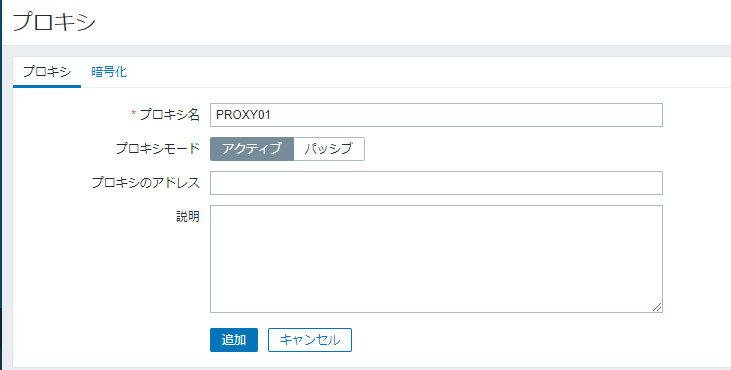
最新データ受信時刻(経過時間) を確認
- はじめは未受信になっているが...
- しばらくすると数字になる。
- はじめは未受信になっているが...
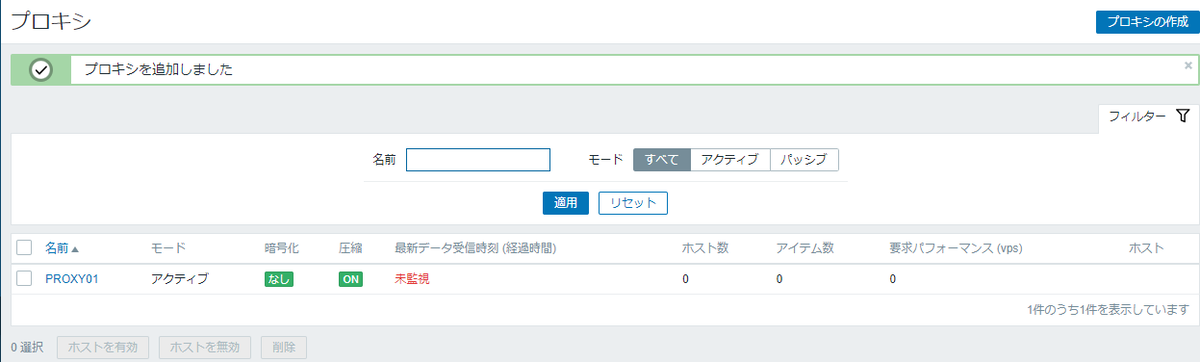
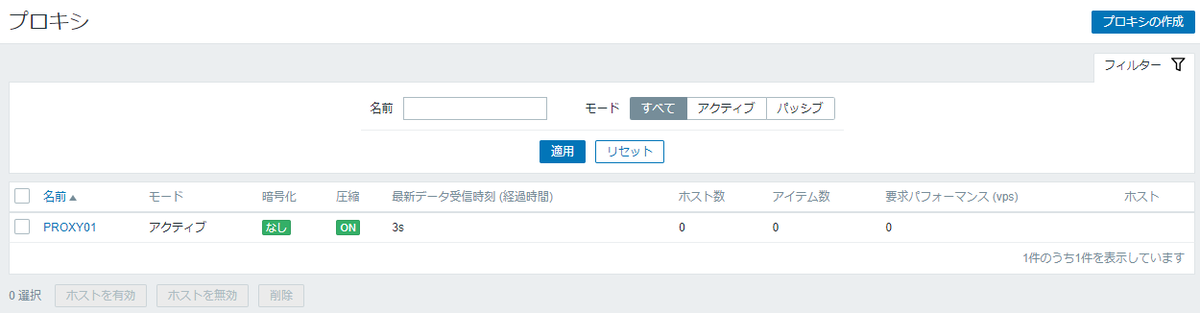
数字になったということは Zabbix プロキシからのデータを Zabbix サーバーが受信したということなので、設定は成功と判断できる。
作業完了
お疲れさまでした。
Vagrant で Zabbix 検証環境作成 (Zabbix サーバー起動編)
目的
今回は Windows の VirtualBox + Vagrant の使い方を勉強しつつ、手元環境に小さい構成でいいので Zabbix、Zabbix Proxy 監視対象が動く構成を作りたい。
構築環境
構築する構成要素は以下の感じ。
これだけあれば Zabbix の各種機能をいじることができると思う。
- Zabbix Server
- Zabbix Proxy
- OS 検討中
- Zabbix Proxy 6.0 LTS
- Linux:SNMP Agent として動作させる予定
- Zabbix Agent
- net-snmp
- snmposter
構築環境構成図
構成図はざっくり以下のような感じ。
各仮想マシン同士は 192.168.1.0/24 と 192.168.10.0/24 のホストオンリーネットワークで接続する。
各仮想マシンがインターネットに出たい場合は NAT でホストコンピュータの NIC から通信する。
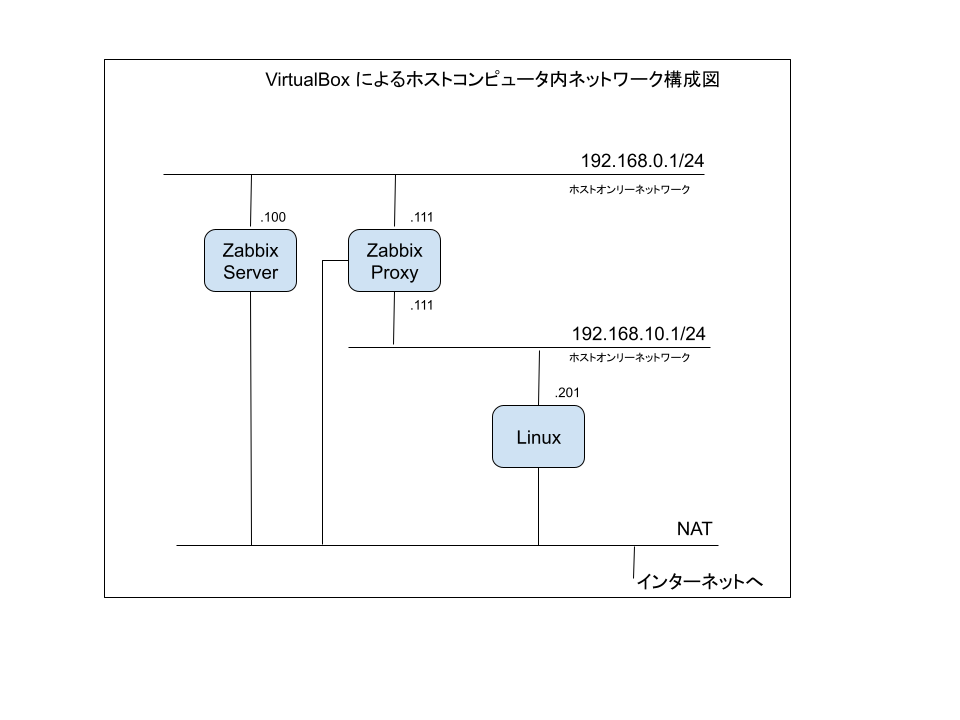
VirtualBox にホストオンリーネットワークを作成
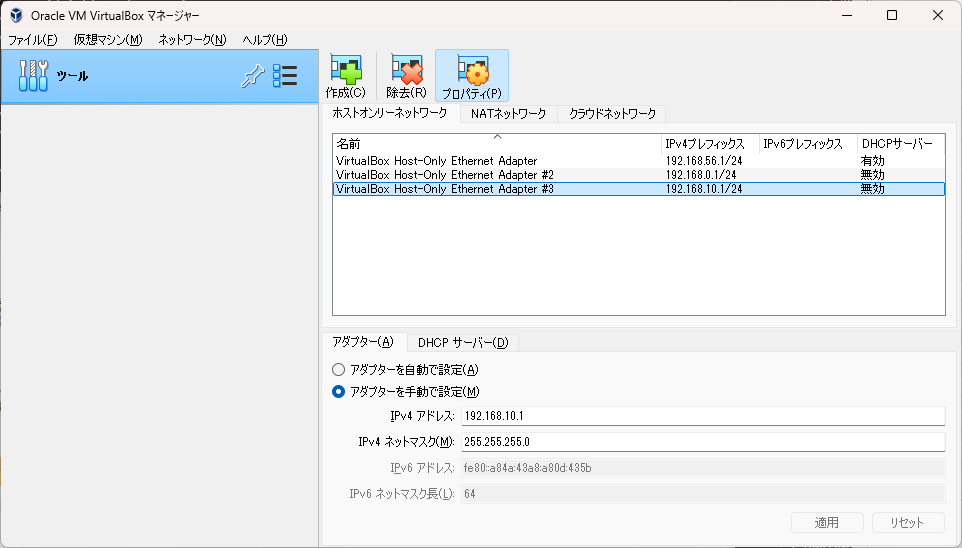
- Zabbix Server - Proxy 間で使用
- VirtualBox Host-Only Ethernet Adapter #2
- 192.168.0.1/24
- DHCPサーバー:無効
- VirtualBox Host-Only Ethernet Adapter #2
- Zabbix Proxy - 監視対象ホスト 間で使用
- VirtualBox Host-Only Ethernet Adapter #3
- 192.168.10.1/24
- DHCPサーバー:無効
- VirtualBox Host-Only Ethernet Adapter #3
使用した Vagrant Box
- Zabbix Server
- bento/almalinux-8 (https://app.vagrantup.com/bento/boxes/almalinux-8)
- bento/almalinux-8.10 なる box もあったが vagrant up 時にダウンロードできず。
Zabbix Server の構築
またところどころ実行ログも残していきます。
Vagrant で仮想マシンの構築
- コマンドプロンプトを起動
- 作業ディレクトリに移動:あらかじめディレクトリは作成済
cd C:\Vagrant\Zabbix_Proxy
- vagrant init コマンドを実行
vagrant init bento/almalinux-8
C:\Vagrant\Zabbix_Server>vagrant init bento/almalinux-8
A `Vagrantfile` has been placed in this directory. You are now
ready to `vagrant up` your first virtual environment! Please read
the comments in the Vagrantfile as well as documentation on
`vagrantup.com` for more information on using Vagrant.

C:\Vagrant\Zabbix_Server>
- Vagrantfile が作成されたことを確認
C:\Vagrant\Zabbix_Server>dir
 ドライブ C のボリューム ラベルがありません。
 ボリューム シリアル番号は 2C60-6CB4 です

 C:\Vagrant\Zabbix_Server のディレクトリ

2024/09/10  23:24    <DIR>          .
2024/09/10  23:16    <DIR>          ..
2024/09/10  23:24             3,471 Vagrantfile
               1 個のファイル               3,471 バイト
               2 個のディレクトリ  184,671,420,416 バイトの空き領域

C:\Vagrant\Zabbix_Server>
- Vagrantfile を編集する
# -*- mode: ruby -*-
# vi: set ft=ruby :

# All Vagrant configuration is done below. The "2" in Vagrant.configure
# configures the configuration version (we support older styles for
# backwards compatibility). Please don't change it unless you know what
# you're doing.
Vagrant.configure("2") do |config|
  # The most common configuration options are documented and commented below.
  # For a complete reference, please see the online documentation at
  # https://docs.vagrantup.com.

  # Every Vagrant development environment requires a box. You can search for
  # boxes at https://vagrantcloud.com/search.
  config.vm.box = "bento/almalinux-8"

  # Disable automatic box update checking. If you disable this, then
  # boxes will only be checked for updates when the user runs
  # `vagrant box outdated`. This is not recommended.
  # config.vm.box_check_update = false
  config.vm.box_check_update = false

  # Create a forwarded port mapping which allows access to a specific port
  # within the machine from a port on the host machine. In the example below,
  # accessing "localhost:8080" will access port 80 on the guest machine.
  # NOTE: This will enable public access to the opened port
  # config.vm.network "forwarded_port", guest: 80, host: 8080

  # Create a forwarded port mapping which allows access to a specific port
  # within the machine from a port on the host machine and only allow access
  # via 127.0.0.1 to disable public access
  # config.vm.network "forwarded_port", guest: 80, host: 8080, host_ip: "127.0.0.1"

  # Create a private network, which allows host-only access to the machine
  # using a specific IP.
  # config.vm.network "private_network", ip: "192.168.33.10"
  config.vm.network "private_network", ip: "192.168.0.100"

  # Create a public network, which generally matched to bridged network.
  # Bridged networks make the machine appear as another physical device on
  # your network.
  # config.vm.network "public_network"
  config.vm.network "public_network"

  # Share an additional folder to the guest VM. The first argument is
  # the path on the host to the actual folder. The second argument is
  # the path on the guest to mount the folder. And the optional third
  # argument is a set of non-required options.
  # config.vm.synced_folder "../data", "/vagrant_data"

  # Disable the default share of the current code directory. Doing this
  # provides improved isolation between the vagrant box and your host
  # by making sure your Vagrantfile isn't accessible to the vagrant box.
  # If you use this you may want to enable additional shared subfolders as
  # shown above.
  # config.vm.synced_folder ".", "/vagrant", disabled: true

  # Provider-specific configuration so you can fine-tune various
  # backing providers for Vagrant. These expose provider-specific options.
  # Example for VirtualBox:
  #
  # config.vm.provider "virtualbox" do |vb|
  #   # Display the VirtualBox GUI when booting the machine
  #   vb.gui = true
  #
  #   # Customize the amount of memory on the VM:
  #   vb.memory = "1024"
  # end
  #
  # View the documentation for the provider you are using for more
  # information on available options.

  # Enable provisioning with a shell script. Additional provisioners such as
  # Ansible, Chef, Docker, Puppet and Salt are also available. Please see the
  # documentation for more information about their specific syntax and use.
  # config.vm.provision "shell", inline: <<-SHELL
  #   apt-get update
  #   apt-get install -y apache2
  # SHELL
end
- Vagrant を起動
C:\Vagrant\Zabbix_Server>vagrant up
Bringing machine 'default' up with 'virtualbox' provider...
==> default: Box 'bento/almalinux-8' could not be found. Attempting to find and install...
    default: Box Provider: virtualbox
    default: Box Version: >= 0
==> default: Loading metadata for box 'bento/almalinux-8'
    default: URL: https://vagrantcloud.com/api/v2/vagrant/bento/almalinux-8
==> default: Adding box 'bento/almalinux-8' (v202309.08.0) for provider: virtualbox
    default: Downloading: https://vagrantcloud.com/bento/boxes/almalinux-8/versions/202309.08.0/providers/virtualbox/unknown/vagrant.box
    default:
==> default: Successfully added box 'bento/almalinux-8' (v202309.08.0) for 'virtualbox'!
==> default: Importing base box 'bento/almalinux-8'...
==> default: Matching MAC address for NAT networking...
==> default: Setting the name of the VM: Zabbix_Server_default_1725980416685_93195
Vagrant is currently configured to create VirtualBox synced folders with
the `SharedFoldersEnableSymlinksCreate` option enabled. If the Vagrant
guest is not trusted, you may want to disable this option. For more
information on this option, please refer to the VirtualBox manual:

  https://www.virtualbox.org/manual/ch04.html#sharedfolders

This option can be disabled globally with an environment variable:

  VAGRANT_DISABLE_VBOXSYMLINKCREATE=1

or on a per folder basis within the Vagrantfile:

  config.vm.synced_folder '/host/path', '/guest/path', SharedFoldersEnableSymlinksCreate: false
==> default: Clearing any previously set network interfaces...
==> default: Preparing network interfaces based on configuration...
    default: Adapter 1: nat
    default: Adapter 2: hostonly
    default: Adapter 3: bridged
==> default: Forwarding ports...
    default: 22 (guest) => 2222 (host) (adapter 1)
==> default: Booting VM...
==> default: Waiting for machine to boot. This may take a few minutes...
    default: SSH address: 127.0.0.1:2222
    default: SSH username: vagrant
    default: SSH auth method: private key
    default:
    default: Vagrant insecure key detected. Vagrant will automatically replace
    default: this with a newly generated keypair for better security.
    default:
    default: Inserting generated public key within guest...
    default: Removing insecure key from the guest if it's present...
    default: Key inserted! Disconnecting and reconnecting using new SSH key...
==> default: Machine booted and ready!
==> default: Checking for guest additions in VM...
==> default: Configuring and enabling network interfaces...
==> default: Mounting shared folders...
    default: /vagrant => C:/Vagrant/Zabbix_Server

C:\Vagrant\Zabbix_Server>
vagrant sshでログインネットワーク設定を確認
eth0 が NAT eth1 が ホストオンリーアダプタ eth2 は未使用
[vagrant@localhost ~]$ ip a
1: lo: <LOOPBACK,UP,LOWER_UP> mtu 65536 qdisc noqueue state UNKNOWN group default qlen 1000
    link/loopback 00:00:00:00:00:00 brd 00:00:00:00:00:00
    inet 127.0.0.1/8 scope host lo
       valid_lft forever preferred_lft forever
    inet6 ::1/128 scope host
       valid_lft forever preferred_lft forever
2: eth0: <BROADCAST,MULTICAST,UP,LOWER_UP> mtu 1500 qdisc fq_codel state UP group default qlen 1000
    link/ether 08:00:27:80:ef:74 brd ff:ff:ff:ff:ff:ff
    altname enp0s3
    inet 10.0.2.15/24 brd 10.0.2.255 scope global dynamic noprefixroute eth0
       valid_lft 86248sec preferred_lft 86248sec
    inet6 fe80::e2db:d938:805:67b0/64 scope link noprefixroute
       valid_lft forever preferred_lft forever
3: eth1: <BROADCAST,MULTICAST,UP,LOWER_UP> mtu 1500 qdisc fq_codel state UP group default qlen 1000
    link/ether 08:00:27:be:d7:9e brd ff:ff:ff:ff:ff:ff
    altname enp0s8
    inet 192.168.0.100/24 brd 192.168.0.255 scope global noprefixroute eth1
       valid_lft forever preferred_lft forever
    inet6 fe80::a00:27ff:febe:d79e/64 scope link
       valid_lft forever preferred_lft forever
4: eth2: <BROADCAST,MULTICAST,UP,LOWER_UP> mtu 1500 qdisc fq_codel state UP group default qlen 1000
    link/ether 08:00:27:42:47:4a brd ff:ff:ff:ff:ff:ff
    altname enp0s9
    inet6 fe80::a00:27ff:fe42:474a/64 scope link
       valid_lft forever preferred_lft forever
[vagrant@localhost ~]$
- ホストコンピュータ (192.168.0.1) への Ping 疎通確認:OK
[vagrant@localhost ~]$ ping 192.168.0.1
PING 192.168.0.1 (192.168.0.1) 56(84) bytes of data.
64 bytes from 192.168.0.1: icmp_seq=1 ttl=128 time=0.597 ms
64 bytes from 192.168.0.1: icmp_seq=2 ttl=128 time=1.18 ms
^C
--- 192.168.0.1 ping statistics ---
2 packets transmitted, 2 received, 0% packet loss, time 1062ms
rtt min/avg/max/mdev = 0.597/0.887/1.177/0.290 ms
[vagrant@localhost ~]$
- 使用しない eth2 のアダプタを自動起動しないように修正
[vagrant@localhost network-scripts]$ cat ifcfg-eth2
#VAGRANT-BEGIN
# The contents below are automatically generated by Vagrant. Do not modify.
BOOTPROTO=dhcp
ONBOOT=yes
DEVICE=eth2
NM_CONTROLLED=yes
#VAGRANT-END
[vagrant@localhost network-scripts]$ sudo vi ifcfg-eth2
[vagrant@localhost network-scripts]$
[vagrant@localhost network-scripts]$ cat ifcfg-eth2
#VAGRANT-BEGIN
# The contents below are automatically generated by Vagrant. Do not modify.
BOOTPROTO=dhcp
ONBOOT=no
DEVICE=eth2
NM_CONTROLLED=yes
#VAGRANT-END
[vagrant@localhost network-scripts]$
- ログアウトして Vagrant をシャットダウン
[vagrant@localhost network-scripts]$ logout
Connection to 127.0.0.1 closed.

C:\Vagrant\Zabbix_Server>
C:\Vagrant\Zabbix_Server>vagrant halt
==> default: Attempting graceful shutdown of VM...

C:\Vagrant\Zabbix_Server>
- Vagrant が Bridge の設定を持っていしまっていたのは Vagrantfile の設定で
config.vm.network "public_network"を有効にしたからだと気づく。コメントアウトする。
# -*- mode: ruby -*-
# vi: set ft=ruby :

# All Vagrant configuration is done below. The "2" in Vagrant.configure
# configures the configuration version (we support older styles for
# backwards compatibility). Please don't change it unless you know what
# you're doing.
Vagrant.configure("2") do |config|
  # The most common configuration options are documented and commented below.
  # For a complete reference, please see the online documentation at
  # https://docs.vagrantup.com.

  # Every Vagrant development environment requires a box. You can search for
  # boxes at https://vagrantcloud.com/search.
  config.vm.box = "bento/almalinux-8"

  # Disable automatic box update checking. If you disable this, then
  # boxes will only be checked for updates when the user runs
  # `vagrant box outdated`. This is not recommended.
  # config.vm.box_check_update = false
  config.vm.box_check_update = false

  # Create a forwarded port mapping which allows access to a specific port
  # within the machine from a port on the host machine. In the example below,
  # accessing "localhost:8080" will access port 80 on the guest machine.
  # NOTE: This will enable public access to the opened port
  # config.vm.network "forwarded_port", guest: 80, host: 8080

  # Create a forwarded port mapping which allows access to a specific port
  # within the machine from a port on the host machine and only allow access
  # via 127.0.0.1 to disable public access
  # config.vm.network "forwarded_port", guest: 80, host: 8080, host_ip: "127.0.0.1"

  # Create a private network, which allows host-only access to the machine
  # using a specific IP.
  # config.vm.network "private_network", ip: "192.168.33.10"
  config.vm.network "private_network", ip: "192.168.0.100"

  # Create a public network, which generally matched to bridged network.
  # Bridged networks make the machine appear as another physical device on
  # your network.
  # config.vm.network "public_network"

  # Share an additional folder to the guest VM. The first argument is
  # the path on the host to the actual folder. The second argument is
  # the path on the guest to mount the folder. And the optional third
  # argument is a set of non-required options.
  # config.vm.synced_folder "../data", "/vagrant_data"

  # Disable the default share of the current code directory. Doing this
  # provides improved isolation between the vagrant box and your host
  # by making sure your Vagrantfile isn't accessible to the vagrant box.
  # If you use this you may want to enable additional shared subfolders as
  # shown above.
  # config.vm.synced_folder ".", "/vagrant", disabled: true

  # Provider-specific configuration so you can fine-tune various
  # backing providers for Vagrant. These expose provider-specific options.
  # Example for VirtualBox:
  #
  # config.vm.provider "virtualbox" do |vb|
  #   # Display the VirtualBox GUI when booting the machine
  #   vb.gui = true
  #
  #   # Customize the amount of memory on the VM:
  #   vb.memory = "1024"
  # end
  #
  # View the documentation for the provider you are using for more
  # information on available options.

  # Enable provisioning with a shell script. Additional provisioners such as
  # Ansible, Chef, Docker, Puppet and Salt are also available. Please see the
  # documentation for more information about their specific syntax and use.
  # config.vm.provision "shell", inline: <<-SHELL
  #   apt-get update
  #   apt-get install -y apache2
  # SHELL
end
C:\Vagrant\Zabbix_Server>vagrant up
Bringing machine 'default' up with 'virtualbox' provider...
==> default: Importing base box 'bento/almalinux-8'...
==> default: Matching MAC address for NAT networking...
==> default: Setting the name of the VM: Zabbix_Server_default_1725981767880_58471
==> default: Clearing any previously set network interfaces...
==> default: Preparing network interfaces based on configuration...
    default: Adapter 1: nat
    default: Adapter 2: hostonly
==> default: Forwarding ports...
    default: 22 (guest) => 2222 (host) (adapter 1)
==> default: Booting VM...
==> default: Waiting for machine to boot. This may take a few minutes...
    default: SSH address: 127.0.0.1:2222
    default: SSH username: vagrant
    default: SSH auth method: private key
    default:
    default: Vagrant insecure key detected. Vagrant will automatically replace
    default: this with a newly generated keypair for better security.
    default:
    default: Inserting generated public key within guest...
    default: Removing insecure key from the guest if it's present...
    default: Key inserted! Disconnecting and reconnecting using new SSH key...
==> default: Machine booted and ready!
==> default: Checking for guest additions in VM...
==> default: Configuring and enabling network interfaces...
==> default: Mounting shared folders...
    default: /vagrant => C:/Vagrant/Zabbix_Server

C:\Vagrant\Zabbix_Server>
- ネットワーク設定を確認
eth0 が NAT eth1 が ホストオンリーアダプタ
意図通り。 ホストコンピュータ (192.168.0.1) にも Ping 疎通できることが確認できた。
C:\Vagrant\Zabbix_Server>vagrant ssh

This system is built by the Bento project by Chef Software
More information can be found at https://github.com/chef/bento
[vagrant@localhost ~]$
[vagrant@localhost ~]$ ip a
1: lo: <LOOPBACK,UP,LOWER_UP> mtu 65536 qdisc noqueue state UNKNOWN group default qlen 1000
    link/loopback 00:00:00:00:00:00 brd 00:00:00:00:00:00
    inet 127.0.0.1/8 scope host lo
       valid_lft forever preferred_lft forever
    inet6 ::1/128 scope host
       valid_lft forever preferred_lft forever
2: eth0: <BROADCAST,MULTICAST,UP,LOWER_UP> mtu 1500 qdisc fq_codel state UP group default qlen 1000
    link/ether 08:00:27:80:ef:74 brd ff:ff:ff:ff:ff:ff
    altname enp0s3
    inet 10.0.2.15/24 brd 10.0.2.255 scope global dynamic noprefixroute eth0
       valid_lft 86363sec preferred_lft 86363sec
    inet6 fe80::a59a:6b0e:3323:e1d5/64 scope link noprefixroute
       valid_lft forever preferred_lft forever
3: eth1: <BROADCAST,MULTICAST,UP,LOWER_UP> mtu 1500 qdisc fq_codel state UP group default qlen 1000
    link/ether 08:00:27:86:bd:79 brd ff:ff:ff:ff:ff:ff
    altname enp0s8
    inet 192.168.0.100/24 brd 192.168.0.255 scope global noprefixroute eth1
       valid_lft forever preferred_lft forever
    inet6 fe80::a00:27ff:fe86:bd79/64 scope link
       valid_lft forever preferred_lft forever
[vagrant@localhost ~]$
[vagrant@localhost ~]$ ping 192.168.0.1
PING 192.168.0.1 (192.168.0.1) 56(84) bytes of data.
64 bytes from 192.168.0.1: icmp_seq=1 ttl=128 time=0.533 ms
64 bytes from 192.168.0.1: icmp_seq=2 ttl=128 time=1.20 ms
^C
--- 192.168.0.1 ping statistics ---
2 packets transmitted, 2 received, 0% packet loss, time 1035ms
rtt min/avg/max/mdev = 0.533/0.867/1.201/0.334 ms
[vagrant@localhost ~]$
- ログアウトして Vagrant をシャットダウン
[vagrant@localhost ~]$ logout
Connection to 127.0.0.1 closed.

C:\Vagrant\Zabbix_Server>
C:\Vagrant\Zabbix_Server>vagrant halt
==> default: Attempting graceful shutdown of VM...

C:\Vagrant\Zabbix_Server>
C:\Vagrant\Zabbix_Server>vagrant halt

C:\Vagrant\Zabbix_Server>
これで初期状態の起動はできるようになった。
Zabbix Server のインストール
OS の Update
Vagrant で almalinux を起動
以下の順に dnf update 関連を実行
sudo rpm --import https://repo.almalinux.org/almalinux/RPM-GPG-KEY-AlmaLinuxsudo dnf upgrade almalinux-releasesudo dnf update
[vagrant@localhost ~]$ sudo rpm --import https://repo.almalinux.org/almalinux/RPM-GPG-KEY-AlmaLinux
[vagrant@localhost ~]$
[vagrant@localhost ~]$ sudo dnf upgrade almalinux-release
AlmaLinux 8 - BaseOS 3.7 MB/s | 6.2 MB 00:01
AlmaLinux 8 - AppStream 5.4 MB/s | 13 MB 00:02
AlmaLinux 8 - Extras 14 kB/s | 13 kB 00:00
Dependencies resolved.
==============================================================================
Package Architecture Version Repository Size
==============================================================================
Upgrading:
almalinux-release x86_64 8.10-1.el8 baseos 27 k
Transaction Summary
==============================================================================
Upgrade 1 Package
Total download size: 27 k
Is this ok [y/N]: y
Downloading Packages:
almalinux-release-8.10-1.el8.x86_64.rpm 208 kB/s | 27 kB 00:00
------------------------------------------------------------------------------
Total 35 kB/s | 27 kB 00:00
Running transaction check
Transaction check succeeded.
Running transaction test
Transaction test succeeded.
Running transaction
Preparing : 1/1
Running scriptlet: almalinux-release-8.10-1.el8.x86_64 1/1
Upgrading : almalinux-release-8.10-1.el8.x86_64 1/2
Cleanup : almalinux-release-8.8-1.el8.x86_64 2/2
Running scriptlet: almalinux-release-8.8-1.el8.x86_64 2/2
Verifying : almalinux-release-8.10-1.el8.x86_64 1/2
Verifying : almalinux-release-8.8-1.el8.x86_64 2/2
Upgraded:
almalinux-release-8.10-1.el8.x86_64
Complete!
[vagrant@localhost ~]$
[vagrant@localhost ~]$ sudo dnf update
Last metadata expiration check: 0:00:42 ago on Tue 10 Sep 2024 11:55:18 PM UTC.
Dependencies resolved.
==============================================================================
Package Arch Version Repo Size
==============================================================================
Installing:
kernel x86_64 4.18.0-553.16.1.el8_10 baseos 10 M
Upgrading:
NetworkManager x86_64 1:1.40.16-15.el8_9 baseos 2.3 M
NetworkManager-libnm x86_64 1:1.40.16-15.el8_9 baseos 1.9 M
NetworkManager-team x86_64 1:1.40.16-15.el8_9 baseos 160 k
NetworkManager-tui x86_64 1:1.40.16-15.el8_9 baseos 355 k
acl x86_64 2.2.53-3.el8 baseos 80 k
audit x86_64 3.1.2-1.el8 baseos 264 k
audit-libs x86_64 3.1.2-1.el8 baseos 124 k
authselect x86_64 1.2.6-2.el8 baseos 146 k
authselect-libs x86_64 1.2.6-2.el8 baseos 243 k
bash x86_64 4.4.20-5.el8 baseos 1.5 M
c-ares x86_64 1.13.0-11.el8_10 baseos 93 k
ca-certificates noarch 2024.2.69_v8.0.303-80.0.el8_10
baseos 982 k
chkconfig x86_64 1.19.2-1.el8 baseos 198 k
chrony x86_64 4.5-1.el8 baseos 352 k
cronie x86_64 1.5.2-10.el8 baseos 118 k
cronie-anacron x86_64 1.5.2-10.el8 baseos 41 k
crypto-policies noarch 20230731-1.git3177e06.el8 baseos 63 k
crypto-policies-scripts noarch 20230731-1.git3177e06.el8 baseos 83 k
cryptsetup-libs x86_64 2.3.7-7.el8 baseos 488 k
curl x86_64 7.61.1-34.el8_10.2 baseos 353 k
dbus x86_64 1:1.12.8-26.el8 baseos 41 k
dbus-common noarch 1:1.12.8-26.el8 baseos 46 k
dbus-daemon x86_64 1:1.12.8-26.el8 baseos 240 k
dbus-libs x86_64 1:1.12.8-26.el8 baseos 184 k
dbus-tools x86_64 1:1.12.8-26.el8 baseos 85 k
device-mapper x86_64 8:1.02.181-14.el8 baseos 378 k
device-mapper-libs x86_64 8:1.02.181-14.el8 baseos 410 k
dmidecode x86_64 1:3.5-1.el8 baseos 99 k
dnf noarch 4.7.0-20.el8.alma baseos 542 k
dnf-data noarch 4.7.0-20.el8.alma baseos 156 k
dnf-plugins-core noarch 4.0.21-25.el8 baseos 75 k
dracut x86_64 049-233.git20240115.el8 baseos 379 k
dracut-config-rescue x86_64 049-233.git20240115.el8 baseos 62 k
dracut-network x86_64 049-233.git20240115.el8 baseos 110 k
dracut-squash x86_64 049-233.git20240115.el8 baseos 63 k
e2fsprogs x86_64 1.45.6-5.1.el8.alma.1 baseos 1.0 M
e2fsprogs-libs x86_64 1.45.6-5.1.el8.alma.1 baseos 232 k
elfutils-default-yama-scope noarch 0.190-2.el8 baseos 52 k
elfutils-libelf x86_64 0.190-2.el8 baseos 232 k
elfutils-libs x86_64 0.190-2.el8 baseos 304 k
expat x86_64 2.2.5-13.el8_10 baseos 113 k
file x86_64 5.33-26.el8 baseos 76 k
file-libs x86_64 5.33-26.el8 baseos 543 k
findutils x86_64 1:4.6.0-22.el8 baseos 526 k
firewalld noarch 0.9.11-8.el8_10 baseos 510 k
firewalld-filesystem noarch 0.9.11-8.el8_10 baseos 78 k
fuse-libs x86_64 2.9.7-19.el8 baseos 102 k
glib2 x86_64 2.56.4-162.el8 baseos 2.5 M
glibc x86_64 2.28-251.el8_10.4 baseos 2.2 M
glibc-all-langpacks x86_64 2.28-251.el8_10.4 baseos 26 M
glibc-common x86_64 2.28-251.el8_10.4 baseos 1.0 M
glibc-gconv-extra x86_64 2.28-251.el8_10.4 baseos 1.6 M
gmp x86_64 1:6.1.2-11.el8 baseos 317 k
gnutls x86_64 3.6.16-8.el8_9.3 baseos 1.0 M
gpgme x86_64 1.13.1-12.el8 baseos 335 k
grub2-common noarch 1:2.02-156.el8.alma.1 baseos 895 k
grub2-pc x86_64 1:2.02-156.el8.alma.1 baseos 45 k
grub2-pc-modules noarch 1:2.02-156.el8.alma.1 baseos 922 k
grub2-tools x86_64 1:2.02-156.el8.alma.1 baseos 2.0 M
grub2-tools-extra x86_64 1:2.02-156.el8.alma.1 baseos 1.1 M
grub2-tools-minimal x86_64 1:2.02-156.el8.alma.1 baseos 213 k
grubby x86_64 8.40-49.el8 baseos 49 k
hwdata noarch 0.314-8.22.el8 baseos 1.8 M
iproute x86_64 6.2.0-6.el8_10 baseos 853 k
iptables x86_64 1.8.5-11.el8_9 baseos 591 k
iptables-ebtables x86_64 1.8.5-11.el8_9 baseos 73 k
iptables-libs x86_64 1.8.5-11.el8_9 baseos 102 k
iputils x86_64 20180629-11.el8 baseos 148 k
irqbalance x86_64 2:1.9.2-1.el8 baseos 71 k
kbd x86_64 2.0.4-11.el8 baseos 389 k
kbd-legacy noarch 2.0.4-11.el8 baseos 480 k
kbd-misc noarch 2.0.4-11.el8 baseos 1.5 M
kernel-tools x86_64 4.18.0-553.16.1.el8_10 baseos 11 M
kernel-tools-libs x86_64 4.18.0-553.16.1.el8_10 baseos 10 M
kexec-tools x86_64 2.0.26-14.el8_10.1 baseos 531 k
kmod x86_64 25-20.el8 baseos 125 k
kmod-libs x86_64 25-20.el8 baseos 67 k
kpartx x86_64 0.8.4-41.el8 baseos 119 k
krb5-libs x86_64 1.18.2-29.el8_10 baseos 842 k
less x86_64 530-3.el8_10 baseos 163 k
libacl x86_64 2.2.53-3.el8 baseos 34 k
libblkid x86_64 2.32.1-46.el8 baseos 220 k
libcap x86_64 2.48-6.el8_9 baseos 73 k
libcom_err x86_64 1.45.6-5.1.el8.alma.1 baseos 48 k
libcurl x86_64 7.61.1-34.el8_10.2 baseos 303 k
libdnf x86_64 0.63.0-20.el8_10.alma.1 baseos 711 k
libfastjson x86_64 0.99.9-2.el8 appstream 37 k
libfdisk x86_64 2.32.1-46.el8 baseos 253 k
libgcc x86_64 8.5.0-22.el8_10 baseos 81 k
libgomp x86_64 8.5.0-22.el8_10 baseos 207 k
libibverbs x86_64 48.0-1.el8 baseos 403 k
libkcapi x86_64 1.4.0-2.el8 baseos 52 k
libkcapi-hmaccalc x86_64 1.4.0-2.el8 baseos 31 k
libldb x86_64 2.8.0-0.el8 baseos 191 k
libmount x86_64 2.32.1-46.el8 baseos 236 k
libndp x86_64 1.7-7.el8_10.alma.1 baseos 39 k
libnftnl x86_64 1.2.2-3.el8 baseos 86 k
libnghttp2 x86_64 1.33.0-6.el8_10.1 baseos 77 k
librepo x86_64 1.14.2-5.el8 baseos 92 k
libsmartcols x86_64 2.32.1-46.el8 baseos 179 k
libsolv x86_64 0.7.20-6.el8 baseos 375 k
libss x86_64 1.45.6-5.1.el8.alma.1 baseos 53 k
libssh x86_64 0.9.6-14.el8 baseos 219 k
libssh-config noarch 0.9.6-14.el8 baseos 20 k
libsss_autofs x86_64 2.9.4-4.el8_10 baseos 129 k
libsss_certmap x86_64 2.9.4-4.el8_10 baseos 185 k
libsss_idmap x86_64 2.9.4-4.el8_10 baseos 131 k
libsss_nss_idmap x86_64 2.9.4-4.el8_10 baseos 140 k
libsss_sudo x86_64 2.9.4-4.el8_10 baseos 127 k
libstdc++ x86_64 8.5.0-22.el8_10 baseos 454 k
libtalloc x86_64 2.4.1-0.el8 baseos 49 k
libtdb x86_64 1.4.9-0.el8 baseos 59 k
libtevent x86_64 0.16.0-0.el8 baseos 54 k
libtirpc x86_64 1.1.4-12.el8_10 baseos 113 k
libuuid x86_64 2.32.1-46.el8 baseos 98 k
libxml2 x86_64 2.9.7-18.el8_10.1 baseos 696 k
ncurses x86_64 6.1-10.20180224.el8 baseos 386 k
ncurses-base noarch 6.1-10.20180224.el8 baseos 80 k
ncurses-libs x86_64 6.1-10.20180224.el8 baseos 333 k
nftables x86_64 1:1.0.4-4.el8_9 baseos 379 k
numactl-libs x86_64 2.0.16-4.el8 baseos 36 k
openldap x86_64 2.4.46-19.el8_10 baseos 352 k
openssh x86_64 8.0p1-25.el8_10 baseos 525 k
openssh-clients x86_64 8.0p1-25.el8_10 baseos 645 k
openssh-server x86_64 8.0p1-25.el8_10 baseos 494 k
openssl x86_64 1:1.1.1k-12.el8_9 baseos 710 k
openssl-libs x86_64 1:1.1.1k-12.el8_9 baseos 1.5 M
p11-kit x86_64 0.23.22-2.el8 baseos 326 k
p11-kit-trust x86_64 0.23.22-2.el8 baseos 137 k
pam x86_64 1.3.1-34.el8_10 baseos 745 k
perl-CPAN noarch 2.18-399.el8 appstream 554 k
perl-HTTP-Tiny noarch 0.074-3.el8 baseos 58 k
platform-python x86_64 3.6.8-62.el8_10.alma.1 baseos 87 k
platform-python-pip noarch 9.0.3-24.el8 baseos 1.6 M
platform-python-setuptools noarch 39.2.0-8.el8_10 baseos 630 k
policycoreutils x86_64 2.9-26.el8_10 baseos 376 k
polkit x86_64 0.115-15.el8_10.2 baseos 154 k
polkit-libs x86_64 0.115-15.el8_10.2 baseos 76 k
procps-ng x86_64 3.3.15-14.el8 baseos 329 k
python3-dnf noarch 4.7.0-20.el8.alma baseos 549 k
python3-dnf-plugins-core noarch 4.0.21-25.el8 baseos 262 k
python3-firewall noarch 0.9.11-8.el8_10 baseos 436 k
python3-gpg x86_64 1.13.1-12.el8 baseos 243 k
python3-hawkey x86_64 0.63.0-20.el8_10.alma.1 baseos 118 k
python3-libdnf x86_64 0.63.0-20.el8_10.alma.1 baseos 779 k
python3-libs x86_64 3.6.8-62.el8_10.alma.1 baseos 7.8 M
python3-linux-procfs noarch 0.7.3-1.el8 baseos 35 k
python3-nftables x86_64 1:1.0.4-4.el8_9 baseos 30 k
python3-perf x86_64 4.18.0-553.16.1.el8_10 baseos 11 M
python3-pip-wheel noarch 9.0.3-24.el8 baseos 864 k
python3-rpm x86_64 4.14.3-31.el8 baseos 154 k
python3-setuptools-wheel noarch 39.2.0-8.el8_10 baseos 286 k
python3-syspurpose x86_64 1.28.42-1.el8.alma.1 baseos 341 k
rpm x86_64 4.14.3-31.el8 baseos 543 k
rpm-build-libs x86_64 4.14.3-31.el8 baseos 156 k
rpm-libs x86_64 4.14.3-31.el8 baseos 347 k
rpm-plugin-selinux x86_64 4.14.3-31.el8 baseos 77 k
rsyslog x86_64 8.2102.0-15.el8 appstream 754 k
selinux-policy noarch 3.14.3-139.el8_10 baseos 668 k
selinux-policy-targeted noarch 3.14.3-139.el8_10 baseos 15 M
shadow-utils x86_64 2:4.6-22.el8 baseos 1.2 M
shared-mime-info x86_64 1.9-4.el8 baseos 328 k
sqlite-libs x86_64 3.26.0-19.el8_9 baseos 580 k
squashfs-tools x86_64 4.3-21.el8 baseos 164 k
sssd-client x86_64 2.9.4-4.el8_10 baseos 244 k
sssd-common x86_64 2.9.4-4.el8_10 baseos 1.7 M
sssd-kcm x86_64 2.9.4-4.el8_10 baseos 265 k
sssd-nfs-idmap x86_64 2.9.4-4.el8_10 baseos 129 k
sudo x86_64 1.9.5p2-1.el8_9 baseos 1.0 M
systemd x86_64 239-82.el8_10.1 baseos 3.6 M
systemd-libs x86_64 239-82.el8_10.1 baseos 1.1 M
systemd-pam x86_64 239-82.el8_10.1 baseos 512 k
systemd-udev x86_64 239-82.el8_10.1 baseos 1.6 M
systemtap-sdt-devel x86_64 4.9-3.el8 appstream 87 k
tpm2-tss x86_64 2.3.2-6.el8 baseos 274 k
trousers x86_64 0.3.15-2.el8 baseos 151 k
trousers-lib x86_64 0.3.15-2.el8 baseos 167 k
tuned noarch 2.22.1-4.el8_10.1 baseos 366 k
tzdata noarch 2024a-1.el8 baseos 474 k
util-linux x86_64 2.32.1-46.el8 baseos 2.5 M
virt-what x86_64 1.25-4.el8 baseos 37 k
which x86_64 2.21-20.el8 baseos 49 k
xfsprogs x86_64 5.0.0-12.el8 baseos 1.1 M
yum noarch 4.7.0-20.el8.alma baseos 208 k
zlib x86_64 1.2.11-25.el8 baseos 102 k
Installing dependencies:
grub2-tools-efi x86_64 1:2.02-156.el8.alma.1 baseos 479 k
kernel-core x86_64 4.18.0-553.16.1.el8_10 baseos 43 M
kernel-modules x86_64 4.18.0-553.16.1.el8_10 baseos 36 M
linux-firmware noarch 20240610-122.git90df68d2.el8_10
baseos 363 M
unbound-libs x86_64 1.16.2-5.el8_9.6 appstream 576 k
Installing weak dependencies:
elfutils-debuginfod-client x86_64 0.190-2.el8 baseos 76 k
memstrack x86_64 0.2.5-2.el8 baseos 51 k
pigz x86_64 2.4-4.el8 baseos 79 k
python3-unbound x86_64 1.16.2-5.el8_9.6 appstream 129 k
rpm-plugin-systemd-inhibit x86_64 4.14.3-31.el8 baseos 78 k
Transaction Summary
==============================================================================
Install 11 Packages
Upgrade 185 Packages
Total download size: 613 M
Is this ok [y/N]: y
Downloading Packages:
(1/196): elfutils-debuginfod-client-0.190-2.e 167 kB/s | 76 kB 00:00
(2/196): grub2-tools-efi-2.02-156.el8.alma.1. 982 kB/s | 479 kB 00:00
(3/196): kernel-4.18.0-553.16.1.el8_10.x86_64 5.1 MB/s | 10 MB 00:02
(4/196): kernel-modules-4.18.0-553.16.1.el8_1 4.1 MB/s | 36 MB 00:08
(5/196): memstrack-0.2.5-2.el8.x86_64.rpm 677 kB/s | 51 kB 00:00
(6/196): pigz-2.4-4.el8.x86_64.rpm 786 kB/s | 79 kB 00:00
(7/196): rpm-plugin-systemd-inhibit-4.14.3-31 1.1 MB/s | 78 kB 00:00
(8/196): python3-unbound-1.16.2-5.el8_9.6.x86 454 kB/s | 129 kB 00:00
(9/196): unbound-libs-1.16.2-5.el8_9.6.x86_64 1.2 MB/s | 576 kB 00:00
(10/196): kernel-core-4.18.0-553.16.1.el8_10. 4.0 MB/s | 43 MB 00:10
(11/196): NetworkManager-1.40.16-15.el8_9.x86 2.2 MB/s | 2.3 MB 00:01
(12/196): NetworkManager-team-1.40.16-15.el8_ 1.7 MB/s | 160 kB 00:00
(13/196): NetworkManager-tui-1.40.16-15.el8_9 1.0 MB/s | 355 kB 00:00
(14/196): NetworkManager-libnm-1.40.16-15.el8 3.7 MB/s | 1.9 MB 00:00
(15/196): acl-2.2.53-3.el8.x86_64.rpm 399 kB/s | 80 kB 00:00
(16/196): audit-libs-3.1.2-1.el8.x86_64.rpm 692 kB/s | 124 kB 00:00
(17/196): audit-3.1.2-1.el8.x86_64.rpm 364 kB/s | 264 kB 00:00
(18/196): authselect-1.2.6-2.el8.x86_64.rpm 165 kB/s | 146 kB 00:00
(19/196): authselect-libs-1.2.6-2.el8.x86_64. 282 kB/s | 243 kB 00:00
(20/196): c-ares-1.13.0-11.el8_10.x86_64.rpm 664 kB/s | 93 kB 00:00
(21/196): bash-4.4.20-5.el8.x86_64.rpm 2.7 MB/s | 1.5 MB 00:00
(22/196): ca-certificates-2024.2.69_v8.0.303- 1.4 MB/s | 982 kB 00:00
(23/196): chkconfig-1.19.2-1.el8.x86_64.rpm 302 kB/s | 198 kB 00:00
(24/196): cronie-1.5.2-10.el8.x86_64.rpm 313 kB/s | 118 kB 00:00
(25/196): cronie-anacron-1.5.2-10.el8.x86_64. 437 kB/s | 41 kB 00:00
(26/196): chrony-4.5-1.el8.x86_64.rpm 568 kB/s | 352 kB 00:00
(27/196): crypto-policies-20230731-1.git3177e 123 kB/s | 63 kB 00:00
(28/196): crypto-policies-scripts-20230731-1. 180 kB/s | 83 kB 00:00
(29/196): cryptsetup-libs-2.3.7-7.el8.x86_64. 840 kB/s | 488 kB 00:00
(30/196): dbus-1.12.8-26.el8.x86_64.rpm 1.0 MB/s | 41 kB 00:00
(31/196): dbus-common-1.12.8-26.el8.noarch.rp 522 kB/s | 46 kB 00:00
(32/196): curl-7.61.1-34.el8_10.2.x86_64.rpm 477 kB/s | 353 kB 00:00
(33/196): dbus-libs-1.12.8-26.el8.x86_64.rpm 1.0 MB/s | 184 kB 00:00
(34/196): dbus-tools-1.12.8-26.el8.x86_64.rpm 395 kB/s | 85 kB 00:00
(35/196): dbus-daemon-1.12.8-26.el8.x86_64.rp 337 kB/s | 240 kB 00:00
(36/196): device-mapper-1.02.181-14.el8.x86_6 886 kB/s | 378 kB 00:00
(37/196): dmidecode-3.5-1.el8.x86_64.rpm 551 kB/s | 99 kB 00:00
(38/196): dnf-4.7.0-20.el8.alma.noarch.rpm 805 kB/s | 542 kB 00:00
(39/196): device-mapper-libs-1.02.181-14.el8. 244 kB/s | 410 kB 00:01
(40/196): dnf-data-4.7.0-20.el8.alma.noarch.r 226 kB/s | 156 kB 00:00
(41/196): dnf-plugins-core-4.0.21-25.el8.noar 276 kB/s | 75 kB 00:00
(42/196): dracut-config-rescue-049-233.git202 1.1 MB/s | 62 kB 00:00
(43/196): dracut-network-049-233.git20240115. 193 kB/s | 110 kB 00:00
(44/196): dracut-squash-049-233.git20240115.e 928 kB/s | 63 kB 00:00
(45/196): e2fsprogs-1.45.6-5.1.el8.alma.1.x86 2.9 MB/s | 1.0 MB 00:00
(46/196): e2fsprogs-libs-1.45.6-5.1.el8.alma. 1.0 MB/s | 232 kB 00:00
(47/196): elfutils-default-yama-scope-0.190-2 1.0 MB/s | 52 kB 00:00
(48/196): elfutils-libelf-0.190-2.el8.x86_64. 979 kB/s | 232 kB 00:00
(49/196): elfutils-libs-0.190-2.el8.x86_64.rp 725 kB/s | 304 kB 00:00
(50/196): expat-2.2.5-13.el8_10.x86_64.rpm 687 kB/s | 113 kB 00:00
(51/196): file-5.33-26.el8.x86_64.rpm 620 kB/s | 76 kB 00:00
(52/196): dracut-049-233.git20240115.el8.x86_ 142 kB/s | 379 kB 00:02
(53/196): file-libs-5.33-26.el8.x86_64.rpm 616 kB/s | 543 kB 00:00
(54/196): findutils-4.6.0-22.el8.x86_64.rpm 658 kB/s | 526 kB 00:00
(55/196): firewalld-filesystem-0.9.11-8.el8_1 1.0 MB/s | 78 kB 00:00
(56/196): fuse-libs-2.9.7-19.el8.x86_64.rpm 533 kB/s | 102 kB 00:00
(57/196): glib2-2.56.4-162.el8.x86_64.rpm 3.4 MB/s | 2.5 MB 00:00
(58/196): glibc-2.28-251.el8_10.4.x86_64.rpm 3.4 MB/s | 2.2 MB 00:00
(59/196): firewalld-0.9.11-8.el8_10.noarch.rp 204 kB/s | 510 kB 00:02
(60/196): glibc-common-2.28-251.el8_10.4.x86_ 1.4 MB/s | 1.0 MB 00:00
(61/196): glibc-gconv-extra-2.28-251.el8_10.4 1.4 MB/s | 1.6 MB 00:01
(62/196): gmp-6.1.2-11.el8.x86_64.rpm 878 kB/s | 317 kB 00:00
(63/196): gnutls-3.6.16-8.el8_9.3.x86_64.rpm 879 kB/s | 1.0 MB 00:01
(64/196): gpgme-1.13.1-12.el8.x86_64.rpm 609 kB/s | 335 kB 00:00
(65/196): glibc-all-langpacks-2.28-251.el8_10 4.5 MB/s | 26 MB 00:05
(66/196): grub2-pc-2.02-156.el8.alma.1.x86_64 1.5 MB/s | 45 kB 00:00
(67/196): grub2-common-2.02-156.el8.alma.1.no 777 kB/s | 895 kB 00:01
(68/196): grub2-tools-2.02-156.el8.alma.1.x86 3.9 MB/s | 2.0 MB 00:00
(69/196): grub2-tools-extra-2.02-156.el8.alma 3.9 MB/s | 1.1 MB 00:00
(70/196): grub2-tools-minimal-2.02-156.el8.al 574 kB/s | 213 kB 00:00
(71/196): grubby-8.40-49.el8.x86_64.rpm 488 kB/s | 49 kB 00:00
(72/196): hwdata-0.314-8.22.el8.noarch.rpm 3.3 MB/s | 1.8 MB 00:00
(73/196): grub2-pc-modules-2.02-156.el8.alma. 432 kB/s | 922 kB 00:02
(74/196): iptables-1.8.5-11.el8_9.x86_64.rpm 379 kB/s | 591 kB 00:01
(75/196): iptables-ebtables-1.8.5-11.el8_9.x8 614 kB/s | 73 kB 00:00
(76/196): iproute-6.2.0-6.el8_10.x86_64.rpm 444 kB/s | 853 kB 00:01
(77/196): iptables-libs-1.8.5-11.el8_9.x86_64 1.0 MB/s | 102 kB 00:00
(78/196): irqbalance-1.9.2-1.el8.x86_64.rpm 400 kB/s | 71 kB 00:00
(79/196): iputils-20180629-11.el8.x86_64.rpm 227 kB/s | 148 kB 00:00
(80/196): kbd-2.0.4-11.el8.x86_64.rpm 269 kB/s | 389 kB 00:01
(81/196): kbd-misc-2.0.4-11.el8.noarch.rpm 2.9 MB/s | 1.5 MB 00:00
(82/196): kbd-legacy-2.0.4-11.el8.noarch.rpm 149 kB/s | 480 kB 00:03
(83/196): kernel-tools-4.18.0-553.16.1.el8_10 3.3 MB/s | 11 MB 00:03
(84/196): kexec-tools-2.0.26-14.el8_10.1.x86_ 767 kB/s | 531 kB 00:00
(85/196): kmod-25-20.el8.x86_64.rpm 246 kB/s | 125 kB 00:00
(86/196): kmod-libs-25-20.el8.x86_64.rpm 829 kB/s | 67 kB 00:00
(87/196): kpartx-0.8.4-41.el8.x86_64.rpm 916 kB/s | 119 kB 00:00
(88/196): kernel-tools-libs-4.18.0-553.16.1.e 3.4 MB/s | 10 MB 00:03
(89/196): less-530-3.el8_10.x86_64.rpm 576 kB/s | 163 kB 00:00
(90/196): krb5-libs-1.18.2-29.el8_10.x86_64.r 1.2 MB/s | 842 kB 00:00
(91/196): libacl-2.2.53-3.el8.x86_64.rpm 125 kB/s | 34 kB 00:00
(92/196): libblkid-2.32.1-46.el8.x86_64.rpm 1.2 MB/s | 220 kB 00:00
(93/196): libcom_err-1.45.6-5.1.el8.alma.1.x8 769 kB/s | 48 kB 00:00
(94/196): libcurl-7.61.1-34.el8_10.2.x86_64.r 1.3 MB/s | 303 kB 00:00
(95/196): libcap-2.48-6.el8_9.x86_64.rpm 74 kB/s | 73 kB 00:00
(96/196): libfdisk-2.32.1-46.el8.x86_64.rpm 1.1 MB/s | 253 kB 00:00
(97/196): libdnf-0.63.0-20.el8_10.alma.1.x86_ 860 kB/s | 711 kB 00:00
(98/196): libgcc-8.5.0-22.el8_10.x86_64.rpm 219 kB/s | 81 kB 00:00
(99/196): libgomp-8.5.0-22.el8_10.x86_64.rpm 644 kB/s | 207 kB 00:00
(100/196): libkcapi-1.4.0-2.el8.x86_64.rpm 635 kB/s | 52 kB 00:00
(101/196): libkcapi-hmaccalc-1.4.0-2.el8.x86_ 208 kB/s | 31 kB 00:00
(102/196): libibverbs-48.0-1.el8.x86_64.rpm 668 kB/s | 403 kB 00:00
(103/196): libldb-2.8.0-0.el8.x86_64.rpm 467 kB/s | 191 kB 00:00
(104/196): libndp-1.7-7.el8_10.alma.1.x86_64. 306 kB/s | 39 kB 00:00
(105/196): libmount-2.32.1-46.el8.x86_64.rpm 1.0 MB/s | 236 kB 00:00
(106/196): libnftnl-1.2.2-3.el8.x86_64.rpm 861 kB/s | 86 kB 00:00
(107/196): libnghttp2-1.33.0-6.el8_10.1.x86_6 768 kB/s | 77 kB 00:00
(108/196): librepo-1.14.2-5.el8.x86_64.rpm 831 kB/s | 92 kB 00:00
(109/196): libsmartcols-2.32.1-46.el8.x86_64. 1.1 MB/s | 179 kB 00:00
(110/196): libss-1.45.6-5.1.el8.alma.1.x86_64 486 kB/s | 53 kB 00:00
(111/196): libsolv-0.7.20-6.el8.x86_64.rpm 906 kB/s | 375 kB 00:00
(112/196): libssh-config-0.9.6-14.el8.noarch. 503 kB/s | 20 kB 00:00
(113/196): libssh-0.9.6-14.el8.x86_64.rpm 792 kB/s | 219 kB 00:00
(114/196): libsss_certmap-2.9.4-4.el8_10.x86_ 746 kB/s | 185 kB 00:00
(115/196): libsss_idmap-2.9.4-4.el8_10.x86_64 1.1 MB/s | 131 kB 00:00
(116/196): libsss_nss_idmap-2.9.4-4.el8_10.x8 1.1 MB/s | 140 kB 00:00
(117/196): libsss_sudo-2.9.4-4.el8_10.x86_64. 1.2 MB/s | 127 kB 00:00
(118/196): libsss_autofs-2.9.4-4.el8_10.x86_6 158 kB/s | 129 kB 00:00
(119/196): libstdc++-8.5.0-22.el8_10.x86_64.r 1.4 MB/s | 454 kB 00:00
(120/196): libtalloc-2.4.1-0.el8.x86_64.rpm 156 kB/s | 49 kB 00:00
(121/196): libtevent-0.16.0-0.el8.x86_64.rpm 647 kB/s | 54 kB 00:00
(122/196): libtirpc-1.1.4-12.el8_10.x86_64.rp 923 kB/s | 113 kB 00:00
(123/196): libuuid-2.32.1-46.el8.x86_64.rpm 1.1 MB/s | 98 kB 00:00
(124/196): libtdb-1.4.9-0.el8.x86_64.rpm 80 kB/s | 59 kB 00:00
(125/196): libxml2-2.9.7-18.el8_10.1.x86_64.r 865 kB/s | 696 kB 00:00
(126/196): ncurses-6.1-10.20180224.el8.x86_64 534 kB/s | 386 kB 00:00
(127/196): ncurses-libs-6.1-10.20180224.el8.x 916 kB/s | 333 kB 00:00
(128/196): nftables-1.0.4-4.el8_9.x86_64.rpm 496 kB/s | 379 kB 00:00
(129/196): numactl-libs-2.0.16-4.el8.x86_64.r 138 kB/s | 36 kB 00:00
(130/196): ncurses-base-6.1-10.20180224.el8.n 48 kB/s | 80 kB 00:01
(131/196): openldap-2.4.46-19.el8_10.x86_64.r 558 kB/s | 352 kB 00:00
(132/196): openssh-8.0p1-25.el8_10.x86_64.rpm 785 kB/s | 525 kB 00:00
(133/196): openssh-server-8.0p1-25.el8_10.x86 942 kB/s | 494 kB 00:00
(134/196): openssh-clients-8.0p1-25.el8_10.x8 859 kB/s | 645 kB 00:00
(135/196): openssl-libs-1.1.1k-12.el8_9.x86_6 3.3 MB/s | 1.5 MB 00:00
(136/196): p11-kit-0.23.22-2.el8.x86_64.rpm 434 kB/s | 326 kB 00:00
(137/196): openssl-1.1.1k-12.el8_9.x86_64.rpm 430 kB/s | 710 kB 00:01
(138/196): p11-kit-trust-0.23.22-2.el8.x86_64 317 kB/s | 137 kB 00:00
(139/196): perl-HTTP-Tiny-0.074-3.el8.noarch. 344 kB/s | 58 kB 00:00
(140/196): platform-python-3.6.8-62.el8_10.al 519 kB/s | 87 kB 00:00
(141/196): platform-python-pip-9.0.3-24.el8.n 3.6 MB/s | 1.6 MB 00:00
(142/196): linux-firmware-20240610-122.git90d 7.1 MB/s | 363 MB 00:51
(143/196): platform-python-setuptools-39.2.0- 299 kB/s | 630 kB 00:02
(144/196): pam-1.3.1-34.el8_10.x86_64.rpm 251 kB/s | 745 kB 00:02
(145/196): polkit-libs-0.115-15.el8_10.2.x86_ 956 kB/s | 76 kB 00:00
(146/196): polkit-0.115-15.el8_10.2.x86_64.rp 586 kB/s | 154 kB 00:00
(147/196): procps-ng-3.3.15-14.el8.x86_64.rpm 773 kB/s | 329 kB 00:00
(148/196): policycoreutils-2.9-26.el8_10.x86_ 574 kB/s | 376 kB 00:00
(149/196): python3-dnf-plugins-core-4.0.21-25 639 kB/s | 262 kB 00:00
(150/196): python3-gpg-1.13.1-12.el8.x86_64.r 710 kB/s | 243 kB 00:00
(151/196): python3-firewall-0.9.11-8.el8_10.n 640 kB/s | 436 kB 00:00
(152/196): python3-dnf-4.7.0-20.el8.alma.noar 497 kB/s | 549 kB 00:01
(153/196): python3-hawkey-0.63.0-20.el8_10.al 1.0 MB/s | 118 kB 00:00
(154/196): python3-linux-procfs-0.7.3-1.el8.n 232 kB/s | 35 kB 00:00
(155/196): python3-nftables-1.0.4-4.el8_9.x86 383 kB/s | 30 kB 00:00
(156/196): python3-libdnf-0.63.0-20.el8_10.al 979 kB/s | 779 kB 00:00
(157/196): python3-libs-3.6.8-62.el8_10.alma. 6.8 MB/s | 7.8 MB 00:01
(158/196): python3-rpm-4.14.3-31.el8.x86_64.r 672 kB/s | 154 kB 00:00
(159/196): python3-perf-4.18.0-553.16.1.el8_1 5.8 MB/s | 11 MB 00:01
(160/196): python3-syspurpose-1.28.42-1.el8.a 1.7 MB/s | 341 kB 00:00
(161/196): python3-setuptools-wheel-39.2.0-8. 304 kB/s | 286 kB 00:00
(162/196): rpm-build-libs-4.14.3-31.el8.x86_6 1.8 MB/s | 156 kB 00:00
(163/196): rpm-libs-4.14.3-31.el8.x86_64.rpm 2.4 MB/s | 347 kB 00:00
(164/196): rpm-plugin-selinux-4.14.3-31.el8.x 2.6 MB/s | 77 kB 00:00
(165/196): selinux-policy-3.14.3-139.el8_10.n 5.6 MB/s | 668 kB 00:00
(166/196): python3-pip-wheel-9.0.3-24.el8.noa 326 kB/s | 864 kB 00:02
(167/196): rpm-4.14.3-31.el8.x86_64.rpm 447 kB/s | 543 kB 00:01
(168/196): shadow-utils-4.6-22.el8.x86_64.rpm 2.7 MB/s | 1.2 MB 00:00
(169/196): shared-mime-info-1.9-4.el8.x86_64. 508 kB/s | 328 kB 00:00
(170/196): selinux-policy-targeted-3.14.3-139 8.7 MB/s | 15 MB 00:01
(171/196): squashfs-tools-4.3-21.el8.x86_64.r 494 kB/s | 164 kB 00:00
(172/196): sqlite-libs-3.26.0-19.el8_9.x86_64 926 kB/s | 580 kB 00:00
(173/196): sssd-common-2.9.4-4.el8_10.x86_64. 7.6 MB/s | 1.7 MB 00:00
(174/196): sssd-kcm-2.9.4-4.el8_10.x86_64.rpm 963 kB/s | 265 kB 00:00
(175/196): sssd-nfs-idmap-2.9.4-4.el8_10.x86_ 1.6 MB/s | 129 kB 00:00
(176/196): sssd-client-2.9.4-4.el8_10.x86_64. 658 kB/s | 244 kB 00:00
(177/196): systemd-libs-239-82.el8_10.1.x86_6 3.0 MB/s | 1.1 MB 00:00
(178/196): sudo-1.9.5p2-1.el8_9.x86_64.rpm 1.8 MB/s | 1.0 MB 00:00
(179/196): systemd-239-82.el8_10.1.x86_64.rpm 6.0 MB/s | 3.6 MB 00:00
(180/196): systemd-pam-239-82.el8_10.1.x86_64 1.9 MB/s | 512 kB 00:00
(181/196): tpm2-tss-2.3.2-6.el8.x86_64.rpm 1.0 MB/s | 274 kB 00:00
(182/196): systemd-udev-239-82.el8_10.1.x86_6 4.5 MB/s | 1.6 MB 00:00
(183/196): trousers-0.3.15-2.el8.x86_64.rpm 705 kB/s | 151 kB 00:00
(184/196): trousers-lib-0.3.15-2.el8.x86_64.r 1.6 MB/s | 167 kB 00:00
(185/196): util-linux-2.32.1-46.el8.x86_64.rp 9.5 MB/s | 2.5 MB 00:00
(186/196): virt-what-1.25-4.el8.x86_64.rpm 576 kB/s | 37 kB 00:00
(187/196): which-2.21-20.el8.x86_64.rpm 584 kB/s | 49 kB 00:00
(188/196): xfsprogs-5.0.0-12.el8.x86_64.rpm 9.0 MB/s | 1.1 MB 00:00
(189/196): yum-4.7.0-20.el8.alma.noarch.rpm 1.8 MB/s | 208 kB 00:00
(190/196): zlib-1.2.11-25.el8.x86_64.rpm 1.2 MB/s | 102 kB 00:00
(191/196): libfastjson-0.99.9-2.el8.x86_64.rp 667 kB/s | 37 kB 00:00
(192/196): tuned-2.22.1-4.el8_10.1.noarch.rpm 257 kB/s | 366 kB 00:01
(193/196): perl-CPAN-2.18-399.el8.noarch.rpm 829 kB/s | 554 kB 00:00
(194/196): systemtap-sdt-devel-4.9-3.el8.x86_ 580 kB/s | 87 kB 00:00
(195/196): rsyslog-8.2102.0-15.el8.x86_64.rpm 1.3 MB/s | 754 kB 00:00
(196/196): tzdata-2024a-1.el8.noarch.rpm 157 kB/s | 474 kB 00:03
------------------------------------------------------------------------------
Total 9.5 MB/s | 613 MB 01:04
Running transaction check
Transaction check succeeded.
Running transaction test
Transaction test succeeded.
Running transaction
Preparing : 1/1
Running scriptlet: libgcc-8.5.0-22.el8_10.x86_64 1/1
Upgrading : libgcc-8.5.0-22.el8_10.x86_64 1/381
Running scriptlet: libgcc-8.5.0-22.el8_10.x86_64 1/381
Upgrading : python3-setuptools-wheel-39.2.0-8.el8_10.noarc 2/381
Upgrading : python3-pip-wheel-9.0.3-24.el8.noarch 3/381
Upgrading : tzdata-2024a-1.el8.noarch 4/381
Upgrading : perl-HTTP-Tiny-0.074-3.el8.noarch 5/381
Upgrading : ncurses-base-6.1-10.20180224.el8.noarch 6/381
Upgrading : glibc-all-langpacks-2.28-251.el8_10.4.x86_64 7/381
Upgrading : ncurses-libs-6.1-10.20180224.el8.x86_64 8/381
Running scriptlet: glibc-2.28-251.el8_10.4.x86_64 9/381
Upgrading : glibc-2.28-251.el8_10.4.x86_64 9/381
Running scriptlet: glibc-2.28-251.el8_10.4.x86_64 9/381
Upgrading : bash-4.4.20-5.el8.x86_64 10/381
Running scriptlet: bash-4.4.20-5.el8.x86_64 10/381
Upgrading : glibc-common-2.28-251.el8_10.4.x86_64 11/381
Upgrading : glibc-gconv-extra-2.28-251.el8_10.4.x86_64 12/381
Running scriptlet: glibc-gconv-extra-2.28-251.el8_10.4.x86_64 12/381
Upgrading : zlib-1.2.11-25.el8.x86_64 13/381
Upgrading : audit-libs-3.1.2-1.el8.x86_64 14/381
Upgrading : libcap-2.48-6.el8_9.x86_64 15/381
Upgrading : libcom_err-1.45.6-5.1.el8.alma.1.x86_64 16/381
Running scriptlet: libcom_err-1.45.6-5.1.el8.alma.1.x86_64 16/381
Upgrading : elfutils-libelf-0.190-2.el8.x86_64 17/381
Upgrading : sqlite-libs-3.26.0-19.el8_9.x86_64 18/381
Upgrading : libacl-2.2.53-3.el8.x86_64 19/381
Upgrading : shadow-utils-2:4.6-22.el8.x86_64 20/381
Upgrading : libuuid-2.32.1-46.el8.x86_64 21/381
Running scriptlet: libuuid-2.32.1-46.el8.x86_64 21/381
Upgrading : libblkid-2.32.1-46.el8.x86_64 22/381
Running scriptlet: libblkid-2.32.1-46.el8.x86_64 22/381
Upgrading : grub2-common-1:2.02-156.el8.alma.1.noarch 23/381
Upgrading : libmount-2.32.1-46.el8.x86_64 24/381
Running scriptlet: libmount-2.32.1-46.el8.x86_64 24/381
Upgrading : systemd-libs-239-82.el8_10.1.x86_64 25/381
Running scriptlet: systemd-libs-239-82.el8_10.1.x86_64 25/381
Upgrading : dbus-libs-1:1.12.8-26.el8.x86_64 26/381
Running scriptlet: dbus-libs-1:1.12.8-26.el8.x86_64 26/381
Upgrading : chkconfig-1.19.2-1.el8.x86_64 27/381
Upgrading : expat-2.2.5-13.el8_10.x86_64 28/381
Upgrading : gpgme-1.13.1-12.el8.x86_64 29/381
Upgrading : libtalloc-2.4.1-0.el8.x86_64 30/381
Upgrading : p11-kit-0.23.22-2.el8.x86_64 31/381
Upgrading : which-2.21-20.el8.x86_64 32/381
Upgrading : libsmartcols-2.32.1-46.el8.x86_64 33/381
Running scriptlet: libsmartcols-2.32.1-46.el8.x86_64 33/381
Upgrading : libstdc++-8.5.0-22.el8_10.x86_64 34/381
Running scriptlet: libstdc++-8.5.0-22.el8_10.x86_64 34/381
Upgrading : libtevent-0.16.0-0.el8.x86_64 35/381
Upgrading : file-libs-5.33-26.el8.x86_64 36/381
Upgrading : file-5.33-26.el8.x86_64 37/381
Upgrading : libxml2-2.9.7-18.el8_10.1.x86_64 38/381
Upgrading : findutils-1:4.6.0-22.el8.x86_64 39/381
Running scriptlet: findutils-1:4.6.0-22.el8.x86_64 39/381
Upgrading : libtdb-1.4.9-0.el8.x86_64 40/381
Upgrading : p11-kit-trust-0.23.22-2.el8.x86_64 41/381
Running scriptlet: p11-kit-trust-0.23.22-2.el8.x86_64 41/381
Running scriptlet: ca-certificates-2024.2.69_v8.0.303-80.0.el8_10 42/381
Upgrading : ca-certificates-2024.2.69_v8.0.303-80.0.el8_10 42/381
Running scriptlet: ca-certificates-2024.2.69_v8.0.303-80.0.el8_10 42/381
Upgrading : iproute-6.2.0-6.el8_10.x86_64 43/381
Upgrading : dmidecode-1:3.5-1.el8.x86_64 44/381
Upgrading : gmp-1:6.1.2-11.el8.x86_64 45/381
Running scriptlet: gmp-1:6.1.2-11.el8.x86_64 45/381
Upgrading : iptables-libs-1.8.5-11.el8_9.x86_64 46/381
Upgrading : libnftnl-1.2.2-3.el8.x86_64 47/381
Running scriptlet: libnftnl-1.2.2-3.el8.x86_64 47/381
Running scriptlet: iptables-1.8.5-11.el8_9.x86_64 48/381
Upgrading : iptables-1.8.5-11.el8_9.x86_64 48/381
Running scriptlet: iptables-1.8.5-11.el8_9.x86_64 48/381
Upgrading : libsss_idmap-2.9.4-4.el8_10.x86_64 49/381
Running scriptlet: libsss_idmap-2.9.4-4.el8_10.x86_64 49/381
Upgrading : numactl-libs-2.0.16-4.el8.x86_64 50/381
Running scriptlet: numactl-libs-2.0.16-4.el8.x86_64 50/381
Upgrading : iptables-ebtables-1.8.5-11.el8_9.x86_64 51/381
Running scriptlet: iptables-ebtables-1.8.5-11.el8_9.x86_64 51/381
Upgrading : nftables-1:1.0.4-4.el8_9.x86_64 52/381
Running scriptlet: nftables-1:1.0.4-4.el8_9.x86_64 52/381
Upgrading : dbus-tools-1:1.12.8-26.el8.x86_64 53/381
Upgrading : procps-ng-3.3.15-14.el8.x86_64 54/381
Upgrading : grub2-pc-modules-1:2.02-156.el8.alma.1.noarch 55/381
Upgrading : libfdisk-2.32.1-46.el8.x86_64 56/381
Running scriptlet: libfdisk-2.32.1-46.el8.x86_64 56/381
Upgrading : acl-2.2.53-3.el8.x86_64 57/381
Upgrading : e2fsprogs-libs-1.45.6-5.1.el8.alma.1.x86_64 58/381
Running scriptlet: e2fsprogs-libs-1.45.6-5.1.el8.alma.1.x86_64 58/381
Upgrading : libss-1.45.6-5.1.el8.alma.1.x86_64 59/381
Running scriptlet: libss-1.45.6-5.1.el8.alma.1.x86_64 59/381
Installing : pigz-2.4-4.el8.x86_64 60/381
Upgrading : squashfs-tools-4.3-21.el8.x86_64 61/381
Upgrading : kernel-tools-libs-4.18.0-553.16.1.el8_10.x86_6 62/381
Running scriptlet: kernel-tools-libs-4.18.0-553.16.1.el8_10.x86_6 62/381
Installing : memstrack-0.2.5-2.el8.x86_64 63/381
Upgrading : c-ares-1.13.0-11.el8_10.x86_64 64/381
Running scriptlet: c-ares-1.13.0-11.el8_10.x86_64 64/381
Upgrading : fuse-libs-2.9.7-19.el8.x86_64 65/381
Running scriptlet: fuse-libs-2.9.7-19.el8.x86_64 65/381
Upgrading : libndp-1.7-7.el8_10.alma.1.x86_64 66/381
Running scriptlet: libndp-1.7-7.el8_10.alma.1.x86_64 66/381
Upgrading : libnghttp2-1.33.0-6.el8_10.1.x86_64 67/381
Upgrading : libsss_autofs-2.9.4-4.el8_10.x86_64 68/381
Upgrading : libsss_nss_idmap-2.9.4-4.el8_10.x86_64 69/381
Running scriptlet: libsss_nss_idmap-2.9.4-4.el8_10.x86_64 69/381
Upgrading : libsss_sudo-2.9.4-4.el8_10.x86_64 70/381
Running scriptlet: libsss_sudo-2.9.4-4.el8_10.x86_64 70/381
Upgrading : sssd-nfs-idmap-2.9.4-4.el8_10.x86_64 71/381
Upgrading : libfastjson-0.99.9-2.el8.x86_64 72/381
Running scriptlet: libfastjson-0.99.9-2.el8.x86_64 72/381
Upgrading : libssh-config-0.9.6-14.el8.noarch 73/381
Upgrading : kbd-misc-2.0.4-11.el8.noarch 74/381
Upgrading : kbd-legacy-2.0.4-11.el8.noarch 75/381
Upgrading : grub2-tools-minimal-1:2.02-156.el8.alma.1.x86_ 76/381
Upgrading : platform-python-pip-9.0.3-24.el8.noarch 77/381
Upgrading : platform-python-setuptools-39.2.0-8.el8_10.noa 78/381
Upgrading : python3-libs-3.6.8-62.el8_10.alma.1.x86_64 79/381
Upgrading : libssh-0.9.6-14.el8.x86_64 80/381
Upgrading : openldap-2.4.46-19.el8_10.x86_64 81/381
Upgrading : platform-python-3.6.8-62.el8_10.alma.1.x86_64 82/381
Running scriptlet: platform-python-3.6.8-62.el8_10.alma.1.x86_64 82/381
Upgrading : grubby-8.40-49.el8.x86_64 83/381
Upgrading : libkcapi-1.4.0-2.el8.x86_64 84/381
Upgrading : libkcapi-hmaccalc-1.4.0-2.el8.x86_64 85/381
Upgrading : krb5-libs-1.18.2-29.el8_10.x86_64 86/381
Upgrading : libtirpc-1.1.4-12.el8_10.x86_64 87/381
Running scriptlet: libtirpc-1.1.4-12.el8_10.x86_64 87/381
Upgrading : pam-1.3.1-34.el8_10.x86_64 88/381
Running scriptlet: pam-1.3.1-34.el8_10.x86_64 88/381
Upgrading : util-linux-2.32.1-46.el8.x86_64 89/381
Running scriptlet: util-linux-2.32.1-46.el8.x86_64 89/381
Upgrading : kbd-2.0.4-11.el8.x86_64 90/381
Upgrading : curl-7.61.1-34.el8_10.2.x86_64 91/381
Upgrading : libcurl-7.61.1-34.el8_10.2.x86_64 92/381
Upgrading : crypto-policies-scripts-20230731-1.git3177e06. 93/381
Upgrading : crypto-policies-20230731-1.git3177e06.el8.noar 94/381
Running scriptlet: crypto-policies-20230731-1.git3177e06.el8.noar 94/381
Upgrading : openssl-libs-1:1.1.1k-12.el8_9.x86_64 95/381
Running scriptlet: openssl-libs-1:1.1.1k-12.el8_9.x86_64 95/381
Upgrading : kmod-25-20.el8.x86_64 96/381
Upgrading : kmod-libs-25-20.el8.x86_64 97/381
Running scriptlet: kmod-libs-25-20.el8.x86_64 97/381
Upgrading : trousers-lib-0.3.15-2.el8.x86_64 98/381
Running scriptlet: trousers-lib-0.3.15-2.el8.x86_64 98/381
Upgrading : dbus-common-1:1.12.8-26.el8.noarch 99/381
Running scriptlet: dbus-daemon-1:1.12.8-26.el8.x86_64 100/381
Upgrading : dbus-daemon-1:1.12.8-26.el8.x86_64 100/381
Running scriptlet: dbus-daemon-1:1.12.8-26.el8.x86_64 100/381
Upgrading : elfutils-default-yama-scope-0.190-2.el8.noarch 101/381
Running scriptlet: elfutils-default-yama-scope-0.190-2.el8.noarch 101/381
Upgrading : kpartx-0.8.4-41.el8.x86_64 102/381
Upgrading : device-mapper-8:1.02.181-14.el8.x86_64 103/381
Upgrading : device-mapper-libs-8:1.02.181-14.el8.x86_64 104/381
Upgrading : cryptsetup-libs-2.3.7-7.el8.x86_64 105/381
Running scriptlet: cryptsetup-libs-2.3.7-7.el8.x86_64 105/381
Upgrading : rpm-4.14.3-31.el8.x86_64 106/381
Upgrading : rpm-libs-4.14.3-31.el8.x86_64 107/381
Running scriptlet: rpm-libs-4.14.3-31.el8.x86_64 107/381
Installing : elfutils-debuginfod-client-0.190-2.el8.x86_64 108/381
Upgrading : elfutils-libs-0.190-2.el8.x86_64 109/381
Upgrading : systemd-pam-239-82.el8_10.1.x86_64 110/381
Upgrading : dracut-049-233.git20240115.el8.x86_64 111/381
Running scriptlet: grub2-tools-1:2.02-156.el8.alma.1.x86_64 112/381
Upgrading : grub2-tools-1:2.02-156.el8.alma.1.x86_64 112/381
Running scriptlet: grub2-tools-1:2.02-156.el8.alma.1.x86_64 112/381
Upgrading : gnutls-3.6.16-8.el8_9.3.x86_64 113/381
Upgrading : dbus-1:1.12.8-26.el8.x86_64 114/381
Running scriptlet: systemd-239-82.el8_10.1.x86_64 115/381
Upgrading : systemd-239-82.el8_10.1.x86_64 115/381
Running scriptlet: systemd-239-82.el8_10.1.x86_64 115/381
Upgrading : systemd-udev-239-82.el8_10.1.x86_64 116/381
Running scriptlet: systemd-udev-239-82.el8_10.1.x86_64 116/381
Running scriptlet: trousers-0.3.15-2.el8.x86_64 117/381
Upgrading : trousers-0.3.15-2.el8.x86_64 117/381
Running scriptlet: trousers-0.3.15-2.el8.x86_64 117/381
Upgrading : glib2-2.56.4-162.el8.x86_64 118/381
Upgrading : shared-mime-info-1.9-4.el8.x86_64 119/381
Running scriptlet: shared-mime-info-1.9-4.el8.x86_64 119/381
Upgrading : librepo-1.14.2-5.el8.x86_64 120/381
Upgrading : libsolv-0.7.20-6.el8.x86_64 121/381
Upgrading : libdnf-0.63.0-20.el8_10.alma.1.x86_64 122/381
Upgrading : python3-libdnf-0.63.0-20.el8_10.alma.1.x86_64 123/381
Upgrading : python3-hawkey-0.63.0-20.el8_10.alma.1.x86_64 124/381
Upgrading : NetworkManager-libnm-1:1.40.16-15.el8_9.x86_64 125/381
Running scriptlet: NetworkManager-libnm-1:1.40.16-15.el8_9.x86_64 125/381
Running scriptlet: NetworkManager-1:1.40.16-15.el8_9.x86_64 126/381
Upgrading : NetworkManager-1:1.40.16-15.el8_9.x86_64 126/381
Running scriptlet: NetworkManager-1:1.40.16-15.el8_9.x86_64 126/381
Upgrading : policycoreutils-2.9-26.el8_10.x86_64 127/381
Running scriptlet: policycoreutils-2.9-26.el8_10.x86_64 127/381
Running scriptlet: openssh-8.0p1-25.el8_10.x86_64 128/381
Upgrading : openssh-8.0p1-25.el8_10.x86_64 128/381
Upgrading : libldb-2.8.0-0.el8.x86_64 129/381
Upgrading : rpm-plugin-selinux-4.14.3-31.el8.x86_64 130/381
Upgrading : selinux-policy-3.14.3-139.el8_10.noarch 131/381
Running scriptlet: selinux-policy-3.14.3-139.el8_10.noarch 131/381
Running scriptlet: selinux-policy-targeted-3.14.3-139.el8_10.noar 132/381
Upgrading : selinux-policy-targeted-3.14.3-139.el8_10.noar 132/381
Running scriptlet: selinux-policy-targeted-3.14.3-139.el8_10.noar 132/381
Upgrading : polkit-libs-0.115-15.el8_10.2.x86_64 133/381
Running scriptlet: polkit-libs-0.115-15.el8_10.2.x86_64 133/381
Running scriptlet: polkit-0.115-15.el8_10.2.x86_64 134/381
Upgrading : polkit-0.115-15.el8_10.2.x86_64 134/381
Running scriptlet: polkit-0.115-15.el8_10.2.x86_64 134/381
Running scriptlet: unbound-libs-1.16.2-5.el8_9.6.x86_64 135/381
Installing : unbound-libs-1.16.2-5.el8_9.6.x86_64 135/381
Running scriptlet: unbound-libs-1.16.2-5.el8_9.6.x86_64 135/381
Installing : python3-unbound-1.16.2-5.el8_9.6.x86_64 136/381
Running scriptlet: authselect-libs-1.2.6-2.el8.x86_64 137/381
Upgrading : authselect-libs-1.2.6-2.el8.x86_64 137/381
Upgrading : cronie-1.5.2-10.el8.x86_64 138/381
Running scriptlet: cronie-1.5.2-10.el8.x86_64 138/381
Upgrading : cronie-anacron-1.5.2-10.el8.x86_64 139/381
Running scriptlet: cronie-anacron-1.5.2-10.el8.x86_64 139/381
Upgrading : iputils-20180629-11.el8.x86_64 140/381
Running scriptlet: iputils-20180629-11.el8.x86_64 140/381
Upgrading : dracut-network-049-233.git20240115.el8.x86_64 141/381
Upgrading : dracut-squash-049-233.git20240115.el8.x86_64 142/381
Upgrading : rpm-build-libs-4.14.3-31.el8.x86_64 143/381
Running scriptlet: rpm-build-libs-4.14.3-31.el8.x86_64 143/381
Upgrading : python3-rpm-4.14.3-31.el8.x86_64 144/381
Installing : rpm-plugin-systemd-inhibit-4.14.3-31.el8.x86_6 145/381
Upgrading : grub2-tools-extra-1:2.02-156.el8.alma.1.x86_64 146/381
Upgrading : grub2-pc-1:2.02-156.el8.alma.1.x86_64 147/381
Upgrading : libsss_certmap-2.9.4-4.el8_10.x86_64 148/381
Running scriptlet: libsss_certmap-2.9.4-4.el8_10.x86_64 148/381
Upgrading : virt-what-1.25-4.el8.x86_64 149/381
Upgrading : sssd-client-2.9.4-4.el8_10.x86_64 150/381
Running scriptlet: sssd-client-2.9.4-4.el8_10.x86_64 150/381
Running scriptlet: sssd-common-2.9.4-4.el8_10.x86_64 151/381
Upgrading : sssd-common-2.9.4-4.el8_10.x86_64 151/381
Running scriptlet: sssd-common-2.9.4-4.el8_10.x86_64 151/381
Upgrading : kernel-tools-4.18.0-553.16.1.el8_10.x86_64 152/381
Running scriptlet: kernel-tools-4.18.0-553.16.1.el8_10.x86_64 152/381
Upgrading : python3-gpg-1.13.1-12.el8.x86_64 153/381
Upgrading : python3-linux-procfs-0.7.3-1.el8.noarch 154/381
Upgrading : python3-nftables-1:1.0.4-4.el8_9.x86_64 155/381
Upgrading : python3-firewall-0.9.11-8.el8_10.noarch 156/381
Upgrading : python3-perf-4.18.0-553.16.1.el8_10.x86_64 157/381
Upgrading : python3-syspurpose-1.28.42-1.el8.alma.1.x86_64 158/381
Upgrading : firewalld-filesystem-0.9.11-8.el8_10.noarch 159/381
Upgrading : dnf-data-4.7.0-20.el8.alma.noarch 160/381
Upgrading : python3-dnf-4.7.0-20.el8.alma.noarch 161/381
Upgrading : dnf-4.7.0-20.el8.alma.noarch 162/381
Running scriptlet: dnf-4.7.0-20.el8.alma.noarch 162/381
Upgrading : python3-dnf-plugins-core-4.0.21-25.el8.noarch 163/381
Installing : linux-firmware-20240610-122.git90df68d2.el8_10 164/381
Installing : kernel-core-4.18.0-553.16.1.el8_10.x86_64 165/381
Running scriptlet: kernel-core-4.18.0-553.16.1.el8_10.x86_64 165/381
Installing : kernel-modules-4.18.0-553.16.1.el8_10.x86_64 166/381
Running scriptlet: kernel-modules-4.18.0-553.16.1.el8_10.x86_64 166/381
Installing : kernel-4.18.0-553.16.1.el8_10.x86_64 167/381
Upgrading : dnf-plugins-core-4.0.21-25.el8.noarch 168/381
Upgrading : yum-4.7.0-20.el8.alma.noarch 169/381
Upgrading : firewalld-0.9.11-8.el8_10.noarch 170/381
Running scriptlet: firewalld-0.9.11-8.el8_10.noarch 170/381
Upgrading : tuned-2.22.1-4.el8_10.1.noarch 171/381
Running scriptlet: tuned-2.22.1-4.el8_10.1.noarch 171/381
Upgrading : sssd-kcm-2.9.4-4.el8_10.x86_64 172/381
Running scriptlet: sssd-kcm-2.9.4-4.el8_10.x86_64 172/381
Upgrading : kexec-tools-2.0.26-14.el8_10.1.x86_64 173/381
Running scriptlet: kexec-tools-2.0.26-14.el8_10.1.x86_64 173/381
Upgrading : authselect-1.2.6-2.el8.x86_64 174/381
Upgrading : openssh-clients-8.0p1-25.el8_10.x86_64 175/381
Running scriptlet: openssh-server-8.0p1-25.el8_10.x86_64 176/381
Upgrading : openssh-server-8.0p1-25.el8_10.x86_64 176/381
warning: /etc/ssh/sshd_config created as /etc/ssh/sshd_config.rpmnew
Running scriptlet: openssh-server-8.0p1-25.el8_10.x86_64 176/381
Upgrading : NetworkManager-team-1:1.40.16-15.el8_9.x86_64 177/381
Upgrading : NetworkManager-tui-1:1.40.16-15.el8_9.x86_64 178/381
Upgrading : irqbalance-2:1.9.2-1.el8.x86_64 179/381
Running scriptlet: irqbalance-2:1.9.2-1.el8.x86_64 179/381
Upgrading : audit-3.1.2-1.el8.x86_64 180/381
Running scriptlet: audit-3.1.2-1.el8.x86_64 180/381
Running scriptlet: chrony-4.5-1.el8.x86_64 181/381
Upgrading : chrony-4.5-1.el8.x86_64 181/381
Running scriptlet: chrony-4.5-1.el8.x86_64 181/381
Upgrading : rsyslog-8.2102.0-15.el8.x86_64 182/381
Running scriptlet: rsyslog-8.2102.0-15.el8.x86_64 182/381
Upgrading : dracut-config-rescue-049-233.git20240115.el8.x 183/381
Installing : grub2-tools-efi-1:2.02-156.el8.alma.1.x86_64 184/381
Upgrading : xfsprogs-5.0.0-12.el8.x86_64 185/381
Running scriptlet: xfsprogs-5.0.0-12.el8.x86_64 185/381
Upgrading : openssl-1:1.1.1k-12.el8_9.x86_64 186/381
Running scriptlet: tpm2-tss-2.3.2-6.el8.x86_64 187/381
Upgrading : tpm2-tss-2.3.2-6.el8.x86_64 187/381
Running scriptlet: tpm2-tss-2.3.2-6.el8.x86_64 187/381
Upgrading : sudo-1.9.5p2-1.el8_9.x86_64 188/381
Running scriptlet: sudo-1.9.5p2-1.el8_9.x86_64 188/381
Upgrading : systemtap-sdt-devel-4.9-3.el8.x86_64 189/381
Upgrading : e2fsprogs-1.45.6-5.1.el8.alma.1.x86_64 190/381
Upgrading : less-530-3.el8_10.x86_64 191/381
Upgrading : libgomp-8.5.0-22.el8_10.x86_64 192/381
Running scriptlet: libgomp-8.5.0-22.el8_10.x86_64 192/381
Upgrading : libibverbs-48.0-1.el8.x86_64 193/381
Upgrading : ncurses-6.1-10.20180224.el8.x86_64 194/381
Upgrading : perl-CPAN-2.18-399.el8.noarch 195/381
Upgrading : hwdata-0.314-8.22.el8.noarch 196/381
Cleanup : NetworkManager-tui-1:1.40.16-4.el8_8.alma.x86_ 197/381
Running scriptlet: sssd-kcm-2.8.2-3.el8_8.alma.x86_64 198/381
Cleanup : sssd-kcm-2.8.2-3.el8_8.alma.x86_64 198/381
Running scriptlet: sssd-kcm-2.8.2-3.el8_8.alma.x86_64 198/381
Running scriptlet: sssd-common-2.8.2-3.el8_8.alma.x86_64 199/381
Cleanup : sssd-common-2.8.2-3.el8_8.alma.x86_64 199/381
Running scriptlet: sssd-common-2.8.2-3.el8_8.alma.x86_64 199/381
Running scriptlet: openssh-server-8.0p1-19.el8_8.x86_64 200/381
Cleanup : openssh-server-8.0p1-19.el8_8.x86_64 200/381
Running scriptlet: openssh-server-8.0p1-19.el8_8.x86_64 200/381
Running scriptlet: kexec-tools-2.0.25-5.el8_8.1.alma.x86_64 201/381
Cleanup : kexec-tools-2.0.25-5.el8_8.1.alma.x86_64 201/381
Running scriptlet: kexec-tools-2.0.25-5.el8_8.1.alma.x86_64 201/381
Running scriptlet: rsyslog-8.2102.0-13.el8.x86_64 202/381
Cleanup : rsyslog-8.2102.0-13.el8.x86_64 202/381
Running scriptlet: rsyslog-8.2102.0-13.el8.x86_64 202/381
Running scriptlet: sssd-client-2.8.2-3.el8_8.alma.x86_64 203/381
Cleanup : sssd-client-2.8.2-3.el8_8.alma.x86_64 203/381
Running scriptlet: sssd-client-2.8.2-3.el8_8.alma.x86_64 203/381
Cleanup : sudo-1.8.29-10.el8.x86_64 204/381
Cleanup : e2fsprogs-1.45.6-5.el8.x86_64 205/381
Running scriptlet: audit-3.0.7-4.el8.x86_64 206/381
Cleanup : audit-3.0.7-4.el8.x86_64 206/381
Running scriptlet: audit-3.0.7-4.el8.x86_64 206/381
Running scriptlet: chrony-4.2-1.el8.x86_64 207/381
Cleanup : chrony-4.2-1.el8.x86_64 207/381
Running scriptlet: chrony-4.2-1.el8.x86_64 207/381
Cleanup : openssh-clients-8.0p1-19.el8_8.x86_64 208/381
Cleanup : device-mapper-8:1.02.181-9.el8.x86_64 209/381
Running scriptlet: tuned-2.20.0-1.el8.noarch 210/381
Cleanup : tuned-2.20.0-1.el8.noarch 210/381
Running scriptlet: tuned-2.20.0-1.el8.noarch 210/381
Running scriptlet: polkit-0.115-15.el8.x86_64 211/381
Cleanup : polkit-0.115-15.el8.x86_64 211/381
Running scriptlet: polkit-0.115-15.el8.x86_64 211/381
Cleanup : xfsprogs-5.0.0-11.el8_8.alma.x86_64 212/381
Running scriptlet: xfsprogs-5.0.0-11.el8_8.alma.x86_64 212/381
Running scriptlet: kernel-tools-4.18.0-477.21.1.el8_8.x86_64 213/381
Cleanup : kernel-tools-4.18.0-477.21.1.el8_8.x86_64 213/381
Running scriptlet: kernel-tools-4.18.0-477.21.1.el8_8.x86_64 213/381
Cleanup : openssh-8.0p1-19.el8_8.x86_64 214/381
Running scriptlet: cronie-1.5.2-8.el8.x86_64 215/381
Cleanup : cronie-1.5.2-8.el8.x86_64 215/381
Running scriptlet: cronie-1.5.2-8.el8.x86_64 215/381
Cleanup : openssl-1:1.1.1k-9.el8_7.x86_64 216/381
Cleanup : libldb-2.6.1-1.el8.x86_64 217/381
Cleanup : selinux-policy-3.14.3-117.el8_8.2.noarch 218/381
Running scriptlet: selinux-policy-3.14.3-117.el8_8.2.noarch 218/381
Cleanup : rpm-plugin-selinux-4.14.3-26.el8.x86_64 219/381
Cleanup : selinux-policy-targeted-3.14.3-117.el8_8.2.noa 220/381
Running scriptlet: selinux-policy-targeted-3.14.3-117.el8_8.2.noa 220/381
Running scriptlet: irqbalance-2:1.9.0-4.el8.x86_64 221/381
Cleanup : irqbalance-2:1.9.0-4.el8.x86_64 221/381
Running scriptlet: irqbalance-2:1.9.0-4.el8.x86_64 221/381
Cleanup : python3-perf-4.18.0-477.21.1.el8_8.x86_64 222/381
Cleanup : tpm2-tss-2.3.2-4.el8.x86_64 223/381
Running scriptlet: tpm2-tss-2.3.2-4.el8.x86_64 223/381
Cleanup : polkit-libs-0.115-15.el8.x86_64 224/381
Running scriptlet: polkit-libs-0.115-15.el8.x86_64 224/381
Cleanup : libibverbs-44.0-2.el8.1.x86_64 225/381
Running scriptlet: libgomp-8.5.0-18.el8.alma.x86_64 226/381
Cleanup : libgomp-8.5.0-18.el8.alma.x86_64 226/381
Running scriptlet: libgomp-8.5.0-18.el8.alma.x86_64 226/381
Cleanup : fuse-libs-2.9.7-16.el8.x86_64 227/381
Running scriptlet: fuse-libs-2.9.7-16.el8.x86_64 227/381
Cleanup : libsss_nss_idmap-2.8.2-3.el8_8.alma.x86_64 228/381
Running scriptlet: libsss_nss_idmap-2.8.2-3.el8_8.alma.x86_64 228/381
Cleanup : e2fsprogs-libs-1.45.6-5.el8.x86_64 229/381
Running scriptlet: e2fsprogs-libs-1.45.6-5.el8.x86_64 229/381
Cleanup : libsss_certmap-2.8.2-3.el8_8.alma.x86_64 230/381
Running scriptlet: libsss_certmap-2.8.2-3.el8_8.alma.x86_64 230/381
Running scriptlet: policycoreutils-2.9-24.el8.x86_64 231/381
Cleanup : policycoreutils-2.9-24.el8.x86_64 231/381
Cleanup : libtevent-0.13.0-1.el8.x86_64 232/381
Cleanup : libss-1.45.6-5.el8.x86_64 233/381
Running scriptlet: libss-1.45.6-5.el8.x86_64 233/381
Running scriptlet: authselect-1.2.6-1.el8.x86_64 234/381
Cleanup : authselect-1.2.6-1.el8.x86_64 234/381
Cleanup : NetworkManager-team-1:1.40.16-4.el8_8.alma.x86 235/381
Running scriptlet: firewalld-0.9.3-13.el8.noarch 236/381
Cleanup : firewalld-0.9.3-13.el8.noarch 236/381
Running scriptlet: firewalld-0.9.3-13.el8.noarch 236/381
Cleanup : grub2-pc-1:2.02-148.el8_8.1.alma.x86_64 237/381
Cleanup : dracut-network-049-223.git20230119.el8.x86_64 238/381
Running scriptlet: iptables-ebtables-1.8.4-24.el8.x86_64 239/381
Cleanup : iptables-ebtables-1.8.4-24.el8.x86_64 239/381
Running scriptlet: iptables-ebtables-1.8.4-24.el8.x86_64 239/381
Cleanup : dracut-squash-049-223.git20230119.el8.x86_64 240/381
Cleanup : python3-firewall-0.9.3-13.el8.noarch 241/381
Cleanup : python3-nftables-1:0.9.3-26.el8.x86_64 242/381
Cleanup : python3-linux-procfs-0.7.1-1.el8.noarch 243/381
Cleanup : python3-syspurpose-1.28.36-3.el8_8.alma.1.x86_ 244/381
Cleanup : dracut-config-rescue-049-223.git20230119.el8.x 245/381
Cleanup : grub2-pc-modules-1:2.02-148.el8_8.1.alma.noarc 246/381
Cleanup : systemtap-sdt-devel-4.8-2.el8.x86_64 247/381
Cleanup : perl-CPAN-2.18-397.el8.noarch 248/381
Cleanup : yum-4.7.0-16.el8_8.alma.noarch 249/381
Running scriptlet: dnf-4.7.0-16.el8_8.alma.noarch 250/381
Cleanup : dnf-4.7.0-16.el8_8.alma.noarch 250/381
Running scriptlet: dnf-4.7.0-16.el8_8.alma.noarch 250/381
Cleanup : dnf-plugins-core-4.0.21-19.el8_8.noarch 251/381
Cleanup : python3-dnf-plugins-core-4.0.21-19.el8_8.noarc 252/381
Cleanup : python3-dnf-4.7.0-16.el8_8.alma.noarch 253/381
Cleanup : dnf-data-4.7.0-16.el8_8.alma.noarch 254/381
Cleanup : perl-HTTP-Tiny-0.074-1.el8.noarch 255/381
Cleanup : firewalld-filesystem-0.9.3-13.el8.noarch 256/381
Cleanup : hwdata-0.314-8.16.el8.noarch 257/381
Running scriptlet: NetworkManager-1:1.40.16-4.el8_8.alma.x86_64 258/381
Cleanup : NetworkManager-1:1.40.16-4.el8_8.alma.x86_64 258/381
Running scriptlet: NetworkManager-1:1.40.16-4.el8_8.alma.x86_64 258/381
Cleanup : python3-hawkey-0.63.0-14.el8_8.alma.x86_64 259/381
Cleanup : python3-libdnf-0.63.0-14.el8_8.alma.x86_64 260/381
Cleanup : libdnf-0.63.0-14.el8_8.alma.x86_64 261/381
Cleanup : NetworkManager-libnm-1:1.40.16-4.el8_8.alma.x8 262/381
Running scriptlet: NetworkManager-libnm-1:1.40.16-4.el8_8.alma.x8 262/381
Cleanup : python3-rpm-4.14.3-26.el8.x86_64 263/381
Cleanup : rpm-build-libs-4.14.3-26.el8.x86_64 264/381
Running scriptlet: rpm-build-libs-4.14.3-26.el8.x86_64 264/381
Cleanup : iptables-1.8.4-24.el8.x86_64 265/381
Running scriptlet: iptables-1.8.4-24.el8.x86_64 265/381
Running scriptlet: iputils-20180629-10.el8.x86_64 266/381
Cleanup : iputils-20180629-10.el8.x86_64 266/381
Running scriptlet: iputils-20180629-10.el8.x86_64 266/381
Cleanup : librepo-1.14.2-4.el8.x86_64 267/381
Cleanup : glib2-2.56.4-161.el8.x86_64 268/381
Running scriptlet: nftables-1:0.9.3-26.el8.x86_64 269/381
Cleanup : nftables-1:0.9.3-26.el8.x86_64 269/381
Running scriptlet: nftables-1:0.9.3-26.el8.x86_64 269/381
Cleanup : iproute-5.18.0-1.1.el8_8.x86_64 270/381
Cleanup : libstdc++-8.5.0-18.el8.alma.x86_64 271/381
Running scriptlet: libstdc++-8.5.0-18.el8.alma.x86_64 271/381
Cleanup : libsolv-0.7.20-4.el8_7.x86_64 272/381
Cleanup : squashfs-tools-4.3-20.el8.x86_64 273/381
Cleanup : python3-gpg-1.13.1-11.el8.x86_64 274/381
Cleanup : grub2-tools-extra-1:2.02-148.el8_8.1.alma.x86_ 275/381
Cleanup : authselect-libs-1.2.6-1.el8.x86_64 276/381
Cleanup : gpgme-1.13.1-11.el8.x86_64 277/381
Cleanup : iptables-libs-1.8.4-24.el8.x86_64 278/381
Cleanup : numactl-libs-2.0.12-13.el8.x86_64 279/381
Running scriptlet: numactl-libs-2.0.12-13.el8.x86_64 279/381
Cleanup : libtdb-1.4.7-1.el8.x86_64 280/381
Cleanup : cronie-anacron-1.5.2-8.el8.x86_64 281/381
Cleanup : libsss_idmap-2.8.2-3.el8_8.alma.x86_64 282/381
Running scriptlet: libsss_idmap-2.8.2-3.el8_8.alma.x86_64 282/381
Cleanup : c-ares-1.13.0-6.el8_8.2.x86_64 283/381
Running scriptlet: c-ares-1.13.0-6.el8_8.2.x86_64 283/381
Cleanup : libsss_sudo-2.8.2-3.el8_8.alma.x86_64 284/381
Running scriptlet: libsss_sudo-2.8.2-3.el8_8.alma.x86_64 284/381
Cleanup : shared-mime-info-1.9-3.el8.x86_64 285/381
Cleanup : libxml2-2.9.7-16.el8_8.1.x86_64 286/381
Cleanup : libfastjson-0.99.9-1.el8.x86_64 287/381
Running scriptlet: libfastjson-0.99.9-1.el8.x86_64 287/381
Cleanup : ncurses-6.1-9.20180224.el8.x86_64 288/381
Cleanup : less-530-1.el8.x86_64 289/381
Cleanup : libnftnl-1.1.5-5.el8.x86_64 290/381
Running scriptlet: libnftnl-1.1.5-5.el8.x86_64 290/381
Cleanup : sssd-nfs-idmap-2.8.2-3.el8_8.alma.x86_64 291/381
Cleanup : libndp-1.7-6.el8.x86_64 292/381
Running scriptlet: libndp-1.7-6.el8.x86_64 292/381
Cleanup : libtalloc-2.3.4-1.el8.x86_64 293/381
Cleanup : virt-what-1.25-3.el8.x86_64 294/381
Cleanup : platform-python-pip-9.0.3-22.el8.noarch 295/381
Cleanup : systemd-pam-239-74.el8_8.3.x86_64 296/381
Cleanup : util-linux-2.32.1-42.el8_8.x86_64 297/381
Cleanup : kbd-2.0.4-10.el8.x86_64 298/381
Cleanup : platform-python-setuptools-39.2.0-7.el8.noarch 299/381
Cleanup : pam-1.3.1-25.el8.x86_64 300/381
Running scriptlet: pam-1.3.1-25.el8.x86_64 300/381
Cleanup : python3-libs-3.6.8-51.el8_8.1.alma.x86_64 301/381
Cleanup : libtirpc-1.1.4-8.el8.x86_64 302/381
Running scriptlet: libtirpc-1.1.4-8.el8.x86_64 302/381
Cleanup : platform-python-3.6.8-51.el8_8.1.alma.x86_64 303/381
Running scriptlet: platform-python-3.6.8-51.el8_8.1.alma.x86_64 303/381
Cleanup : kmod-25-19.el8.x86_64 304/381
Cleanup : cryptsetup-libs-2.3.7-5.el8.x86_64 305/381
Running scriptlet: cryptsetup-libs-2.3.7-5.el8.x86_64 305/381
Cleanup : trousers-lib-0.3.15-1.el8.x86_64 306/381
Running scriptlet: trousers-lib-0.3.15-1.el8.x86_64 306/381
Cleanup : kmod-libs-25-19.el8.x86_64 307/381
Running scriptlet: kmod-libs-25-19.el8.x86_64 307/381
Cleanup : openldap-2.4.46-18.el8.x86_64 308/381
Cleanup : libcurl-7.61.1-30.el8_8.3.x86_64 309/381
Cleanup : libssh-0.9.6-10.el8_8.x86_64 310/381
Cleanup : krb5-libs-1.18.2-25.el8_8.x86_64 311/381
Cleanup : curl-7.61.1-30.el8_8.3.x86_64 312/381
Cleanup : rpm-4.14.3-26.el8.x86_64 313/381
Cleanup : rpm-libs-4.14.3-26.el8.x86_64 314/381
Running scriptlet: rpm-libs-4.14.3-26.el8.x86_64 314/381
Cleanup : openssl-libs-1:1.1.1k-9.el8_7.x86_64 315/381
Running scriptlet: openssl-libs-1:1.1.1k-9.el8_7.x86_64 315/381
Cleanup : crypto-policies-20221215-1.gitece0092.el8.noar 316/381
Cleanup : crypto-policies-scripts-20221215-1.gitece0092. 317/381
Cleanup : grubby-8.40-47.el8.x86_64 318/381
Running scriptlet: grub2-tools-1:2.02-148.el8_8.1.alma.x86_64 319/381
Cleanup : grub2-tools-1:2.02-148.el8_8.1.alma.x86_64 319/381
Cleanup : dracut-049-223.git20230119.el8.x86_64 320/381
Cleanup : systemd-udev-239-74.el8_8.3.x86_64 321/381
Running scriptlet: systemd-udev-239-74.el8_8.3.x86_64 321/381
Cleanup : libkcapi-hmaccalc-1.2.0-2.el8.x86_64 322/381
Cleanup : libkcapi-1.2.0-2.el8.x86_64 323/381
Running scriptlet: dbus-daemon-1:1.12.8-24.el8_8.1.x86_64 324/381
Cleanup : dbus-daemon-1:1.12.8-24.el8_8.1.x86_64 324/381
Running scriptlet: dbus-daemon-1:1.12.8-24.el8_8.1.x86_64 324/381
Cleanup : dbus-common-1:1.12.8-24.el8_8.1.noarch 325/381
Cleanup : elfutils-libs-0.188-3.el8.x86_64 326/381
Cleanup : elfutils-default-yama-scope-0.188-3.el8.noarch 327/381
Cleanup : gnutls-3.6.16-6.el8_7.x86_64 328/381
Running scriptlet: trousers-0.3.15-1.el8.x86_64 329/381
Cleanup : trousers-0.3.15-1.el8.x86_64 329/381
Running scriptlet: trousers-0.3.15-1.el8.x86_64 329/381
Cleanup : dbus-1:1.12.8-24.el8_8.1.x86_64 330/381
Running scriptlet: systemd-239-74.el8_8.3.x86_64 331/381
Cleanup : systemd-239-74.el8_8.3.x86_64 331/381
Cleanup : libfdisk-2.32.1-42.el8_8.x86_64 332/381
Running scriptlet: libfdisk-2.32.1-42.el8_8.x86_64 332/381
Cleanup : procps-ng-3.3.15-13.el8.x86_64 333/381
Cleanup : libsmartcols-2.32.1-42.el8_8.x86_64 334/381
Running scriptlet: libsmartcols-2.32.1-42.el8_8.x86_64 334/381
Cleanup : shadow-utils-2:4.6-17.el8.x86_64 335/381
Cleanup : dbus-tools-1:1.12.8-24.el8_8.1.x86_64 336/381
Cleanup : dbus-libs-1:1.12.8-24.el8_8.1.x86_64 337/381
Running scriptlet: dbus-libs-1:1.12.8-24.el8_8.1.x86_64 337/381
Cleanup : sqlite-libs-3.26.0-18.el8_8.x86_64 338/381
Running scriptlet: findutils-1:4.6.0-20.el8.x86_64 339/381
Cleanup : findutils-1:4.6.0-20.el8.x86_64 339/381
Cleanup : libcom_err-1.45.6-5.el8.x86_64 340/381
Running scriptlet: libcom_err-1.45.6-5.el8.x86_64 340/381
Cleanup : ca-certificates-2022.2.54-80.2.el8_6.noarch 341/381
Cleanup : p11-kit-trust-0.23.22-1.el8.x86_64 342/381
Running scriptlet: p11-kit-trust-0.23.22-1.el8.x86_64 342/381
Cleanup : p11-kit-0.23.22-1.el8.x86_64 343/381
Cleanup : kpartx-0.8.4-37.el8.x86_64 344/381
Cleanup : gmp-1:6.1.2-10.el8.x86_64 345/381
Running scriptlet: gmp-1:6.1.2-10.el8.x86_64 345/381
Cleanup : grub2-tools-minimal-1:2.02-148.el8_8.1.alma.x8 346/381
Cleanup : device-mapper-libs-8:1.02.181-9.el8.x86_64 347/381
Cleanup : systemd-libs-239-74.el8_8.3.x86_64 348/381
Cleanup : libmount-2.32.1-42.el8_8.x86_64 349/381
Running scriptlet: libmount-2.32.1-42.el8_8.x86_64 349/381
Cleanup : libblkid-2.32.1-42.el8_8.x86_64 350/381
Running scriptlet: libblkid-2.32.1-42.el8_8.x86_64 350/381
Cleanup : libcap-2.48-5.el8_8.x86_64 351/381
Cleanup : libuuid-2.32.1-42.el8_8.x86_64 352/381
Running scriptlet: libuuid-2.32.1-42.el8_8.x86_64 352/381
Cleanup : chkconfig-1.19.1-1.el8.x86_64 353/381
Cleanup : audit-libs-3.0.7-4.el8.x86_64 354/381
Cleanup : acl-2.2.53-1.el8.x86_64 355/381
Cleanup : elfutils-libelf-0.188-3.el8.x86_64 356/381
Cleanup : file-5.33-24.el8.x86_64 357/381
Cleanup : file-libs-5.33-24.el8.x86_64 358/381
Cleanup : libacl-2.2.53-1.el8.x86_64 359/381
Cleanup : expat-2.2.5-11.el8.x86_64 360/381
Cleanup : which-2.21-18.el8.x86_64 361/381
Cleanup : kernel-tools-libs-4.18.0-477.21.1.el8_8.x86_64 362/381
Running scriptlet: kernel-tools-libs-4.18.0-477.21.1.el8_8.x86_64 362/381
Cleanup : libsss_autofs-2.8.2-3.el8_8.alma.x86_64 363/381
Cleanup : zlib-1.2.11-21.el8_7.x86_64 364/381
Cleanup : libnghttp2-1.33.0-3.el8_2.1.x86_64 365/381
Cleanup : dmidecode-1:3.3-4.el8.x86_64 366/381
Cleanup : grub2-common-1:2.02-148.el8_8.1.alma.noarch 367/381
Cleanup : libssh-config-0.9.6-10.el8_8.noarch 368/381
Cleanup : python3-pip-wheel-9.0.3-22.el8.noarch 369/381
Cleanup : python3-setuptools-wheel-39.2.0-7.el8.noarch 370/381
Cleanup : kbd-legacy-2.0.4-10.el8.noarch 371/381
Cleanup : kbd-misc-2.0.4-10.el8.noarch 372/381
Cleanup : glibc-gconv-extra-2.28-225.el8.x86_64 373/381
Running scriptlet: glibc-gconv-extra-2.28-225.el8.x86_64 373/381
Cleanup : ncurses-libs-6.1-9.20180224.el8.x86_64 374/381
Cleanup : bash-4.4.20-4.el8_6.x86_64 375/381
Running scriptlet: bash-4.4.20-4.el8_6.x86_64 375/381
Cleanup : glibc-common-2.28-225.el8.x86_64 376/381
Cleanup : glibc-2.28-225.el8.x86_64 377/381
Cleanup : glibc-all-langpacks-2.28-225.el8.x86_64 378/381
Running scriptlet: glibc-all-langpacks-2.28-225.el8.x86_64 378/381
Cleanup : tzdata-2023c-1.el8.noarch 379/381
Cleanup : ncurses-base-6.1-9.20180224.el8.noarch 380/381
Cleanup : libgcc-8.5.0-18.el8.alma.x86_64 381/381
Running scriptlet: libgcc-8.5.0-18.el8.alma.x86_64 381/381
Running scriptlet: glibc-all-langpacks-2.28-251.el8_10.4.x86_64 381/381
Running scriptlet: ca-certificates-2024.2.69_v8.0.303-80.0.el8_10 381/381
Running scriptlet: crypto-policies-scripts-20230731-1.git3177e06. 381/381
Running scriptlet: authselect-libs-1.2.6-2.el8.x86_64 381/381
Running scriptlet: sssd-common-2.9.4-4.el8_10.x86_64 381/381
Running scriptlet: kernel-core-4.18.0-553.16.1.el8_10.x86_64 381/381
Running scriptlet: kernel-modules-4.18.0-553.16.1.el8_10.x86_64 381/381
Running scriptlet: tuned-2.22.1-4.el8_10.1.noarch 381/381
Running scriptlet: libgcc-8.5.0-18.el8.alma.x86_64 381/381
Running scriptlet: glibc-common-2.28-251.el8_10.4.x86_64 381/381
Running scriptlet: systemd-239-82.el8_10.1.x86_64 381/381
Running scriptlet: systemd-udev-239-82.el8_10.1.x86_64 381/381
Running scriptlet: glib2-2.56.4-162.el8.x86_64 381/381
Running scriptlet: shared-mime-info-1.9-4.el8.x86_64 381/381
Verifying : elfutils-debuginfod-client-0.190-2.el8.x86_64 1/381
Verifying : grub2-tools-efi-1:2.02-156.el8.alma.1.x86_64 2/381
Verifying : kernel-4.18.0-553.16.1.el8_10.x86_64 3/381
Verifying : kernel-core-4.18.0-553.16.1.el8_10.x86_64 4/381
Verifying : kernel-modules-4.18.0-553.16.1.el8_10.x86_64 5/381
Verifying : linux-firmware-20240610-122.git90df68d2.el8_10 6/381
Verifying : memstrack-0.2.5-2.el8.x86_64 7/381
Verifying : pigz-2.4-4.el8.x86_64 8/381
Verifying : rpm-plugin-systemd-inhibit-4.14.3-31.el8.x86_6 9/381
Verifying : python3-unbound-1.16.2-5.el8_9.6.x86_64 10/381
Verifying : unbound-libs-1.16.2-5.el8_9.6.x86_64 11/381
Verifying : NetworkManager-1:1.40.16-15.el8_9.x86_64 12/381
Verifying : NetworkManager-1:1.40.16-4.el8_8.alma.x86_64 13/381
Verifying : NetworkManager-libnm-1:1.40.16-15.el8_9.x86_64 14/381
Verifying : NetworkManager-libnm-1:1.40.16-4.el8_8.alma.x8 15/381
Verifying : NetworkManager-team-1:1.40.16-15.el8_9.x86_64 16/381
Verifying : NetworkManager-team-1:1.40.16-4.el8_8.alma.x86 17/381
Verifying : NetworkManager-tui-1:1.40.16-15.el8_9.x86_64 18/381
Verifying : NetworkManager-tui-1:1.40.16-4.el8_8.alma.x86_ 19/381
Verifying : acl-2.2.53-3.el8.x86_64 20/381
Verifying : acl-2.2.53-1.el8.x86_64 21/381
Verifying : audit-3.1.2-1.el8.x86_64 22/381
Verifying : audit-3.0.7-4.el8.x86_64 23/381
Verifying : audit-libs-3.1.2-1.el8.x86_64 24/381
Verifying : audit-libs-3.0.7-4.el8.x86_64 25/381
Verifying : authselect-1.2.6-2.el8.x86_64 26/381
Verifying : authselect-1.2.6-1.el8.x86_64 27/381
Verifying : authselect-libs-1.2.6-2.el8.x86_64 28/381
Verifying : authselect-libs-1.2.6-1.el8.x86_64 29/381
Verifying : bash-4.4.20-5.el8.x86_64 30/381
Verifying : bash-4.4.20-4.el8_6.x86_64 31/381
Verifying : c-ares-1.13.0-11.el8_10.x86_64 32/381
Verifying : c-ares-1.13.0-6.el8_8.2.x86_64 33/381
Verifying : ca-certificates-2024.2.69_v8.0.303-80.0.el8_10 34/381
Verifying : ca-certificates-2022.2.54-80.2.el8_6.noarch 35/381
Verifying : chkconfig-1.19.2-1.el8.x86_64 36/381
Verifying : chkconfig-1.19.1-1.el8.x86_64 37/381
Verifying : chrony-4.5-1.el8.x86_64 38/381
Verifying : chrony-4.2-1.el8.x86_64 39/381
Verifying : cronie-1.5.2-10.el8.x86_64 40/381
Verifying : cronie-1.5.2-8.el8.x86_64 41/381
Verifying : cronie-anacron-1.5.2-10.el8.x86_64 42/381
Verifying : cronie-anacron-1.5.2-8.el8.x86_64 43/381
Verifying : crypto-policies-20230731-1.git3177e06.el8.noar 44/381
Verifying : crypto-policies-20221215-1.gitece0092.el8.noar 45/381
Verifying : crypto-policies-scripts-20230731-1.git3177e06. 46/381
Verifying : crypto-policies-scripts-20221215-1.gitece0092. 47/381
Verifying : cryptsetup-libs-2.3.7-7.el8.x86_64 48/381
Verifying : cryptsetup-libs-2.3.7-5.el8.x86_64 49/381
Verifying : curl-7.61.1-34.el8_10.2.x86_64 50/381
Verifying : curl-7.61.1-30.el8_8.3.x86_64 51/381
Verifying : dbus-1:1.12.8-26.el8.x86_64 52/381
Verifying : dbus-1:1.12.8-24.el8_8.1.x86_64 53/381
Verifying : dbus-common-1:1.12.8-26.el8.noarch 54/381
Verifying : dbus-common-1:1.12.8-24.el8_8.1.noarch 55/381
Verifying : dbus-daemon-1:1.12.8-26.el8.x86_64 56/381
Verifying : dbus-daemon-1:1.12.8-24.el8_8.1.x86_64 57/381
Verifying : dbus-libs-1:1.12.8-26.el8.x86_64 58/381
Verifying : dbus-libs-1:1.12.8-24.el8_8.1.x86_64 59/381
Verifying : dbus-tools-1:1.12.8-26.el8.x86_64 60/381
Verifying : dbus-tools-1:1.12.8-24.el8_8.1.x86_64 61/381
Verifying : device-mapper-8:1.02.181-14.el8.x86_64 62/381
Verifying : device-mapper-8:1.02.181-9.el8.x86_64 63/381
Verifying : device-mapper-libs-8:1.02.181-14.el8.x86_64 64/381
Verifying : device-mapper-libs-8:1.02.181-9.el8.x86_64 65/381
Verifying : dmidecode-1:3.5-1.el8.x86_64 66/381
Verifying : dmidecode-1:3.3-4.el8.x86_64 67/381
Verifying : dnf-4.7.0-20.el8.alma.noarch 68/381
Verifying : dnf-4.7.0-16.el8_8.alma.noarch 69/381
Verifying : dnf-data-4.7.0-20.el8.alma.noarch 70/381
Verifying : dnf-data-4.7.0-16.el8_8.alma.noarch 71/381
Verifying : dnf-plugins-core-4.0.21-25.el8.noarch 72/381
Verifying : dnf-plugins-core-4.0.21-19.el8_8.noarch 73/381
Verifying : dracut-049-233.git20240115.el8.x86_64 74/381
Verifying : dracut-049-223.git20230119.el8.x86_64 75/381
Verifying : dracut-config-rescue-049-233.git20240115.el8.x 76/381
Verifying : dracut-config-rescue-049-223.git20230119.el8.x 77/381
Verifying : dracut-network-049-233.git20240115.el8.x86_64 78/381
Verifying : dracut-network-049-223.git20230119.el8.x86_64 79/381
Verifying : dracut-squash-049-233.git20240115.el8.x86_64 80/381
Verifying : dracut-squash-049-223.git20230119.el8.x86_64 81/381
Verifying : e2fsprogs-1.45.6-5.1.el8.alma.1.x86_64 82/381
Verifying : e2fsprogs-1.45.6-5.el8.x86_64 83/381
Verifying : e2fsprogs-libs-1.45.6-5.1.el8.alma.1.x86_64 84/381
Verifying : e2fsprogs-libs-1.45.6-5.el8.x86_64 85/381
Verifying : elfutils-default-yama-scope-0.190-2.el8.noarch 86/381
Verifying : elfutils-default-yama-scope-0.188-3.el8.noarch 87/381
Verifying : elfutils-libelf-0.190-2.el8.x86_64 88/381
Verifying : elfutils-libelf-0.188-3.el8.x86_64 89/381
Verifying : elfutils-libs-0.190-2.el8.x86_64 90/381
Verifying : elfutils-libs-0.188-3.el8.x86_64 91/381
Verifying : expat-2.2.5-13.el8_10.x86_64 92/381
Verifying : expat-2.2.5-11.el8.x86_64 93/381
Verifying : file-5.33-26.el8.x86_64 94/381
Verifying : file-5.33-24.el8.x86_64 95/381
Verifying : file-libs-5.33-26.el8.x86_64 96/381
Verifying : file-libs-5.33-24.el8.x86_64 97/381
Verifying : findutils-1:4.6.0-22.el8.x86_64 98/381
Verifying : findutils-1:4.6.0-20.el8.x86_64 99/381
Verifying : firewalld-0.9.11-8.el8_10.noarch 100/381
Verifying : firewalld-0.9.3-13.el8.noarch 101/381
Verifying : firewalld-filesystem-0.9.11-8.el8_10.noarch 102/381
Verifying : firewalld-filesystem-0.9.3-13.el8.noarch 103/381
Verifying : fuse-libs-2.9.7-19.el8.x86_64 104/381
Verifying : fuse-libs-2.9.7-16.el8.x86_64 105/381
Verifying : glib2-2.56.4-162.el8.x86_64 106/381
Verifying : glib2-2.56.4-161.el8.x86_64 107/381
Verifying : glibc-2.28-251.el8_10.4.x86_64 108/381
Verifying : glibc-2.28-225.el8.x86_64 109/381
Verifying : glibc-all-langpacks-2.28-251.el8_10.4.x86_64 110/381
Verifying : glibc-all-langpacks-2.28-225.el8.x86_64 111/381
Verifying : glibc-common-2.28-251.el8_10.4.x86_64 112/381
Verifying : glibc-common-2.28-225.el8.x86_64 113/381
Verifying : glibc-gconv-extra-2.28-251.el8_10.4.x86_64 114/381
Verifying : glibc-gconv-extra-2.28-225.el8.x86_64 115/381
Verifying : gmp-1:6.1.2-11.el8.x86_64 116/381
Verifying : gmp-1:6.1.2-10.el8.x86_64 117/381
Verifying : gnutls-3.6.16-8.el8_9.3.x86_64 118/381
Verifying : gnutls-3.6.16-6.el8_7.x86_64 119/381
Verifying : gpgme-1.13.1-12.el8.x86_64 120/381
Verifying : gpgme-1.13.1-11.el8.x86_64 121/381
Verifying : grub2-common-1:2.02-156.el8.alma.1.noarch 122/381
Verifying : grub2-common-1:2.02-148.el8_8.1.alma.noarch 123/381
Verifying : grub2-pc-1:2.02-156.el8.alma.1.x86_64 124/381
Verifying : grub2-pc-1:2.02-148.el8_8.1.alma.x86_64 125/381
Verifying : grub2-pc-modules-1:2.02-156.el8.alma.1.noarch 126/381
Verifying : grub2-pc-modules-1:2.02-148.el8_8.1.alma.noarc 127/381
Verifying : grub2-tools-1:2.02-156.el8.alma.1.x86_64 128/381
Verifying : grub2-tools-1:2.02-148.el8_8.1.alma.x86_64 129/381
Verifying : grub2-tools-extra-1:2.02-156.el8.alma.1.x86_64 130/381
Verifying : grub2-tools-extra-1:2.02-148.el8_8.1.alma.x86_ 131/381
Verifying : grub2-tools-minimal-1:2.02-156.el8.alma.1.x86_ 132/381
Verifying : grub2-tools-minimal-1:2.02-148.el8_8.1.alma.x8 133/381
Verifying : grubby-8.40-49.el8.x86_64 134/381
Verifying : grubby-8.40-47.el8.x86_64 135/381
Verifying : hwdata-0.314-8.22.el8.noarch 136/381
Verifying : hwdata-0.314-8.16.el8.noarch 137/381
Verifying : iproute-6.2.0-6.el8_10.x86_64 138/381
Verifying : iproute-5.18.0-1.1.el8_8.x86_64 139/381
Verifying : iptables-1.8.5-11.el8_9.x86_64 140/381
Verifying : iptables-1.8.4-24.el8.x86_64 141/381
Verifying : iptables-ebtables-1.8.5-11.el8_9.x86_64 142/381
Verifying : iptables-ebtables-1.8.4-24.el8.x86_64 143/381
Verifying : iptables-libs-1.8.5-11.el8_9.x86_64 144/381
Verifying : iptables-libs-1.8.4-24.el8.x86_64 145/381
Verifying : iputils-20180629-11.el8.x86_64 146/381
Verifying : iputils-20180629-10.el8.x86_64 147/381
Verifying : irqbalance-2:1.9.2-1.el8.x86_64 148/381
Verifying : irqbalance-2:1.9.0-4.el8.x86_64 149/381
Verifying : kbd-2.0.4-11.el8.x86_64 150/381
Verifying : kbd-2.0.4-10.el8.x86_64 151/381
Verifying : kbd-legacy-2.0.4-11.el8.noarch 152/381
Verifying : kbd-legacy-2.0.4-10.el8.noarch 153/381
Verifying : kbd-misc-2.0.4-11.el8.noarch 154/381
Verifying : kbd-misc-2.0.4-10.el8.noarch 155/381
Verifying : kernel-tools-4.18.0-553.16.1.el8_10.x86_64 156/381
Verifying : kernel-tools-4.18.0-477.21.1.el8_8.x86_64 157/381
Verifying : kernel-tools-libs-4.18.0-553.16.1.el8_10.x86_6 158/381
Verifying : kernel-tools-libs-4.18.0-477.21.1.el8_8.x86_64 159/381
Verifying : kexec-tools-2.0.26-14.el8_10.1.x86_64 160/381
Verifying : kexec-tools-2.0.25-5.el8_8.1.alma.x86_64 161/381
Verifying : kmod-25-20.el8.x86_64 162/381
Verifying : kmod-25-19.el8.x86_64 163/381
Verifying : kmod-libs-25-20.el8.x86_64 164/381
Verifying : kmod-libs-25-19.el8.x86_64 165/381
Verifying : kpartx-0.8.4-41.el8.x86_64 166/381
Verifying : kpartx-0.8.4-37.el8.x86_64 167/381
Verifying : krb5-libs-1.18.2-29.el8_10.x86_64 168/381
Verifying : krb5-libs-1.18.2-25.el8_8.x86_64 169/381
Verifying : less-530-3.el8_10.x86_64 170/381
Verifying : less-530-1.el8.x86_64 171/381
Verifying : libacl-2.2.53-3.el8.x86_64 172/381
Verifying : libacl-2.2.53-1.el8.x86_64 173/381
Verifying : libblkid-2.32.1-46.el8.x86_64 174/381
Verifying : libblkid-2.32.1-42.el8_8.x86_64 175/381
Verifying : libcap-2.48-6.el8_9.x86_64 176/381
Verifying : libcap-2.48-5.el8_8.x86_64 177/381
Verifying : libcom_err-1.45.6-5.1.el8.alma.1.x86_64 178/381
Verifying : libcom_err-1.45.6-5.el8.x86_64 179/381
Verifying : libcurl-7.61.1-34.el8_10.2.x86_64 180/381
Verifying : libcurl-7.61.1-30.el8_8.3.x86_64 181/381
Verifying : libdnf-0.63.0-20.el8_10.alma.1.x86_64 182/381
Verifying : libdnf-0.63.0-14.el8_8.alma.x86_64 183/381
Verifying : libfdisk-2.32.1-46.el8.x86_64 184/381
Verifying : libfdisk-2.32.1-42.el8_8.x86_64 185/381
Verifying : libgcc-8.5.0-22.el8_10.x86_64 186/381
Verifying : libgcc-8.5.0-18.el8.alma.x86_64 187/381
Verifying : libgomp-8.5.0-22.el8_10.x86_64 188/381
Verifying : libgomp-8.5.0-18.el8.alma.x86_64 189/381
Verifying : libibverbs-48.0-1.el8.x86_64 190/381
Verifying : libibverbs-44.0-2.el8.1.x86_64 191/381
Verifying : libkcapi-1.4.0-2.el8.x86_64 192/381
Verifying : libkcapi-1.2.0-2.el8.x86_64 193/381
Verifying : libkcapi-hmaccalc-1.4.0-2.el8.x86_64 194/381
Verifying : libkcapi-hmaccalc-1.2.0-2.el8.x86_64 195/381
Verifying : libldb-2.8.0-0.el8.x86_64 196/381
Verifying : libldb-2.6.1-1.el8.x86_64 197/381
Verifying : libmount-2.32.1-46.el8.x86_64 198/381
Verifying : libmount-2.32.1-42.el8_8.x86_64 199/381
Verifying : libndp-1.7-7.el8_10.alma.1.x86_64 200/381
Verifying : libndp-1.7-6.el8.x86_64 201/381
Verifying : libnftnl-1.2.2-3.el8.x86_64 202/381
Verifying : libnftnl-1.1.5-5.el8.x86_64 203/381
Verifying : libnghttp2-1.33.0-6.el8_10.1.x86_64 204/381
Verifying : libnghttp2-1.33.0-3.el8_2.1.x86_64 205/381
Verifying : librepo-1.14.2-5.el8.x86_64 206/381
Verifying : librepo-1.14.2-4.el8.x86_64 207/381
Verifying : libsmartcols-2.32.1-46.el8.x86_64 208/381
Verifying : libsmartcols-2.32.1-42.el8_8.x86_64 209/381
Verifying : libsolv-0.7.20-6.el8.x86_64 210/381
Verifying : libsolv-0.7.20-4.el8_7.x86_64 211/381
Verifying : libss-1.45.6-5.1.el8.alma.1.x86_64 212/381
Verifying : libss-1.45.6-5.el8.x86_64 213/381
Verifying : libssh-0.9.6-14.el8.x86_64 214/381
Verifying : libssh-0.9.6-10.el8_8.x86_64 215/381
Verifying : libssh-config-0.9.6-14.el8.noarch 216/381
Verifying : libssh-config-0.9.6-10.el8_8.noarch 217/381
Verifying : libsss_autofs-2.9.4-4.el8_10.x86_64 218/381
Verifying : libsss_autofs-2.8.2-3.el8_8.alma.x86_64 219/381
Verifying : libsss_certmap-2.9.4-4.el8_10.x86_64 220/381
Verifying : libsss_certmap-2.8.2-3.el8_8.alma.x86_64 221/381
Verifying : libsss_idmap-2.9.4-4.el8_10.x86_64 222/381
Verifying : libsss_idmap-2.8.2-3.el8_8.alma.x86_64 223/381
Verifying : libsss_nss_idmap-2.9.4-4.el8_10.x86_64 224/381
Verifying : libsss_nss_idmap-2.8.2-3.el8_8.alma.x86_64 225/381
Verifying : libsss_sudo-2.9.4-4.el8_10.x86_64 226/381
Verifying : libsss_sudo-2.8.2-3.el8_8.alma.x86_64 227/381
Verifying : libstdc++-8.5.0-22.el8_10.x86_64 228/381
Verifying : libstdc++-8.5.0-18.el8.alma.x86_64 229/381
Verifying : libtalloc-2.4.1-0.el8.x86_64 230/381
Verifying : libtalloc-2.3.4-1.el8.x86_64 231/381
Verifying : libtdb-1.4.9-0.el8.x86_64 232/381
Verifying : libtdb-1.4.7-1.el8.x86_64 233/381
Verifying : libtevent-0.16.0-0.el8.x86_64 234/381
Verifying : libtevent-0.13.0-1.el8.x86_64 235/381
Verifying : libtirpc-1.1.4-12.el8_10.x86_64 236/381
Verifying : libtirpc-1.1.4-8.el8.x86_64 237/381
Verifying : libuuid-2.32.1-46.el8.x86_64 238/381
Verifying : libuuid-2.32.1-42.el8_8.x86_64 239/381
Verifying : libxml2-2.9.7-18.el8_10.1.x86_64 240/381
Verifying : libxml2-2.9.7-16.el8_8.1.x86_64 241/381
Verifying : ncurses-6.1-10.20180224.el8.x86_64 242/381
Verifying : ncurses-6.1-9.20180224.el8.x86_64 243/381
Verifying : ncurses-base-6.1-10.20180224.el8.noarch 244/381
Verifying : ncurses-base-6.1-9.20180224.el8.noarch 245/381
Verifying : ncurses-libs-6.1-10.20180224.el8.x86_64 246/381
Verifying : ncurses-libs-6.1-9.20180224.el8.x86_64 247/381
Verifying : nftables-1:1.0.4-4.el8_9.x86_64 248/381
Verifying : nftables-1:0.9.3-26.el8.x86_64 249/381
Verifying : numactl-libs-2.0.16-4.el8.x86_64 250/381
Verifying : numactl-libs-2.0.12-13.el8.x86_64 251/381
Verifying : openldap-2.4.46-19.el8_10.x86_64 252/381
Verifying : openldap-2.4.46-18.el8.x86_64 253/381
Verifying : openssh-8.0p1-25.el8_10.x86_64 254/381
Verifying : openssh-8.0p1-19.el8_8.x86_64 255/381
Verifying : openssh-clients-8.0p1-25.el8_10.x86_64 256/381
Verifying : openssh-clients-8.0p1-19.el8_8.x86_64 257/381
Verifying : openssh-server-8.0p1-25.el8_10.x86_64 258/381
Verifying : openssh-server-8.0p1-19.el8_8.x86_64 259/381
Verifying : openssl-1:1.1.1k-12.el8_9.x86_64 260/381
Verifying : openssl-1:1.1.1k-9.el8_7.x86_64 261/381
Verifying : openssl-libs-1:1.1.1k-12.el8_9.x86_64 262/381
Verifying : openssl-libs-1:1.1.1k-9.el8_7.x86_64 263/381
Verifying : p11-kit-0.23.22-2.el8.x86_64 264/381
Verifying : p11-kit-0.23.22-1.el8.x86_64 265/381
Verifying : p11-kit-trust-0.23.22-2.el8.x86_64 266/381
Verifying : p11-kit-trust-0.23.22-1.el8.x86_64 267/381
Verifying : pam-1.3.1-34.el8_10.x86_64 268/381
Verifying : pam-1.3.1-25.el8.x86_64 269/381
Verifying : perl-HTTP-Tiny-0.074-3.el8.noarch 270/381
Verifying : perl-HTTP-Tiny-0.074-1.el8.noarch 271/381
Verifying : platform-python-3.6.8-62.el8_10.alma.1.x86_64 272/381
Verifying : platform-python-3.6.8-51.el8_8.1.alma.x86_64 273/381
Verifying : platform-python-pip-9.0.3-24.el8.noarch 274/381
Verifying : platform-python-pip-9.0.3-22.el8.noarch 275/381
Verifying : platform-python-setuptools-39.2.0-8.el8_10.noa 276/381
Verifying : platform-python-setuptools-39.2.0-7.el8.noarch 277/381
Verifying : policycoreutils-2.9-26.el8_10.x86_64 278/381
Verifying : policycoreutils-2.9-24.el8.x86_64 279/381
Verifying : polkit-0.115-15.el8_10.2.x86_64 280/381
Verifying : polkit-0.115-15.el8.x86_64 281/381
Verifying : polkit-libs-0.115-15.el8_10.2.x86_64 282/381
Verifying : polkit-libs-0.115-15.el8.x86_64 283/381
Verifying : procps-ng-3.3.15-14.el8.x86_64 284/381
Verifying : procps-ng-3.3.15-13.el8.x86_64 285/381
Verifying : python3-dnf-4.7.0-20.el8.alma.noarch 286/381
Verifying : python3-dnf-4.7.0-16.el8_8.alma.noarch 287/381
Verifying : python3-dnf-plugins-core-4.0.21-25.el8.noarch 288/381
Verifying : python3-dnf-plugins-core-4.0.21-19.el8_8.noarc 289/381
Verifying : python3-firewall-0.9.11-8.el8_10.noarch 290/381
Verifying : python3-firewall-0.9.3-13.el8.noarch 291/381
Verifying : python3-gpg-1.13.1-12.el8.x86_64 292/381
Verifying : python3-gpg-1.13.1-11.el8.x86_64 293/381
Verifying : python3-hawkey-0.63.0-20.el8_10.alma.1.x86_64 294/381
Verifying : python3-hawkey-0.63.0-14.el8_8.alma.x86_64 295/381
Verifying : python3-libdnf-0.63.0-20.el8_10.alma.1.x86_64 296/381
Verifying : python3-libdnf-0.63.0-14.el8_8.alma.x86_64 297/381
Verifying : python3-libs-3.6.8-62.el8_10.alma.1.x86_64 298/381
Verifying : python3-libs-3.6.8-51.el8_8.1.alma.x86_64 299/381
Verifying : python3-linux-procfs-0.7.3-1.el8.noarch 300/381
Verifying : python3-linux-procfs-0.7.1-1.el8.noarch 301/381
Verifying : python3-nftables-1:1.0.4-4.el8_9.x86_64 302/381
Verifying : python3-nftables-1:0.9.3-26.el8.x86_64 303/381
Verifying : python3-perf-4.18.0-553.16.1.el8_10.x86_64 304/381
Verifying : python3-perf-4.18.0-477.21.1.el8_8.x86_64 305/381
Verifying : python3-pip-wheel-9.0.3-24.el8.noarch 306/381
Verifying : python3-pip-wheel-9.0.3-22.el8.noarch 307/381
Verifying : python3-rpm-4.14.3-31.el8.x86_64 308/381
Verifying : python3-rpm-4.14.3-26.el8.x86_64 309/381
Verifying : python3-setuptools-wheel-39.2.0-8.el8_10.noarc 310/381
Verifying : python3-setuptools-wheel-39.2.0-7.el8.noarch 311/381
Verifying : python3-syspurpose-1.28.42-1.el8.alma.1.x86_64 312/381
Verifying : python3-syspurpose-1.28.36-3.el8_8.alma.1.x86_ 313/381
Verifying : rpm-4.14.3-31.el8.x86_64 314/381
Verifying : rpm-4.14.3-26.el8.x86_64 315/381
Verifying : rpm-build-libs-4.14.3-31.el8.x86_64 316/381
Verifying : rpm-build-libs-4.14.3-26.el8.x86_64 317/381
Verifying : rpm-libs-4.14.3-31.el8.x86_64 318/381
Verifying : rpm-libs-4.14.3-26.el8.x86_64 319/381
Verifying : rpm-plugin-selinux-4.14.3-31.el8.x86_64 320/381
Verifying : rpm-plugin-selinux-4.14.3-26.el8.x86_64 321/381
Verifying : selinux-policy-3.14.3-139.el8_10.noarch 322/381
Verifying : selinux-policy-3.14.3-117.el8_8.2.noarch 323/381
Verifying : selinux-policy-targeted-3.14.3-139.el8_10.noar 324/381
Verifying : selinux-policy-targeted-3.14.3-117.el8_8.2.noa 325/381
Verifying : shadow-utils-2:4.6-22.el8.x86_64 326/381
Verifying : shadow-utils-2:4.6-17.el8.x86_64 327/381
Verifying : shared-mime-info-1.9-4.el8.x86_64 328/381
Verifying : shared-mime-info-1.9-3.el8.x86_64 329/381
Verifying : sqlite-libs-3.26.0-19.el8_9.x86_64 330/381
Verifying : sqlite-libs-3.26.0-18.el8_8.x86_64 331/381
Verifying : squashfs-tools-4.3-21.el8.x86_64 332/381
Verifying : squashfs-tools-4.3-20.el8.x86_64 333/381
Verifying : sssd-client-2.9.4-4.el8_10.x86_64 334/381
Verifying : sssd-client-2.8.2-3.el8_8.alma.x86_64 335/381
Verifying : sssd-common-2.9.4-4.el8_10.x86_64 336/381
Verifying : sssd-common-2.8.2-3.el8_8.alma.x86_64 337/381
Verifying : sssd-kcm-2.9.4-4.el8_10.x86_64 338/381
Verifying : sssd-kcm-2.8.2-3.el8_8.alma.x86_64 339/381
Verifying : sssd-nfs-idmap-2.9.4-4.el8_10.x86_64 340/381
Verifying : sssd-nfs-idmap-2.8.2-3.el8_8.alma.x86_64 341/381
Verifying : sudo-1.9.5p2-1.el8_9.x86_64 342/381
Verifying : sudo-1.8.29-10.el8.x86_64 343/381
Verifying : systemd-239-82.el8_10.1.x86_64 344/381
Verifying : systemd-239-74.el8_8.3.x86_64 345/381
Verifying : systemd-libs-239-82.el8_10.1.x86_64 346/381
Verifying : systemd-libs-239-74.el8_8.3.x86_64 347/381
Verifying : systemd-pam-239-82.el8_10.1.x86_64 348/381
Verifying : systemd-pam-239-74.el8_8.3.x86_64 349/381
Verifying : systemd-udev-239-82.el8_10.1.x86_64 350/381
Verifying : systemd-udev-239-74.el8_8.3.x86_64 351/381
Verifying : tpm2-tss-2.3.2-6.el8.x86_64 352/381
Verifying : tpm2-tss-2.3.2-4.el8.x86_64 353/381
Verifying : trousers-0.3.15-2.el8.x86_64 354/381
Verifying : trousers-0.3.15-1.el8.x86_64 355/381
Verifying : trousers-lib-0.3.15-2.el8.x86_64 356/381
Verifying : trousers-lib-0.3.15-1.el8.x86_64 357/381
Verifying : tuned-2.22.1-4.el8_10.1.noarch 358/381
Verifying : tuned-2.20.0-1.el8.noarch 359/381
Verifying : tzdata-2024a-1.el8.noarch 360/381
Verifying : tzdata-2023c-1.el8.noarch 361/381
Verifying : util-linux-2.32.1-46.el8.x86_64 362/381
Verifying : util-linux-2.32.1-42.el8_8.x86_64 363/381
Verifying : virt-what-1.25-4.el8.x86_64 364/381
Verifying : virt-what-1.25-3.el8.x86_64 365/381
Verifying : which-2.21-20.el8.x86_64 366/381
Verifying : which-2.21-18.el8.x86_64 367/381
Verifying : xfsprogs-5.0.0-12.el8.x86_64 368/381
Verifying : xfsprogs-5.0.0-11.el8_8.alma.x86_64 369/381
Verifying : yum-4.7.0-20.el8.alma.noarch 370/381
Verifying : yum-4.7.0-16.el8_8.alma.noarch 371/381
Verifying : zlib-1.2.11-25.el8.x86_64 372/381
Verifying : zlib-1.2.11-21.el8_7.x86_64 373/381
Verifying : libfastjson-0.99.9-2.el8.x86_64 374/381
Verifying : libfastjson-0.99.9-1.el8.x86_64 375/381
Verifying : perl-CPAN-2.18-399.el8.noarch 376/381
Verifying : perl-CPAN-2.18-397.el8.noarch 377/381
Verifying : rsyslog-8.2102.0-15.el8.x86_64 378/381
Verifying : rsyslog-8.2102.0-13.el8.x86_64 379/381
Verifying : systemtap-sdt-devel-4.9-3.el8.x86_64 380/381
Verifying : systemtap-sdt-devel-4.8-2.el8.x86_64 381/381
Upgraded:
NetworkManager-1:1.40.16-15.el8_9.x86_64
NetworkManager-libnm-1:1.40.16-15.el8_9.x86_64
NetworkManager-team-1:1.40.16-15.el8_9.x86_64
NetworkManager-tui-1:1.40.16-15.el8_9.x86_64
acl-2.2.53-3.el8.x86_64
audit-3.1.2-1.el8.x86_64
audit-libs-3.1.2-1.el8.x86_64
authselect-1.2.6-2.el8.x86_64
authselect-libs-1.2.6-2.el8.x86_64
bash-4.4.20-5.el8.x86_64
c-ares-1.13.0-11.el8_10.x86_64
ca-certificates-2024.2.69_v8.0.303-80.0.el8_10.noarch
chkconfig-1.19.2-1.el8.x86_64
chrony-4.5-1.el8.x86_64
cronie-1.5.2-10.el8.x86_64
cronie-anacron-1.5.2-10.el8.x86_64
crypto-policies-20230731-1.git3177e06.el8.noarch
crypto-policies-scripts-20230731-1.git3177e06.el8.noarch
cryptsetup-libs-2.3.7-7.el8.x86_64
curl-7.61.1-34.el8_10.2.x86_64
dbus-1:1.12.8-26.el8.x86_64
dbus-common-1:1.12.8-26.el8.noarch
dbus-daemon-1:1.12.8-26.el8.x86_64
dbus-libs-1:1.12.8-26.el8.x86_64
dbus-tools-1:1.12.8-26.el8.x86_64
device-mapper-8:1.02.181-14.el8.x86_64
device-mapper-libs-8:1.02.181-14.el8.x86_64
dmidecode-1:3.5-1.el8.x86_64
dnf-4.7.0-20.el8.alma.noarch
dnf-data-4.7.0-20.el8.alma.noarch
dnf-plugins-core-4.0.21-25.el8.noarch
dracut-049-233.git20240115.el8.x86_64
dracut-config-rescue-049-233.git20240115.el8.x86_64
dracut-network-049-233.git20240115.el8.x86_64
dracut-squash-049-233.git20240115.el8.x86_64
e2fsprogs-1.45.6-5.1.el8.alma.1.x86_64
e2fsprogs-libs-1.45.6-5.1.el8.alma.1.x86_64
elfutils-default-yama-scope-0.190-2.el8.noarch
elfutils-libelf-0.190-2.el8.x86_64
elfutils-libs-0.190-2.el8.x86_64
expat-2.2.5-13.el8_10.x86_64
file-5.33-26.el8.x86_64
file-libs-5.33-26.el8.x86_64
findutils-1:4.6.0-22.el8.x86_64
firewalld-0.9.11-8.el8_10.noarch
firewalld-filesystem-0.9.11-8.el8_10.noarch
fuse-libs-2.9.7-19.el8.x86_64
glib2-2.56.4-162.el8.x86_64
glibc-2.28-251.el8_10.4.x86_64
glibc-all-langpacks-2.28-251.el8_10.4.x86_64
glibc-common-2.28-251.el8_10.4.x86_64
glibc-gconv-extra-2.28-251.el8_10.4.x86_64
gmp-1:6.1.2-11.el8.x86_64
gnutls-3.6.16-8.el8_9.3.x86_64
gpgme-1.13.1-12.el8.x86_64
grub2-common-1:2.02-156.el8.alma.1.noarch
grub2-pc-1:2.02-156.el8.alma.1.x86_64
grub2-pc-modules-1:2.02-156.el8.alma.1.noarch
grub2-tools-1:2.02-156.el8.alma.1.x86_64
grub2-tools-extra-1:2.02-156.el8.alma.1.x86_64
grub2-tools-minimal-1:2.02-156.el8.alma.1.x86_64
grubby-8.40-49.el8.x86_64
hwdata-0.314-8.22.el8.noarch
iproute-6.2.0-6.el8_10.x86_64
iptables-1.8.5-11.el8_9.x86_64
iptables-ebtables-1.8.5-11.el8_9.x86_64
iptables-libs-1.8.5-11.el8_9.x86_64
iputils-20180629-11.el8.x86_64
irqbalance-2:1.9.2-1.el8.x86_64
kbd-2.0.4-11.el8.x86_64
kbd-legacy-2.0.4-11.el8.noarch
kbd-misc-2.0.4-11.el8.noarch
kernel-tools-4.18.0-553.16.1.el8_10.x86_64
kernel-tools-libs-4.18.0-553.16.1.el8_10.x86_64
kexec-tools-2.0.26-14.el8_10.1.x86_64
kmod-25-20.el8.x86_64
kmod-libs-25-20.el8.x86_64
kpartx-0.8.4-41.el8.x86_64
krb5-libs-1.18.2-29.el8_10.x86_64
less-530-3.el8_10.x86_64
libacl-2.2.53-3.el8.x86_64
libblkid-2.32.1-46.el8.x86_64
libcap-2.48-6.el8_9.x86_64
libcom_err-1.45.6-5.1.el8.alma.1.x86_64
libcurl-7.61.1-34.el8_10.2.x86_64
libdnf-0.63.0-20.el8_10.alma.1.x86_64
libfastjson-0.99.9-2.el8.x86_64
libfdisk-2.32.1-46.el8.x86_64
libgcc-8.5.0-22.el8_10.x86_64
libgomp-8.5.0-22.el8_10.x86_64
libibverbs-48.0-1.el8.x86_64
libkcapi-1.4.0-2.el8.x86_64
libkcapi-hmaccalc-1.4.0-2.el8.x86_64
libldb-2.8.0-0.el8.x86_64
libmount-2.32.1-46.el8.x86_64
libndp-1.7-7.el8_10.alma.1.x86_64
libnftnl-1.2.2-3.el8.x86_64
libnghttp2-1.33.0-6.el8_10.1.x86_64
librepo-1.14.2-5.el8.x86_64
libsmartcols-2.32.1-46.el8.x86_64
libsolv-0.7.20-6.el8.x86_64
libss-1.45.6-5.1.el8.alma.1.x86_64
libssh-0.9.6-14.el8.x86_64
libssh-config-0.9.6-14.el8.noarch
libsss_autofs-2.9.4-4.el8_10.x86_64
libsss_certmap-2.9.4-4.el8_10.x86_64
libsss_idmap-2.9.4-4.el8_10.x86_64
libsss_nss_idmap-2.9.4-4.el8_10.x86_64
libsss_sudo-2.9.4-4.el8_10.x86_64
libstdc++-8.5.0-22.el8_10.x86_64
libtalloc-2.4.1-0.el8.x86_64
libtdb-1.4.9-0.el8.x86_64
libtevent-0.16.0-0.el8.x86_64
libtirpc-1.1.4-12.el8_10.x86_64
libuuid-2.32.1-46.el8.x86_64
libxml2-2.9.7-18.el8_10.1.x86_64
ncurses-6.1-10.20180224.el8.x86_64
ncurses-base-6.1-10.20180224.el8.noarch
ncurses-libs-6.1-10.20180224.el8.x86_64
nftables-1:1.0.4-4.el8_9.x86_64
numactl-libs-2.0.16-4.el8.x86_64
openldap-2.4.46-19.el8_10.x86_64
openssh-8.0p1-25.el8_10.x86_64
openssh-clients-8.0p1-25.el8_10.x86_64
openssh-server-8.0p1-25.el8_10.x86_64
openssl-1:1.1.1k-12.el8_9.x86_64
openssl-libs-1:1.1.1k-12.el8_9.x86_64
p11-kit-0.23.22-2.el8.x86_64
p11-kit-trust-0.23.22-2.el8.x86_64
pam-1.3.1-34.el8_10.x86_64
perl-CPAN-2.18-399.el8.noarch
perl-HTTP-Tiny-0.074-3.el8.noarch
platform-python-3.6.8-62.el8_10.alma.1.x86_64
platform-python-pip-9.0.3-24.el8.noarch
platform-python-setuptools-39.2.0-8.el8_10.noarch
policycoreutils-2.9-26.el8_10.x86_64
polkit-0.115-15.el8_10.2.x86_64
polkit-libs-0.115-15.el8_10.2.x86_64
procps-ng-3.3.15-14.el8.x86_64
python3-dnf-4.7.0-20.el8.alma.noarch
python3-dnf-plugins-core-4.0.21-25.el8.noarch
python3-firewall-0.9.11-8.el8_10.noarch
python3-gpg-1.13.1-12.el8.x86_64
python3-hawkey-0.63.0-20.el8_10.alma.1.x86_64
python3-libdnf-0.63.0-20.el8_10.alma.1.x86_64
python3-libs-3.6.8-62.el8_10.alma.1.x86_64
python3-linux-procfs-0.7.3-1.el8.noarch
python3-nftables-1:1.0.4-4.el8_9.x86_64
python3-perf-4.18.0-553.16.1.el8_10.x86_64
python3-pip-wheel-9.0.3-24.el8.noarch
python3-rpm-4.14.3-31.el8.x86_64
python3-setuptools-wheel-39.2.0-8.el8_10.noarch
python3-syspurpose-1.28.42-1.el8.alma.1.x86_64
rpm-4.14.3-31.el8.x86_64
rpm-build-libs-4.14.3-31.el8.x86_64
rpm-libs-4.14.3-31.el8.x86_64
rpm-plugin-selinux-4.14.3-31.el8.x86_64
rsyslog-8.2102.0-15.el8.x86_64
selinux-policy-3.14.3-139.el8_10.noarch
selinux-policy-targeted-3.14.3-139.el8_10.noarch
shadow-utils-2:4.6-22.el8.x86_64
shared-mime-info-1.9-4.el8.x86_64
sqlite-libs-3.26.0-19.el8_9.x86_64
squashfs-tools-4.3-21.el8.x86_64
sssd-client-2.9.4-4.el8_10.x86_64
sssd-common-2.9.4-4.el8_10.x86_64
sssd-kcm-2.9.4-4.el8_10.x86_64
sssd-nfs-idmap-2.9.4-4.el8_10.x86_64
sudo-1.9.5p2-1.el8_9.x86_64
systemd-239-82.el8_10.1.x86_64
systemd-libs-239-82.el8_10.1.x86_64
systemd-pam-239-82.el8_10.1.x86_64
systemd-udev-239-82.el8_10.1.x86_64
systemtap-sdt-devel-4.9-3.el8.x86_64
tpm2-tss-2.3.2-6.el8.x86_64
trousers-0.3.15-2.el8.x86_64
trousers-lib-0.3.15-2.el8.x86_64
tuned-2.22.1-4.el8_10.1.noarch
tzdata-2024a-1.el8.noarch
util-linux-2.32.1-46.el8.x86_64
virt-what-1.25-4.el8.x86_64
which-2.21-20.el8.x86_64
xfsprogs-5.0.0-12.el8.x86_64
yum-4.7.0-20.el8.alma.noarch
zlib-1.2.11-25.el8.x86_64
Installed:
elfutils-debuginfod-client-0.190-2.el8.x86_64
grub2-tools-efi-1:2.02-156.el8.alma.1.x86_64
kernel-4.18.0-553.16.1.el8_10.x86_64
kernel-core-4.18.0-553.16.1.el8_10.x86_64
kernel-modules-4.18.0-553.16.1.el8_10.x86_64
linux-firmware-20240610-122.git90df68d2.el8_10.noarch
memstrack-0.2.5-2.el8.x86_64
pigz-2.4-4.el8.x86_64
python3-unbound-1.16.2-5.el8_9.6.x86_64
rpm-plugin-systemd-inhibit-4.14.3-31.el8.x86_64
unbound-libs-1.16.2-5.el8_9.6.x86_64
Complete!
[vagrant@localhost ~]$
DB のインストール
以下の手順で実施
sudo dnf install mysql-server
sudo systemctl start mysqld
sudo mysql_secure_installation
sudo mysql_secure_installation の実行後、以下の順にキー操作をする。
- Enter を押す
New password:と新しいパスワードを設定するように求められるので、ここではpasswordと入力して Enter キーを押すRe-enter new password:を再度パスワードを求められるのでpasswordと入力して Enter キーを押す- Enter を押す
- Enter を押す
- Enter を押す
- Enter を押す
All done!と表示されたら終了
[vagrant@localhost ~]$ sudo dnf install mysql-server
Last metadata expiration check: 0:10:15 ago on Tue 10 Sep 2024 11:55:18 PM UTC.
Dependencies resolved.
==============================================================================
 Package         Arch   Version                               Repo       Size
==============================================================================
Installing:
 mysql-server    x86_64 8.0.36-1.module_el8.9.0+3735+82bd6c11 appstream  32 M
Installing dependencies:
 checkpolicy     x86_64 2.9-1.el8                             baseos    347 k
 libaio          x86_64 0.3.112-1.el8                         baseos     32 k
 libicu          x86_64 60.3-2.el8_1                          baseos    8.8 M
 mariadb-connector-c-config
                 noarch 3.1.11-2.el8_3                        appstream  14 k
 mecab           x86_64 0.996-2.module_el8.6.0+3340+d764b636  appstream 392 k
 mysql           x86_64 8.0.36-1.module_el8.9.0+3735+82bd6c11 appstream  14 M
 mysql-common    x86_64 8.0.36-1.module_el8.9.0+3735+82bd6c11 appstream 136 k
 mysql-errmsg    x86_64 8.0.36-1.module_el8.9.0+3735+82bd6c11 appstream 640 k
 policycoreutils-python-utils
                 noarch 2.9-26.el8_10                         baseos    253 k
 protobuf-lite   x86_64 3.5.0-15.el8                          appstream 148 k
 python3-audit   x86_64 3.1.2-1.el8                           baseos     87 k
 python3-libsemanage
                 x86_64 2.9-9.el8_6                           baseos    127 k
 python3-policycoreutils
                 noarch 2.9-26.el8_10                         baseos    2.3 M
 python3-setools x86_64 4.3.0-5.el8                           baseos    626 k
Enabling module streams:
 mysql                  8.0

Transaction Summary
==============================================================================
Install  15 Packages

Total download size: 61 M
Installed size: 287 M
Is this ok [y/N]: y
Downloading Packages:
(1/15): libaio-0.3.112-1.el8.x86_64.rpm       399 kB/s |  32 kB     00:00
(2/15): checkpolicy-2.9-1.el8.x86_64.rpm      699 kB/s | 347 kB     00:00
(3/15): python3-audit-3.1.2-1.el8.x86_64.rpm  672 kB/s |  87 kB     00:00
(4/15): python3-libsemanage-2.9-9.el8_6.x86_6 611 kB/s | 127 kB     00:00
(5/15): policycoreutils-python-utils-2.9-26.e 301 kB/s | 253 kB     00:00
(6/15): libicu-60.3-2.el8_1.x86_64.rpm        8.1 MB/s | 8.8 MB     00:01
(7/15): python3-policycoreutils-2.9-26.el8_10 5.7 MB/s | 2.3 MB     00:00
(8/15): mariadb-connector-c-config-3.1.11-2.e  47 kB/s |  14 kB     00:00
(9/15): mecab-0.996-2.module_el8.6.0+3340+d76 898 kB/s | 392 kB     00:00
(10/15): mysql-common-8.0.36-1.module_el8.9.0 427 kB/s | 136 kB     00:00
(11/15): python3-setools-4.3.0-5.el8.x86_64.r 499 kB/s | 626 kB     00:01
(12/15): mysql-errmsg-8.0.36-1.module_el8.9.0 890 kB/s | 640 kB     00:00
(13/15): protobuf-lite-3.5.0-15.el8.x86_64.rp 1.1 MB/s | 148 kB     00:00
(14/15): mysql-8.0.36-1.module_el8.9.0+3735+8 6.0 MB/s |  14 MB     00:02
(15/15): mysql-server-8.0.36-1.module_el8.9.0 7.9 MB/s |  32 MB     00:04
------------------------------------------------------------------------------
Total                                         8.0 MB/s |  61 MB     00:07
Running transaction check
Transaction check succeeded.
Running transaction test
Transaction test succeeded.
Running transaction
  Preparing        :                                                      1/1
  Installing       : mariadb-connector-c-config-3.1.11-2.el8_3.noarch    1/15
  Installing       : mysql-common-8.0.36-1.module_el8.9.0+3735+82bd6c    2/15
  Installing       : mysql-8.0.36-1.module_el8.9.0+3735+82bd6c11.x86_    3/15
  Installing       : mysql-errmsg-8.0.36-1.module_el8.9.0+3735+82bd6c    4/15
  Installing       : protobuf-lite-3.5.0-15.el8.x86_64                   5/15
  Installing       : mecab-0.996-2.module_el8.6.0+3340+d764b636.x86_6    6/15
  Running scriptlet: mecab-0.996-2.module_el8.6.0+3340+d764b636.x86_6    6/15
  Installing       : python3-setools-4.3.0-5.el8.x86_64                  7/15
  Installing       : python3-libsemanage-2.9-9.el8_6.x86_64              8/15
  Installing       : python3-audit-3.1.2-1.el8.x86_64                    9/15
  Installing       : libicu-60.3-2.el8_1.x86_64                         10/15
  Running scriptlet: libicu-60.3-2.el8_1.x86_64                         10/15
  Installing       : libaio-0.3.112-1.el8.x86_64                        11/15
  Installing       : checkpolicy-2.9-1.el8.x86_64                       12/15
  Installing       : python3-policycoreutils-2.9-26.el8_10.noarch       13/15
  Installing       : policycoreutils-python-utils-2.9-26.el8_10.noarc   14/15
  Running scriptlet: mysql-server-8.0.36-1.module_el8.9.0+3735+82bd6c   15/15
  Installing       : mysql-server-8.0.36-1.module_el8.9.0+3735+82bd6c   15/15
  Running scriptlet: mysql-server-8.0.36-1.module_el8.9.0+3735+82bd6c   15/15
File context for /var/log/mysql(/.*)? already defined, modifying instead

  Verifying        : checkpolicy-2.9-1.el8.x86_64                        1/15
  Verifying        : libaio-0.3.112-1.el8.x86_64                         2/15
  Verifying        : libicu-60.3-2.el8_1.x86_64                          3/15
  Verifying        : policycoreutils-python-utils-2.9-26.el8_10.noarc    4/15
  Verifying        : python3-audit-3.1.2-1.el8.x86_64                    5/15
  Verifying        : python3-libsemanage-2.9-9.el8_6.x86_64              6/15
  Verifying        : python3-policycoreutils-2.9-26.el8_10.noarch        7/15
  Verifying        : python3-setools-4.3.0-5.el8.x86_64                  8/15
  Verifying        : mariadb-connector-c-config-3.1.11-2.el8_3.noarch    9/15
  Verifying        : mecab-0.996-2.module_el8.6.0+3340+d764b636.x86_6   10/15
  Verifying        : mysql-8.0.36-1.module_el8.9.0+3735+82bd6c11.x86_   11/15
  Verifying        : mysql-common-8.0.36-1.module_el8.9.0+3735+82bd6c   12/15
  Verifying        : mysql-errmsg-8.0.36-1.module_el8.9.0+3735+82bd6c   13/15
  Verifying        : mysql-server-8.0.36-1.module_el8.9.0+3735+82bd6c   14/15
  Verifying        : protobuf-lite-3.5.0-15.el8.x86_64                  15/15

Installed:
  checkpolicy-2.9-1.el8.x86_64
  libaio-0.3.112-1.el8.x86_64
  libicu-60.3-2.el8_1.x86_64
  mariadb-connector-c-config-3.1.11-2.el8_3.noarch
  mecab-0.996-2.module_el8.6.0+3340+d764b636.x86_64
  mysql-8.0.36-1.module_el8.9.0+3735+82bd6c11.x86_64
  mysql-common-8.0.36-1.module_el8.9.0+3735+82bd6c11.x86_64
  mysql-errmsg-8.0.36-1.module_el8.9.0+3735+82bd6c11.x86_64
  mysql-server-8.0.36-1.module_el8.9.0+3735+82bd6c11.x86_64
  policycoreutils-python-utils-2.9-26.el8_10.noarch
  protobuf-lite-3.5.0-15.el8.x86_64
  python3-audit-3.1.2-1.el8.x86_64
  python3-libsemanage-2.9-9.el8_6.x86_64
  python3-policycoreutils-2.9-26.el8_10.noarch
  python3-setools-4.3.0-5.el8.x86_64

Complete!
[vagrant@localhost ~]$
[vagrant@localhost ~]$ sudo systemctl start mysqld
[vagrant@localhost ~]$
[vagrant@localhost ~]$ sudo mysql_secure_installation

Securing the MySQL server deployment.

Connecting to MySQL using a blank password.

VALIDATE PASSWORD COMPONENT can be used to test passwords
and improve security. It checks the strength of password
and allows the users to set only those passwords which are
secure enough. Would you like to setup VALIDATE PASSWORD component?

Press y|Y for Yes, any other key for No:
Please set the password for root here.

New password:

Re-enter new password:
By default, a MySQL installation has an anonymous user,
allowing anyone to log into MySQL without having to have
a user account created for them. This is intended only for
testing, and to make the installation go a bit smoother.
You should remove them before moving into a production
environment.

Remove anonymous users? (Press y|Y for Yes, any other key for No) :

 ... skipping.


Normally, root should only be allowed to connect from
'localhost'. This ensures that someone cannot guess at
the root password from the network.

Disallow root login remotely? (Press y|Y for Yes, any other key for No) :

 ... skipping.
By default, MySQL comes with a database named 'test' that
anyone can access. This is also intended only for testing,
and should be removed before moving into a production
environment.


Remove test database and access to it? (Press y|Y for Yes, any other key for No) :

 ... skipping.
Reloading the privilege tables will ensure that all changes
made so far will take effect immediately.

Reload privilege tables now? (Press y|Y for Yes, any other key for No) :

 ... skipping.
All done!
[vagrant@localhost ~]$
sudo vi /etc/my.cnf.d/mysql-server.cnf で [mysqld] セクションに以下の設定を追加
[mysqld]
character-set-server = utf8mb4
collation-server     = utf8mb4_bin
skip-character-set-client-handshake
innodb_file_per_table
sudo systemctl restart mysqld
sudo systemctl enable mysqld
[vagrant@localhost ~]$ sudo systemctl restart mysqld
[vagrant@localhost ~]$
[vagrant@localhost ~]$ sudo systemctl enable mysqld
Created symlink /etc/systemd/system/multi-user.target.wants/mysqld.service → /usr/lib/systemd/system/mysqld.service.
[vagrant@localhost ~]$
これにて DB のインストールと設定完了。
Zabbix のインストール
以下の手順に従って Zabbix をインストール
sudo rpm -Uvh https://repo.zabbix.com/zabbix/6.0/rhel/8/x86_64/zabbix-release-6.0-5.el8.noarch.rpm
sudo dnf clean all
sudo dnf install zabbix-server-mysql zabbix-web-mysql zabbix-nginx-conf zabbix-sql-scripts zabbix-selinux-policy zabbix-agent
[vagrant@localhost ~]$ sudo rpm -Uvh https://repo.zabbix.com/zabbix/6.0/rhel/8/x86_64/zabbix-release-6.0-5.el8.noarch.rpm
Retrieving https://repo.zabbix.com/zabbix/6.0/rhel/8/x86_64/zabbix-release-6.0-5.el8.noarch.rpm
warning: /var/tmp/rpm-tmp.htWFw0: Header V4 RSA/SHA512 Signature, key ID a14fe591: NOKEY
Verifying... ################################# [100%])
Preparing... ################################# [100%])
Updating / installing...
1:zabbix-release-6.0-5.el8 ################################# [100%])
[vagrant@localhost ~]$
[vagrant@localhost ~]$ sudo dnf clean all
26 files removed
[vagrant@localhost ~]$
[vagrant@localhost ~]$ sudo dnf install zabbix-server-mysql zabbix-web-mysql zabbix-nginx-conf zabbix-sql-scripts zabbix-selinux-policy zabbix-agent
AlmaLinux 8 - BaseOS 3.5 MB/s | 6.2 MB 00:01
AlmaLinux 8 - AppStream 4.9 MB/s | 13 MB 00:02
AlmaLinux 8 - Extras 15 kB/s | 13 kB 00:00
Zabbix Official Repository - x86_64 281 kB/s | 453 kB 00:01
Zabbix Official Repository (non-supported) - 1.4 kB/s | 1.4 kB 00:00
Zabbix Official Repository (Agent2 Plugins) - 1.6 kB/s | 1.7 kB 00:01
Dependencies resolved.
==============================================================================
Package Arch Version Repository Size
==============================================================================
Installing:
zabbix-agent x86_64 6.0.33-release2.el8 zabbix 579 k
zabbix-nginx-conf noarch 6.0.33-release2.el8 zabbix 28 k
zabbix-selinux-policy x86_64 6.0.33-release2.el8 zabbix 313 k
zabbix-server-mysql x86_64 6.0.33-release2.el8 zabbix 1.7 M
zabbix-sql-scripts noarch 6.0.33-release2.el8 zabbix 8.2 M
zabbix-web-mysql noarch 6.0.33-release2.el8 zabbix 27 k
Installing dependencies:
OpenIPMI-libs x86_64 2.0.31-3.el8 baseos 508 k
dejavu-fonts-common noarch 2.35-7.el8 baseos 73 k
dejavu-sans-fonts noarch 2.35-7.el8 baseos 1.5 M
fontconfig x86_64 2.13.1-4.el8 baseos 273 k
fontpackages-filesystem noarch 1.44-22.el8 baseos 16 k
fping x86_64 5.1-1.el8 zabbix-non-supported
37 k
gd x86_64 2.2.5-7.el8 appstream 143 k
httpd-filesystem noarch 2.4.37-65.module_el8.10.0+3874+c2064c23.2
appstream 44 k
jbigkit-libs x86_64 2.1-14.el8 appstream 54 k
libX11 x86_64 1.6.8-8.el8 appstream 611 k
libX11-common noarch 1.6.8-8.el8 appstream 157 k
libXau x86_64 1.0.9-3.el8 appstream 37 k
libXpm x86_64 3.5.12-11.el8 appstream 58 k
libjpeg-turbo x86_64 1.5.3-12.el8 appstream 156 k
libtiff x86_64 4.0.9-32.el8_10 appstream 189 k
libtool-ltdl x86_64 2.4.6-25.el8 baseos 58 k
libwebp x86_64 1.0.0-9.el8_9.1 appstream 273 k
libxcb x86_64 1.13.1-1.el8 appstream 231 k
libxslt x86_64 1.1.32-6.el8 baseos 248 k
mariadb-connector-c x86_64 3.1.11-2.el8_3 appstream 199 k
net-snmp-libs x86_64 1:5.8-30.el8 baseos 827 k
nginx x86_64 1:1.14.1-9.module_el8.3.0+2165+af250afe.alma
appstream 568 k
nginx-all-modules noarch 1:1.14.1-9.module_el8.3.0+2165+af250afe.alma
appstream 23 k
nginx-filesystem noarch 1:1.14.1-9.module_el8.3.0+2165+af250afe.alma
appstream 23 k
nginx-mod-http-image-filter x86_64 1:1.14.1-9.module_el8.3.0+2165+af250afe.alma
appstream 34 k
nginx-mod-http-perl x86_64 1:1.14.1-9.module_el8.3.0+2165+af250afe.alma
appstream 44 k
nginx-mod-http-xslt-filter x86_64 1:1.14.1-9.module_el8.3.0+2165+af250afe.alma
appstream 32 k
nginx-mod-mail x86_64 1:1.14.1-9.module_el8.3.0+2165+af250afe.alma
appstream 63 k
nginx-mod-stream x86_64 1:1.14.1-9.module_el8.3.0+2165+af250afe.alma
appstream 84 k
php-bcmath x86_64 7.2.24-1.module_el8.3.0+2010+7c76a223
appstream 78 k
php-common x86_64 7.2.24-1.module_el8.3.0+2010+7c76a223
appstream 659 k
php-fpm x86_64 7.2.24-1.module_el8.3.0+2010+7c76a223
appstream 1.6 M
php-gd x86_64 7.2.24-1.module_el8.3.0+2010+7c76a223
appstream 82 k
php-json x86_64 7.2.24-1.module_el8.3.0+2010+7c76a223
appstream 72 k
php-ldap x86_64 7.2.24-1.module_el8.3.0+2010+7c76a223
appstream 78 k
php-mbstring x86_64 7.2.24-1.module_el8.3.0+2010+7c76a223
appstream 579 k
php-mysqlnd x86_64 7.2.24-1.module_el8.3.0+2010+7c76a223
appstream 189 k
php-pdo x86_64 7.2.24-1.module_el8.3.0+2010+7c76a223
appstream 121 k
php-xml x86_64 7.2.24-1.module_el8.3.0+2010+7c76a223
appstream 187 k
unixODBC x86_64 2.3.7-1.el8 appstream 458 k
zabbix-web noarch 6.0.33-release2.el8 zabbix 8.3 M
zabbix-web-deps noarch 6.0.33-release2.el8 zabbix 28 k
Enabling module streams:
httpd 2.4
nginx 1.14
php 7.2
Transaction Summary
==============================================================================
Install 48 Packages
Total download size: 30 M
Installed size: 93 M
Is this ok [y/N]: y
Downloading Packages:
(1/48): dejavu-sans-fonts-2.35-7.el8.noarch.r 6.7 MB/s | 1.5 MB 00:00
(2/48): dejavu-fonts-common-2.35-7.el8.noarch 323 kB/s | 73 kB 00:00
(3/48): fontpackages-filesystem-1.44-22.el8.n 330 kB/s | 16 kB 00:00
(4/48): OpenIPMI-libs-2.0.31-3.el8.x86_64.rpm 1.6 MB/s | 508 kB 00:00
(5/48): libtool-ltdl-2.4.6-25.el8.x86_64.rpm 1.1 MB/s | 58 kB 00:00
(6/48): libxslt-1.1.32-6.el8.x86_64.rpm 1.1 MB/s | 248 kB 00:00
(7/48): gd-2.2.5-7.el8.x86_64.rpm 1.6 MB/s | 143 kB 00:00
(8/48): httpd-filesystem-2.4.37-65.module_el8 1.5 MB/s | 44 kB 00:00
(9/48): fontconfig-2.13.1-4.el8.x86_64.rpm 579 kB/s | 273 kB 00:00
(10/48): jbigkit-libs-2.1-14.el8.x86_64.rpm 762 kB/s | 54 kB 00:00
(11/48): libX11-1.6.8-8.el8.x86_64.rpm 2.7 MB/s | 611 kB 00:00
(12/48): libXau-1.0.9-3.el8.x86_64.rpm 649 kB/s | 37 kB 00:00
(13/48): libXpm-3.5.12-11.el8.x86_64.rpm 1.0 MB/s | 58 kB 00:00
(14/48): net-snmp-libs-5.8-30.el8.x86_64.rpm 1.0 MB/s | 827 kB 00:00
(15/48): libjpeg-turbo-1.5.3-12.el8.x86_64.rp 1.2 MB/s | 156 kB 00:00
(16/48): libtiff-4.0.9-32.el8_10.x86_64.rpm 1.3 MB/s | 189 kB 00:00
(17/48): libwebp-1.0.0-9.el8_9.1.x86_64.rpm 1.5 MB/s | 273 kB 00:00
(18/48): mariadb-connector-c-3.1.11-2.el8_3.x 1.4 MB/s | 199 kB 00:00
(19/48): libxcb-1.13.1-1.el8.x86_64.rpm 962 kB/s | 231 kB 00:00
(20/48): nginx-all-modules-1.14.1-9.module_el 964 kB/s | 23 kB 00:00
(21/48): nginx-filesystem-1.14.1-9.module_el8 1.0 MB/s | 23 kB 00:00
(22/48): nginx-mod-http-image-filter-1.14.1-9 915 kB/s | 34 kB 00:00
(23/48): nginx-mod-http-perl-1.14.1-9.module_ 851 kB/s | 44 kB 00:00
(24/48): nginx-mod-http-xslt-filter-1.14.1-9. 923 kB/s | 32 kB 00:00
(25/48): libX11-common-1.6.8-8.el8.noarch.rpm 158 kB/s | 157 kB 00:00
(26/48): nginx-mod-mail-1.14.1-9.module_el8.3 1.2 MB/s | 63 kB 00:00
(27/48): nginx-mod-stream-1.14.1-9.module_el8 1.4 MB/s | 84 kB 00:00
(28/48): php-bcmath-7.2.24-1.module_el8.3.0+2 1.3 MB/s | 78 kB 00:00
(29/48): nginx-1.14.1-9.module_el8.3.0+2165+a 1.2 MB/s | 568 kB 00:00
(30/48): php-gd-7.2.24-1.module_el8.3.0+2010+ 1.1 MB/s | 82 kB 00:00
(31/48): php-fpm-7.2.24-1.module_el8.3.0+2010 7.7 MB/s | 1.6 MB 00:00
(32/48): php-json-7.2.24-1.module_el8.3.0+201 1.6 MB/s | 72 kB 00:00
(33/48): php-ldap-7.2.24-1.module_el8.3.0+201 1.5 MB/s | 78 kB 00:00
(34/48): php-mysqlnd-7.2.24-1.module_el8.3.0+ 1.4 MB/s | 189 kB 00:00
(35/48): php-mbstring-7.2.24-1.module_el8.3.0 2.3 MB/s | 579 kB 00:00
(36/48): php-pdo-7.2.24-1.module_el8.3.0+2010 1.4 MB/s | 121 kB 00:00
(37/48): php-common-7.2.24-1.module_el8.3.0+2 1.0 MB/s | 659 kB 00:00
(38/48): php-xml-7.2.24-1.module_el8.3.0+2010 1.1 MB/s | 187 kB 00:00
(39/48): unixODBC-2.3.7-1.el8.x86_64.rpm 947 kB/s | 458 kB 00:00
(40/48): zabbix-nginx-conf-6.0.33-release2.el 47 kB/s | 28 kB 00:00
(41/48): zabbix-agent-6.0.33-release2.el8.x86 487 kB/s | 579 kB 00:01
(42/48): zabbix-selinux-policy-6.0.33-release 319 kB/s | 313 kB 00:00
(43/48): zabbix-server-mysql-6.0.33-release2. 993 kB/s | 1.7 MB 00:01
(44/48): zabbix-web-deps-6.0.33-release2.el8. 239 kB/s | 28 kB 00:00
(45/48): zabbix-web-mysql-6.0.33-release2.el8 227 kB/s | 27 kB 00:00
(46/48): fping-5.1-1.el8.x86_64.rpm 315 kB/s | 37 kB 00:00
(47/48): zabbix-sql-scripts-6.0.33-release2.e 1.4 MB/s | 8.2 MB 00:06
(48/48): zabbix-web-6.0.33-release2.el8.noarc 822 kB/s | 8.3 MB 00:10
------------------------------------------------------------------------------
Total 1.9 MB/s | 30 MB 00:15
Zabbix Official Repository - x86_64 1.6 MB/s | 1.7 kB 00:00
Importing GPG key 0xA14FE591:
Userid : "Zabbix LLC <packager@zabbix.com>"
Fingerprint: A184 8F53 52D0 22B9 471D 83D0 082A B56B A14F E591
From : /etc/pki/rpm-gpg/RPM-GPG-KEY-ZABBIX-A14FE591
Is this ok [y/N]: y
Key imported successfully
Zabbix Official Repository (non-supported) - 1.3 MB/s | 1.3 kB 00:00
Importing GPG key 0x79EA5ED4:
Userid : "Zabbix SIA <packager@zabbix.com>"
Fingerprint: FBAB D5FB 2025 5ECA B22E E194 D13D 58E4 79EA 5ED4
From : /etc/pki/rpm-gpg/RPM-GPG-KEY-ZABBIX
Is this ok [y/N]: y
Key imported successfully
Running transaction check
Transaction check succeeded.
Running transaction test
Transaction test succeeded.
Running transaction
Preparing : 1/1
Installing : php-common-7.2.24-1.module_el8.3.0+2010+7c76a223 1/48
Installing : libjpeg-turbo-1.5.3-12.el8.x86_64 2/48
Running scriptlet: nginx-filesystem-1:1.14.1-9.module_el8.3.0+2165+ 3/48
Installing : nginx-filesystem-1:1.14.1-9.module_el8.3.0+2165+ 3/48
Installing : net-snmp-libs-1:5.8-30.el8.x86_64 4/48
Installing : libxslt-1.1.32-6.el8.x86_64 5/48
Installing : fontpackages-filesystem-1.44-22.el8.noarch 6/48
Installing : dejavu-fonts-common-2.35-7.el8.noarch 7/48
Installing : dejavu-sans-fonts-2.35-7.el8.noarch 8/48
Installing : zabbix-web-6.0.33-release2.el8.noarch 9/48
Running scriptlet: zabbix-web-6.0.33-release2.el8.noarch 9/48
Installing : fontconfig-2.13.1-4.el8.x86_64 10/48
Running scriptlet: fontconfig-2.13.1-4.el8.x86_64 10/48
Installing : php-xml-7.2.24-1.module_el8.3.0+2010+7c76a223.x8 11/48
Installing : OpenIPMI-libs-2.0.31-3.el8.x86_64 12/48
Installing : php-bcmath-7.2.24-1.module_el8.3.0+2010+7c76a223 13/48
Installing : php-json-7.2.24-1.module_el8.3.0+2010+7c76a223.x 14/48
Installing : php-ldap-7.2.24-1.module_el8.3.0+2010+7c76a223.x 15/48
Installing : php-mbstring-7.2.24-1.module_el8.3.0+2010+7c76a2 16/48
Installing : php-pdo-7.2.24-1.module_el8.3.0+2010+7c76a223.x8 17/48
Installing : php-mysqlnd-7.2.24-1.module_el8.3.0+2010+7c76a22 18/48
Installing : fping-5.1-1.el8.x86_64 19/48
Installing : mariadb-connector-c-3.1.11-2.el8_3.x86_64 20/48
Installing : libwebp-1.0.0-9.el8_9.1.x86_64 21/48
Installing : libXau-1.0.9-3.el8.x86_64 22/48
Installing : libxcb-1.13.1-1.el8.x86_64 23/48
Installing : libX11-common-1.6.8-8.el8.noarch 24/48
Installing : libX11-1.6.8-8.el8.x86_64 25/48
Installing : libXpm-3.5.12-11.el8.x86_64 26/48
Installing : jbigkit-libs-2.1-14.el8.x86_64 27/48
Running scriptlet: jbigkit-libs-2.1-14.el8.x86_64 27/48
Installing : libtiff-4.0.9-32.el8_10.x86_64 28/48
Installing : gd-2.2.5-7.el8.x86_64 29/48
Running scriptlet: gd-2.2.5-7.el8.x86_64 29/48
Installing : nginx-mod-http-perl-1:1.14.1-9.module_el8.3.0+21 30/48
Running scriptlet: nginx-mod-http-perl-1:1.14.1-9.module_el8.3.0+21 30/48
Installing : nginx-mod-http-xslt-filter-1:1.14.1-9.module_el8 31/48
Running scriptlet: nginx-mod-http-xslt-filter-1:1.14.1-9.module_el8 31/48
Installing : nginx-mod-mail-1:1.14.1-9.module_el8.3.0+2165+af 32/48
Running scriptlet: nginx-mod-mail-1:1.14.1-9.module_el8.3.0+2165+af 32/48
Installing : nginx-mod-stream-1:1.14.1-9.module_el8.3.0+2165+ 33/48
Running scriptlet: nginx-mod-stream-1:1.14.1-9.module_el8.3.0+2165+ 33/48
Installing : nginx-1:1.14.1-9.module_el8.3.0+2165+af250afe.al 34/48
Running scriptlet: nginx-1:1.14.1-9.module_el8.3.0+2165+af250afe.al 34/48
Installing : nginx-mod-http-image-filter-1:1.14.1-9.module_el 35/48
Running scriptlet: nginx-mod-http-image-filter-1:1.14.1-9.module_el 35/48
Installing : nginx-all-modules-1:1.14.1-9.module_el8.3.0+2165 36/48
Installing : php-gd-7.2.24-1.module_el8.3.0+2010+7c76a223.x86 37/48
Running scriptlet: httpd-filesystem-2.4.37-65.module_el8.10.0+3874+ 38/48
Installing : httpd-filesystem-2.4.37-65.module_el8.10.0+3874+ 38/48
Installing : php-fpm-7.2.24-1.module_el8.3.0+2010+7c76a223.x8 39/48
Running scriptlet: php-fpm-7.2.24-1.module_el8.3.0+2010+7c76a223.x8 39/48
Installing : zabbix-web-deps-6.0.33-release2.el8.noarch 40/48
Installing : zabbix-web-mysql-6.0.33-release2.el8.noarch 41/48
Installing : libtool-ltdl-2.4.6-25.el8.x86_64 42/48
Running scriptlet: libtool-ltdl-2.4.6-25.el8.x86_64 42/48
Installing : unixODBC-2.3.7-1.el8.x86_64 43/48
Running scriptlet: unixODBC-2.3.7-1.el8.x86_64 43/48
Running scriptlet: zabbix-server-mysql-6.0.33-release2.el8.x86_64 44/48
Installing : zabbix-server-mysql-6.0.33-release2.el8.x86_64 44/48
Running scriptlet: zabbix-server-mysql-6.0.33-release2.el8.x86_64 44/48
Installing : zabbix-nginx-conf-6.0.33-release2.el8.noarch 45/48
Running scriptlet: zabbix-nginx-conf-6.0.33-release2.el8.noarch 45/48
Installing : zabbix-sql-scripts-6.0.33-release2.el8.noarch 46/48
Installing : zabbix-selinux-policy-6.0.33-release2.el8.x86_64 47/48
Running scriptlet: zabbix-selinux-policy-6.0.33-release2.el8.x86_64 47/48
Running scriptlet: zabbix-agent-6.0.33-release2.el8.x86_64 48/48
Installing : zabbix-agent-6.0.33-release2.el8.x86_64 48/48
Running scriptlet: zabbix-agent-6.0.33-release2.el8.x86_64 48/48
Running scriptlet: fontconfig-2.13.1-4.el8.x86_64 48/48
Running scriptlet: php-fpm-7.2.24-1.module_el8.3.0+2010+7c76a223.x8 48/48
Verifying : OpenIPMI-libs-2.0.31-3.el8.x86_64 1/48
Verifying : dejavu-fonts-common-2.35-7.el8.noarch 2/48
Verifying : dejavu-sans-fonts-2.35-7.el8.noarch 3/48
Verifying : fontconfig-2.13.1-4.el8.x86_64 4/48
Verifying : fontpackages-filesystem-1.44-22.el8.noarch 5/48
Verifying : libtool-ltdl-2.4.6-25.el8.x86_64 6/48
Verifying : libxslt-1.1.32-6.el8.x86_64 7/48
Verifying : net-snmp-libs-1:5.8-30.el8.x86_64 8/48
Verifying : gd-2.2.5-7.el8.x86_64 9/48
Verifying : httpd-filesystem-2.4.37-65.module_el8.10.0+3874+ 10/48
Verifying : jbigkit-libs-2.1-14.el8.x86_64 11/48
Verifying : libX11-1.6.8-8.el8.x86_64 12/48
Verifying : libX11-common-1.6.8-8.el8.noarch 13/48
Verifying : libXau-1.0.9-3.el8.x86_64 14/48
Verifying : libXpm-3.5.12-11.el8.x86_64 15/48
Verifying : libjpeg-turbo-1.5.3-12.el8.x86_64 16/48
Verifying : libtiff-4.0.9-32.el8_10.x86_64 17/48
Verifying : libwebp-1.0.0-9.el8_9.1.x86_64 18/48
Verifying : libxcb-1.13.1-1.el8.x86_64 19/48
Verifying : mariadb-connector-c-3.1.11-2.el8_3.x86_64 20/48
Verifying : nginx-1:1.14.1-9.module_el8.3.0+2165+af250afe.al 21/48
Verifying : nginx-all-modules-1:1.14.1-9.module_el8.3.0+2165 22/48
Verifying : nginx-filesystem-1:1.14.1-9.module_el8.3.0+2165+ 23/48
Verifying : nginx-mod-http-image-filter-1:1.14.1-9.module_el 24/48
Verifying : nginx-mod-http-perl-1:1.14.1-9.module_el8.3.0+21 25/48
Verifying : nginx-mod-http-xslt-filter-1:1.14.1-9.module_el8 26/48
Verifying : nginx-mod-mail-1:1.14.1-9.module_el8.3.0+2165+af 27/48
Verifying : nginx-mod-stream-1:1.14.1-9.module_el8.3.0+2165+ 28/48
Verifying : php-bcmath-7.2.24-1.module_el8.3.0+2010+7c76a223 29/48
Verifying : php-common-7.2.24-1.module_el8.3.0+2010+7c76a223 30/48
Verifying : php-fpm-7.2.24-1.module_el8.3.0+2010+7c76a223.x8 31/48
Verifying : php-gd-7.2.24-1.module_el8.3.0+2010+7c76a223.x86 32/48
Verifying : php-json-7.2.24-1.module_el8.3.0+2010+7c76a223.x 33/48
Verifying : php-ldap-7.2.24-1.module_el8.3.0+2010+7c76a223.x 34/48
Verifying : php-mbstring-7.2.24-1.module_el8.3.0+2010+7c76a2 35/48
Verifying : php-mysqlnd-7.2.24-1.module_el8.3.0+2010+7c76a22 36/48
Verifying : php-pdo-7.2.24-1.module_el8.3.0+2010+7c76a223.x8 37/48
Verifying : php-xml-7.2.24-1.module_el8.3.0+2010+7c76a223.x8 38/48
Verifying : unixODBC-2.3.7-1.el8.x86_64 39/48
Verifying : zabbix-agent-6.0.33-release2.el8.x86_64 40/48
Verifying : zabbix-nginx-conf-6.0.33-release2.el8.noarch 41/48
Verifying : zabbix-selinux-policy-6.0.33-release2.el8.x86_64 42/48
Verifying : zabbix-server-mysql-6.0.33-release2.el8.x86_64 43/48
Verifying : zabbix-sql-scripts-6.0.33-release2.el8.noarch 44/48
Verifying : zabbix-web-6.0.33-release2.el8.noarch 45/48
Verifying : zabbix-web-deps-6.0.33-release2.el8.noarch 46/48
Verifying : zabbix-web-mysql-6.0.33-release2.el8.noarch 47/48
Verifying : fping-5.1-1.el8.x86_64 48/48
Installed:
OpenIPMI-libs-2.0.31-3.el8.x86_64
dejavu-fonts-common-2.35-7.el8.noarch
dejavu-sans-fonts-2.35-7.el8.noarch
fontconfig-2.13.1-4.el8.x86_64
fontpackages-filesystem-1.44-22.el8.noarch
fping-5.1-1.el8.x86_64
gd-2.2.5-7.el8.x86_64
httpd-filesystem-2.4.37-65.module_el8.10.0+3874+c2064c23.2.noarch
jbigkit-libs-2.1-14.el8.x86_64
libX11-1.6.8-8.el8.x86_64
libX11-common-1.6.8-8.el8.noarch
libXau-1.0.9-3.el8.x86_64
libXpm-3.5.12-11.el8.x86_64
libjpeg-turbo-1.5.3-12.el8.x86_64
libtiff-4.0.9-32.el8_10.x86_64
libtool-ltdl-2.4.6-25.el8.x86_64
libwebp-1.0.0-9.el8_9.1.x86_64
libxcb-1.13.1-1.el8.x86_64
libxslt-1.1.32-6.el8.x86_64
mariadb-connector-c-3.1.11-2.el8_3.x86_64
net-snmp-libs-1:5.8-30.el8.x86_64
nginx-1:1.14.1-9.module_el8.3.0+2165+af250afe.alma.x86_64
nginx-all-modules-1:1.14.1-9.module_el8.3.0+2165+af250afe.alma.noarch
nginx-filesystem-1:1.14.1-9.module_el8.3.0+2165+af250afe.alma.noarch
nginx-mod-http-image-filter-1:1.14.1-9.module_el8.3.0+2165+af250afe.alma.x86_64
nginx-mod-http-perl-1:1.14.1-9.module_el8.3.0+2165+af250afe.alma.x86_64
nginx-mod-http-xslt-filter-1:1.14.1-9.module_el8.3.0+2165+af250afe.alma.x86_64
nginx-mod-mail-1:1.14.1-9.module_el8.3.0+2165+af250afe.alma.x86_64
nginx-mod-stream-1:1.14.1-9.module_el8.3.0+2165+af250afe.alma.x86_64
php-bcmath-7.2.24-1.module_el8.3.0+2010+7c76a223.x86_64
php-common-7.2.24-1.module_el8.3.0+2010+7c76a223.x86_64
php-fpm-7.2.24-1.module_el8.3.0+2010+7c76a223.x86_64
php-gd-7.2.24-1.module_el8.3.0+2010+7c76a223.x86_64
php-json-7.2.24-1.module_el8.3.0+2010+7c76a223.x86_64
php-ldap-7.2.24-1.module_el8.3.0+2010+7c76a223.x86_64
php-mbstring-7.2.24-1.module_el8.3.0+2010+7c76a223.x86_64
php-mysqlnd-7.2.24-1.module_el8.3.0+2010+7c76a223.x86_64
php-pdo-7.2.24-1.module_el8.3.0+2010+7c76a223.x86_64
php-xml-7.2.24-1.module_el8.3.0+2010+7c76a223.x86_64
unixODBC-2.3.7-1.el8.x86_64
zabbix-agent-6.0.33-release2.el8.x86_64
zabbix-nginx-conf-6.0.33-release2.el8.noarch
zabbix-selinux-policy-6.0.33-release2.el8.x86_64
zabbix-server-mysql-6.0.33-release2.el8.x86_64
zabbix-sql-scripts-6.0.33-release2.el8.noarch
zabbix-web-6.0.33-release2.el8.noarch
zabbix-web-deps-6.0.33-release2.el8.noarch
zabbix-web-mysql-6.0.33-release2.el8.noarch
Complete!
[vagrant@localhost ~]$
mysql の設定変更を実施
mysql -uroot -p
password
mysql> create database zabbix character set utf8mb4 collate utf8mb4_bin;
mysql> create user zabbix@localhost identified by 'password';
mysql> grant all privileges on zabbix.* to zabbix@localhost;
mysql> set global log_bin_trust_function_creators = 1;
mysql> quit;
[vagrant@localhost ~]$ mysql -uroot -p
Enter password:
Welcome to the MySQL monitor.  Commands end with ; or \g.
Your MySQL connection id is 8
Server version: 8.0.36 Source distribution

Copyright (c) 2000, 2024, Oracle and/or its affiliates.

Oracle is a registered trademark of Oracle Corporation and/or its
affiliates. Other names may be trademarks of their respective
owners.

Type 'help;' or '\h' for help. Type '\c' to clear the current input statement.

mysql>
mysql> create database zabbix character set utf8mb4 collate utf8mb4_bin;
Query OK, 1 row affected (0.01 sec)

mysql> create user zabbix@localhost identified by 'password';
Query OK, 0 rows affected (0.04 sec)

mysql> grant all privileges on zabbix.* to zabbix@localhost;
Query OK, 0 rows affected (0.01 sec)

mysql> set global log_bin_trust_function_creators = 1;
Query OK, 0 rows affected, 1 warning (0.00 sec)

mysql> quit;
Bye
[vagrant@localhost ~]$
DB にスキーマをインポート
sudo zcat /usr/share/zabbix-sql-scripts/mysql/server.sql.gz | mysql --default-character-set=utf8mb4 -uzabbix -p zabbix
password
[vagrant@localhost ~]$ sudo zcat /usr/share/zabbix-sql-scripts/mysql/server.sql.gz | mysql --default-character-set=utf8mb4 -uzabbix -p zabbix
Enter password:
[vagrant@localhost ~]$
DB の設定変更
mysql -uroot -p
password
mysql> set global log_bin_trust_function_creators = 0;
mysql> quit;
[vagrant@localhost ~]$ mysql -uroot -p
Enter password:
Welcome to the MySQL monitor.  Commands end with ; or \g.
Your MySQL connection id is 10
Server version: 8.0.36 Source distribution

Copyright (c) 2000, 2024, Oracle and/or its affiliates.

Oracle is a registered trademark of Oracle Corporation and/or its
affiliates. Other names may be trademarks of their respective
owners.

Type 'help;' or '\h' for help. Type '\c' to clear the current input statement.

mysql> set global log_bin_trust_function_creators = 0;
Query OK, 0 rows affected, 1 warning (0.00 sec)

mysql> quit;
Bye
[vagrant@localhost ~]$
sudo vi /etc/zabbix/zabbix_server.conf を実行して DBPassword の設定を変更
DBPassword=password
sudo vi /etc/nginx/conf.d/zabbix.conf を実行して listen と server_name を有効にする。
server_name は必要な名前に変更する。
listen 8080;
server_name example.com;
Zabbix の実行に関連するプロセスの再起動と自動起動の有効化を実施する。
sudo systemctl restart zabbix-server zabbix-agent nginx php-fpm
sudo systemctl enable zabbix-server zabbix-agent nginx php-fpm
[vagrant@localhost ~]$ sudo systemctl restart zabbix-server zabbix-agent nginx php-fpm
[vagrant@localhost ~]$ sudo systemctl enable zabbix-server zabbix-agent nginx php-fpm
Created symlink /etc/systemd/system/multi-user.target.wants/zabbix-server.service → /usr/lib/systemd/system/zabbix-server.service.
Created symlink /etc/systemd/system/multi-user.target.wants/zabbix-agent.service → /usr/lib/systemd/system/zabbix-agent.service.
Created symlink /etc/systemd/system/multi-user.target.wants/nginx.service → /usr/lib/systemd/system/nginx.service.
Created symlink /etc/systemd/system/multi-user.target.wants/php-fpm.service → /usr/lib/systemd/system/php-fpm.service.
[vagrant@localhost ~]$
Zabbix インストール後の初期設定
インストールが完了したら Web ブラウザで以下のURLにアクセス
最終設定を行うと Zabbix にログインできる。
初期ログインアカウントは Admin / zabbix
 ↑ デフォルトの言語を
 日本語(ja_JP) に設定して 次のステップ を選択
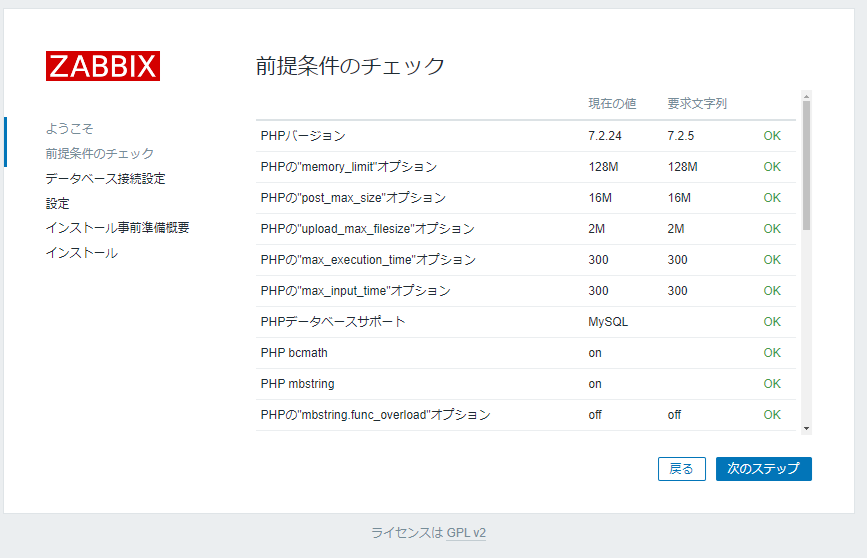
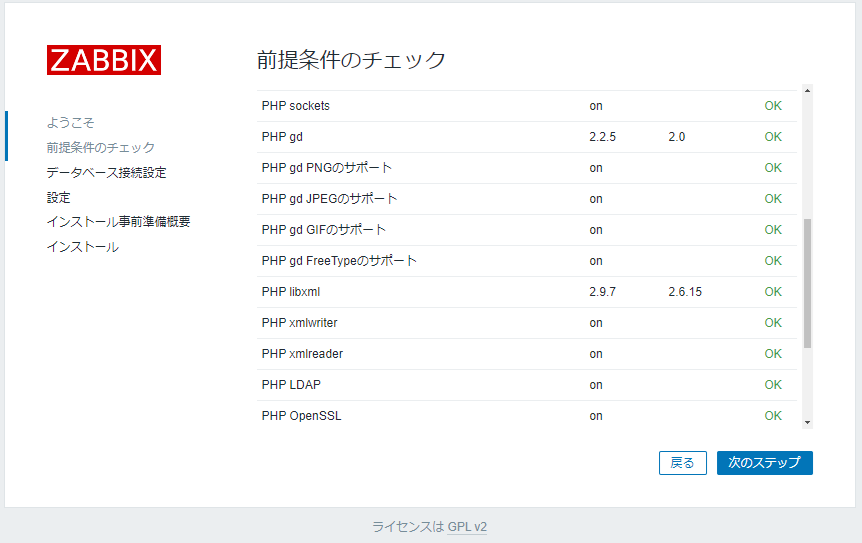
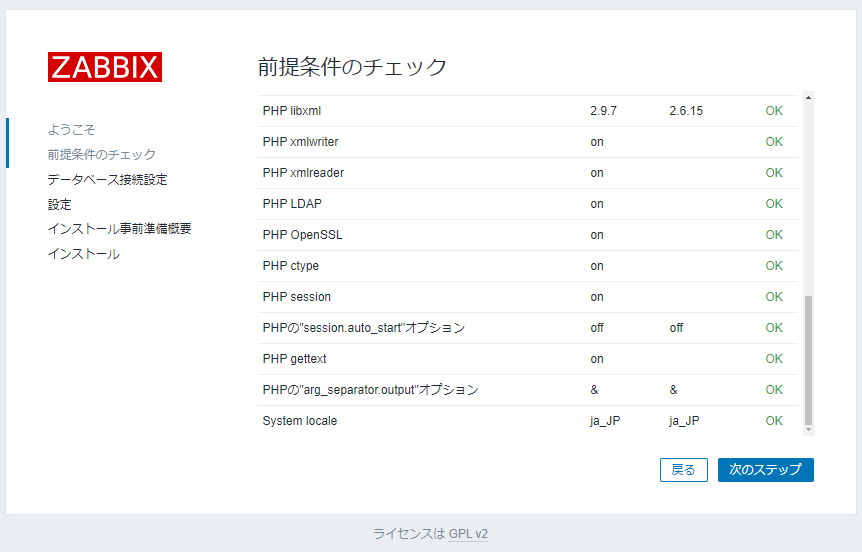 ↑ 全体見て全部 OK だったら
 次のステップ を選択
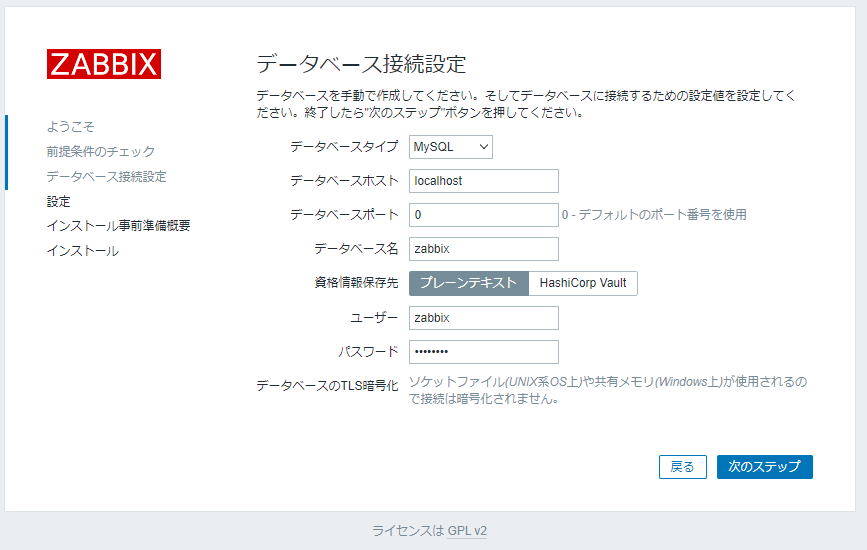 ↑ DB 接続用のパスワード (今回は password) を入力して
 次のステップ を選択
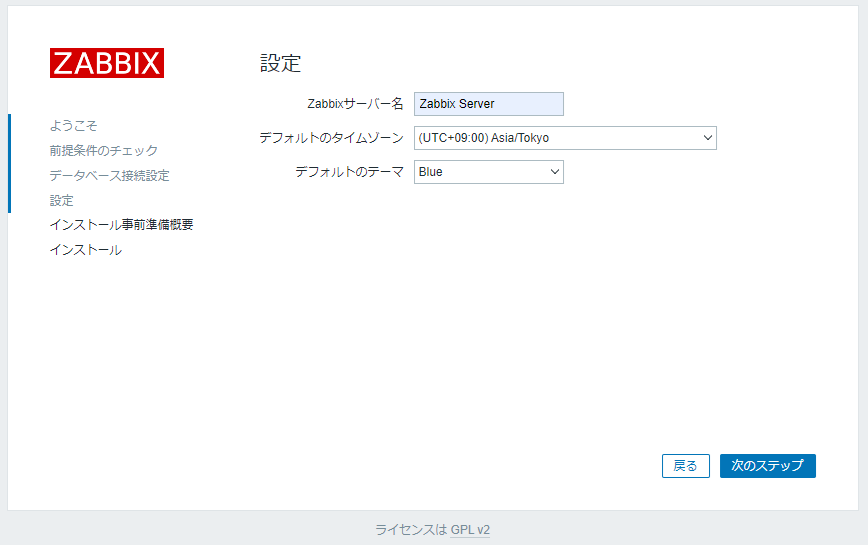 ↑
↑ Zabbixサーバー名 と デフォルトのタイムゾーンを設定して 次のステップ を選択
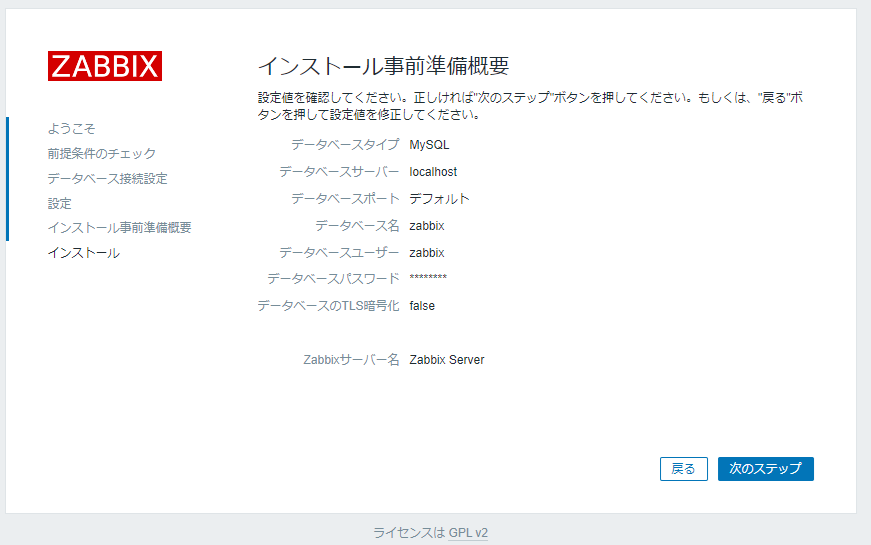 ↑ 確認して問題なければ
 次のステップ を選択
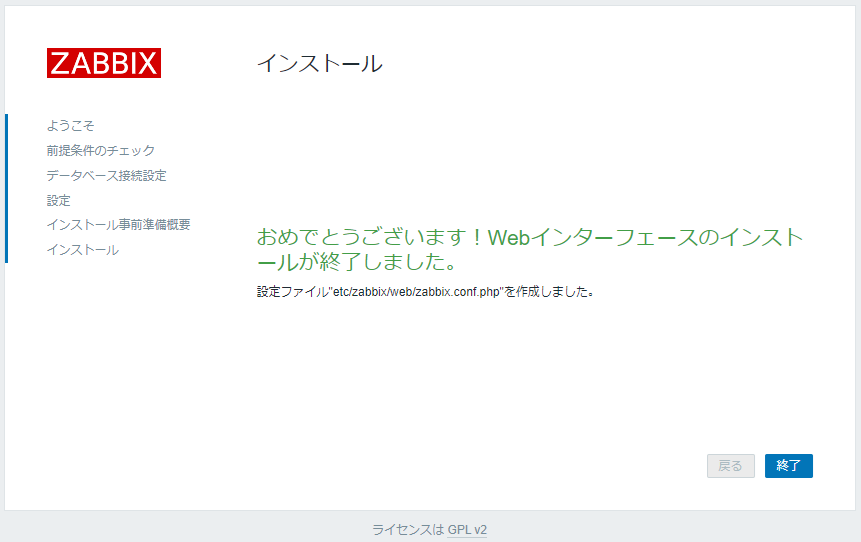 ↑ 終了したことを確認して
 終了 を選択
 ↑ Zabbix のログイン画面が表示されるので、デフォルトのユーザー Admin/zabbix でログインする
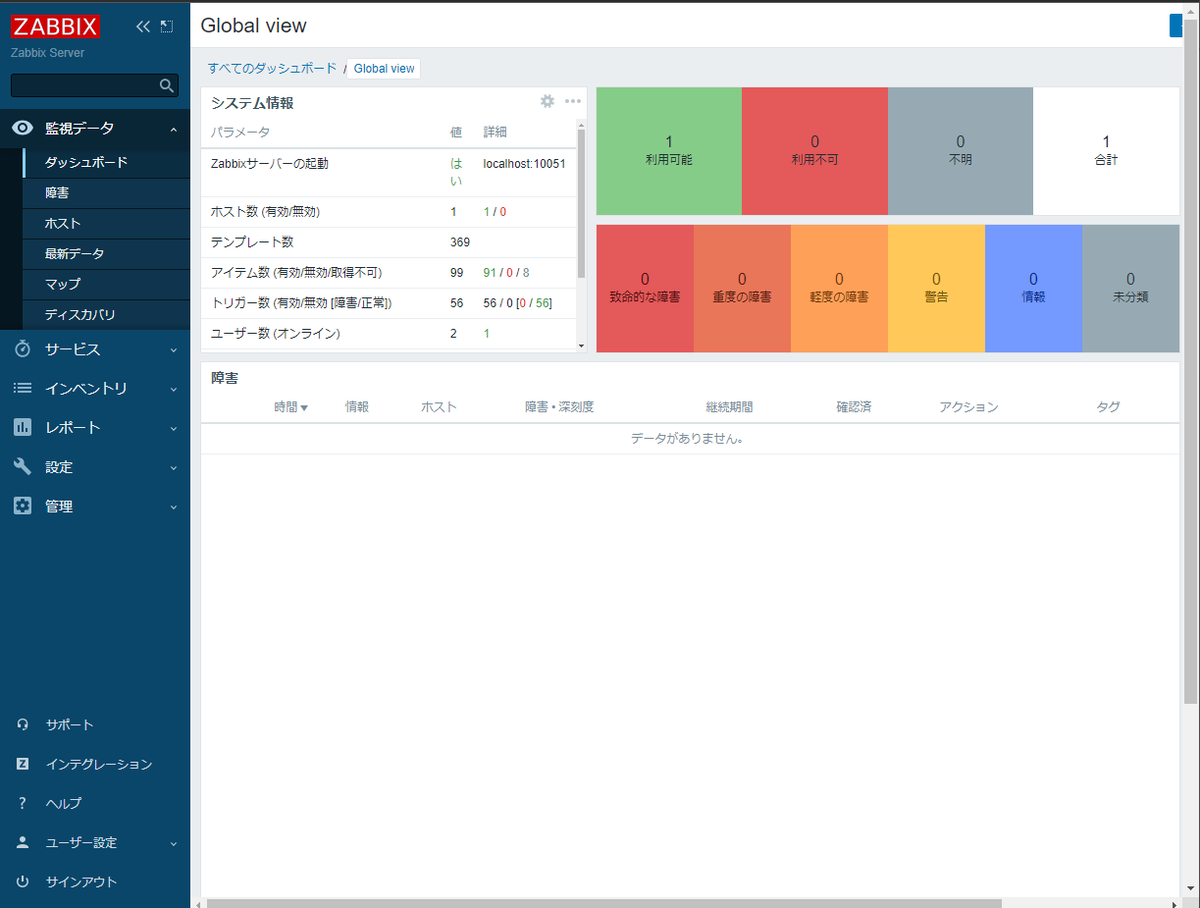 ↑ ログインできた。
この後の Zabbix サーバーへの設定
いったん以下のことを実施
- ユーザーアカウントの作成
- ユーザー Admin のパスワード変更
そのあとは監視対象の仮想マシンができたら随時監視設定を作っていく予定。
今日のところはここまで。
お疲れさまでした。
